Every year, the services offered by no-code and low-code development platforms gain more traction and see broader adoption. According to recent market data, demand for rapid application development solutions will continue growing.
This rise in popularity and powerful marketing can create the illusion that building custom software from scratch no longer makes sense. Rubyroid Labs examines whether this perception holds true.
In this article, we outline when no-code/low-code solutions are the right choice and when custom development becomes the stronger option.
Contents
- The core difference between no-code and low-code platforms
- Aspects to consider when building a website on no-code/low-code
- What a custom development cycle looks like
- Advantages of custom software development
- 5 questions to answer before making a choice between no/low-code and custom development
- Conclusion
The core difference between no-code and low-code platforms
Low-code/no-code (LCNC) platforms operate on a high-level model where the vendor has already solved essential tasks like frontend rendering, database connections, authentication, and API routing.
What the user sees is a visual interface. What happens underneath is an orchestrated execution engine.
No-code platforms
No-code tools target business users. They allow someone with zero experience in programming to assemble an interface through drag-and-drop app builders. A no-code user doesn’t write traditional program code. They generate metadata. Usually it takes the form of JSON or XML that describes component layout, logic rules, and interactions.
A proprietary execution engine reads this metadata to render the application and run its workflows. This results in a tight vendor dependency. The app cannot run outside the platform. The visual project has no meaning without the vendor’s interpreter, which becomes the single environment in which the application exists.
You can see this architecture in popular no-code tools.
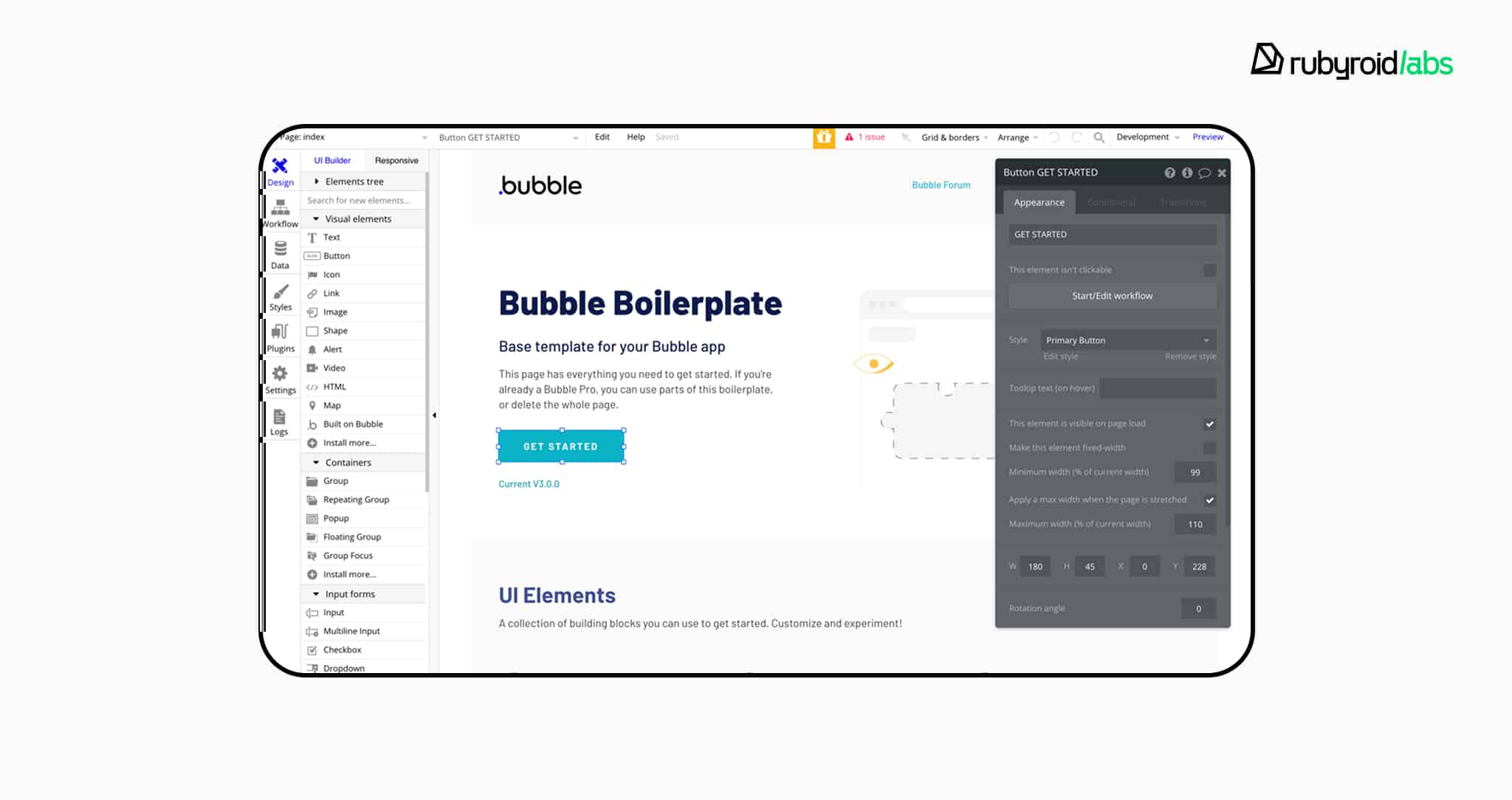
- Bubble lets users build full web applications with a database editor and workflow system. Everything runs on Bubble’s servers. The project cannot be exported as standalone code. If you leave the platform, your app stays behind.
- Webflow outputs clean HTML, CSS, and JavaScript. Code export is possible, but it comes without the CMS structure, forms, or dynamic logic that power the live version. Once exported, the site becomes a static shell and requires additional work to function as a real product.

- FlutterFlow lets users export source code based on the Flutter framework. In theory, this creates continuity with custom development. In practice, teams often face problems with code quality and long-term maintenance, which limits the benefit.

Low-code platforms
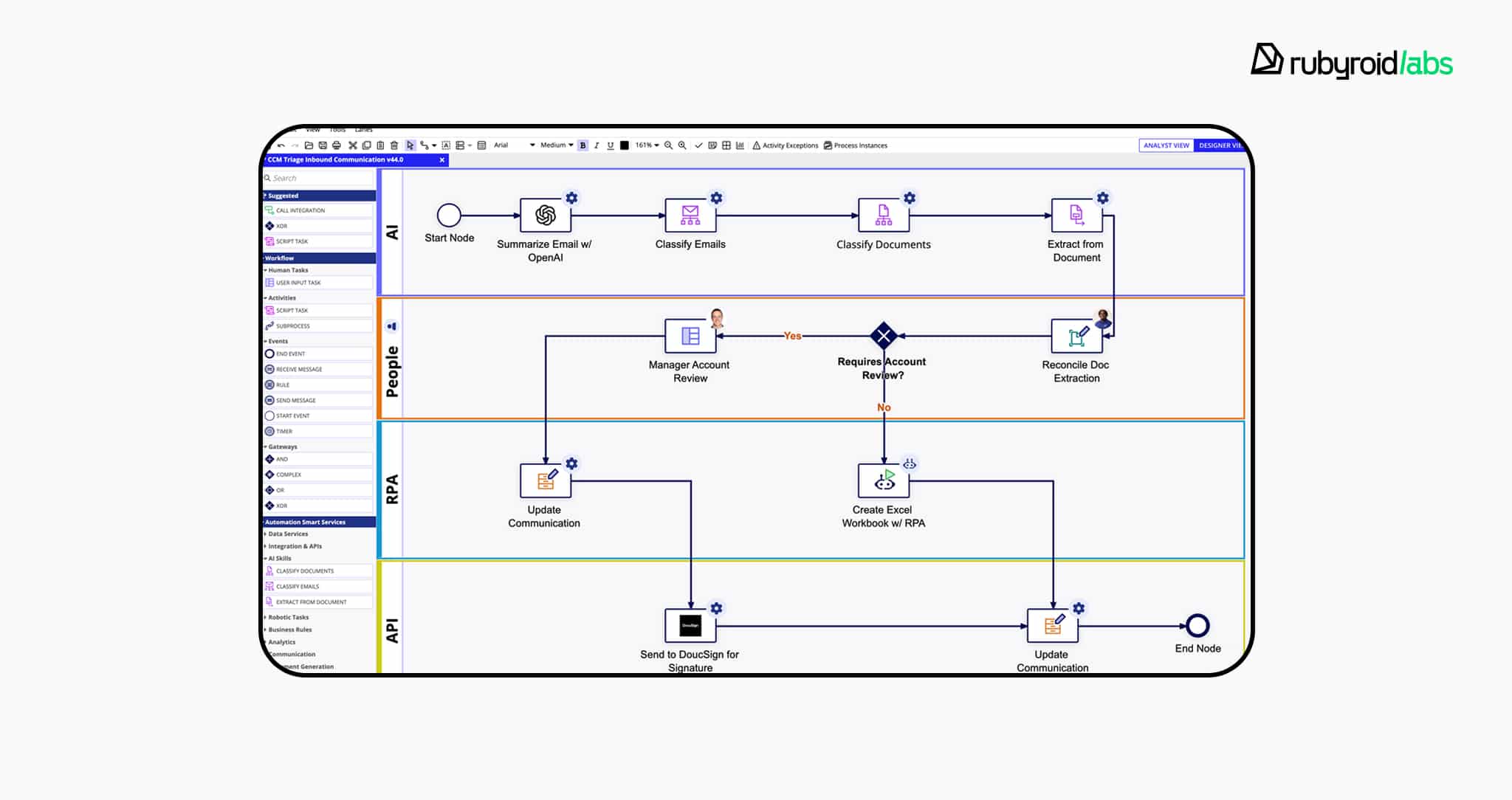
Low-code platforms target professional developers. They accelerate delivery by generating the foundation that developers would otherwise write manually. Standard modules, UI layouts, data schemas, and API endpoints are produced automatically.
Technically, low-code platforms rely on code generation. Visual models are translated into a conventional programming language and then compiled or deployed to the chosen environment.
Developers can extend the system with custom scripts, SQL queries, or integrations. The vendor hides a portion of the internal mechanics to improve speed, but still allows meaningful intervention.
These technical principles are put into practice by several key players:
- OutSystems supports web and mobile development and uses a licensing model based on Application Objects. The more screens, tables, and API endpoints an app has, the higher the licensing tier. This ties cost directly to complexity.

- Mendix supports deployment in any cloud environment (AWS, Azure, Private Cloud) thanks to containerization. It also provides capabilities to export the data model into Java classes, attempting to minimize the risk of vendor lock-in.

- Appian excels at business process management and case management. It supports intricate workflows and enterprise compliance needs. The entry cost is high, and so is the licensing, which positions Appian firmly in the large-enterprise segment.

Aspects to consider when building a website on no-code/low-code
When a team builds on a low-code or no-code platform, it enters a layered relationship with the vendor. There are financial, technical, and legal aspects to consider.
Financial aspect
The pricing is subscription based. For no-code tools, cost often depends on traffic, CMS items, collaborators, or workflow limits. For low-code tools, pricing may depend on app complexity, infrastructure usage, or enterprise support tiers. Scaling the application increases the subscription cost.
No-code example: the lifecycle of a small online store
Webflow separates site plans (hosting, CMS, bandwidth, e-commerce limits) from workspace plans (team seats, collaboration). Site plans offer clear tiers:
- a low-entry CMS/marketing plan that fits a content-driven site;
- a set of e-commerce plans for online stores;
- larger “Business/Enterprise” tiers that increase CMS items, bandwidth, and other limits.
Your plan dictates strict caps on CMS items, monthly visits, and e-commerce SKUs, leading to overage charges or forced upgrades.
Let’s imagine a case of launching an online shop built in Webflow.
Start on a CMS or entry e-commerce plan. If billed annually, the entry commerce tier is often under $20/month (exact figures vary by billing cadence and current pricing). That covers:

At a few thousand monthly visitors and a growing catalogue you hit limits (either CMS items, bandwidth, or e-commerce SKU caps).
Webflow’s mid/advanced e-commerce tiers and business/enterprise plans raise those caps but at higher prices. When traffic surges repeatedly, Webflow may require an automatic plan upgrade or a move to a custom enterprise agreement.
A simple, approximate cost path (illustrative, not a quotation):

What this shows in plain terms: no-code hosting lowers initial costs to prove product-market fit, but platform quotas make expenses rise in steps. A usage spike forces an upgrade, so you have to pay for capacity before you monetize it.
Low-code example: licensing tied to complexity
Low-code enterprise vendors price around running environments, capacity, and a metric for app complexity. OutSystems, for instance, sells subscriptions tailored to customer usage and enterprise needs.
The cost is measured against Application Objects (screens, APIs, entities) that together form an app’s footprint. AO packs and runtime environments are purchased to match scale, and commercial offers are almost always custom quotes.
A few real numbers help the picture:
A typical starter package with environments, some AOs, and user licenses can cost $30,000–$40,000 per year.
As your app grows and you need more screens or APIs, you buy more AO packs. Each of these packs costs a few thousand dollars.
Don’t forget the other common line items:
- payment-processor fees for e-commerce (separate from the platform);
- costs for custom integrations or middleware;
- developer hours for custom code or to clean up generated code;
- third-party SaaS subscriptions (CRM, analytics);
- support/maintenance.
One of our clients, a U.S.-based flower shop, originally launched their website on a well-known low-code platform. At first, the fixed subscription fee seemed cost-effective.
But as their online sales grew, the platform introduced new terms: instead of a fixed price, they would now charge a percentage of every transaction. Once the team did the math, the projected annual cost came out to nearly one million dollars simply for platform usage.
So if you aim at building customer-facing products with long-term ambitions, relying on someone else’s platform is financially unsustainable.
Technical aspect
A site built on a no-code platform is tied to the vendor’s infrastructure. Hosting, databases, build pipelines, and authentication are controlled entirely by the provider. Exporting the project results in a nonfunctional version or a static snapshot.
With low-code development limitations, the situation varies. Best low-code platforms allow code export or containerized deployment. Others provide deployment only inside the vendor-managed environment.
Typical path for switching from vendor-managed no-code to hand-rolled architecture:
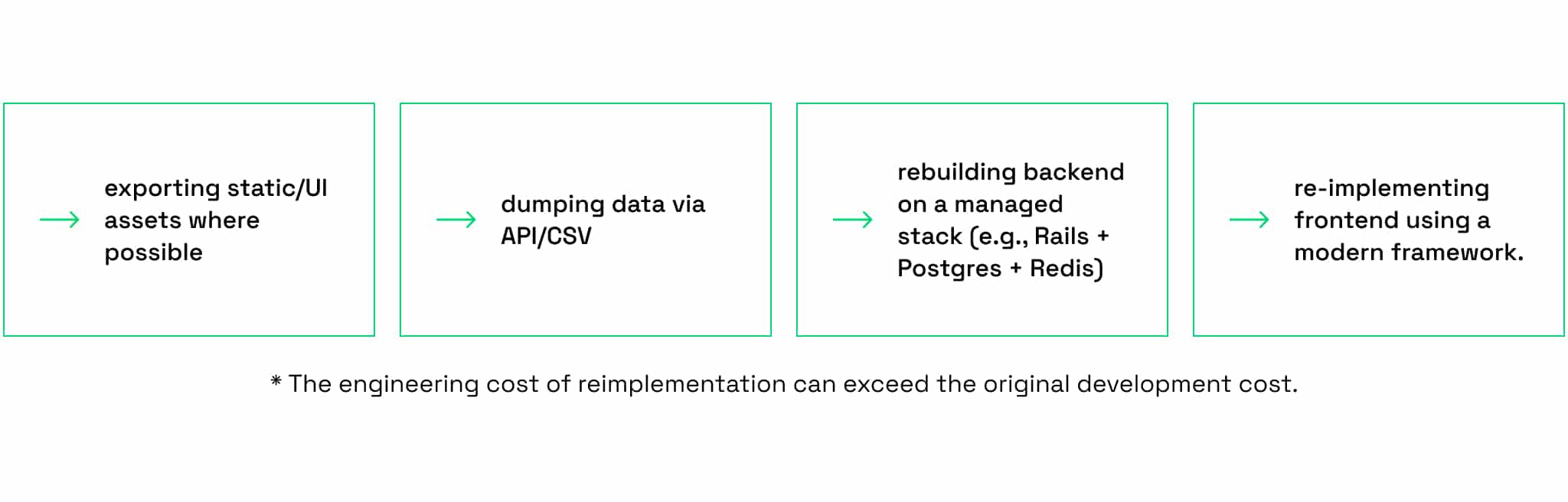
If you need an enterprise exit or partial exit from low-code, you should start with exporting data and reusing APIs, then slowly rewrite the most critical modules in conventional stacks.
From there, the low-code to custom development migration becomes a separate project. When moving, for example, an online store off a platform, you must preserve the domain already indexed by search engines and used in advertising, along with all internal linking.
You also need to transfer the entire database (users, orders, inventory) without stopping operations. A store can’t simply “pause” for a week, so migrations are done gradually. Data is typically transferred overnight using synchronization tools, allowing the new system to be built and updated in the background.
For end users, nothing changes unless the interface itself is updated. In fact, Rubyroid Labs can perform these transitions with zero downtime.

On low-code platforms, you’ll find documentation describing a detach process, but those procedures still require experienced engineers and runtime configuration.
You should treat exportability as an architectural requirement from day one. If you adopt low-code for enterprise apps, insist on clarity about export tools and the vendor’s documented detach procedures. Budget the real cost of leaving.
Legal aspect
Most LCNC platforms follow the same pattern in their Terms of Service:
You own the content, data, business logic, and visual assets you create.
This usually includes:
- UI design and components;
- content and media;
- data models and collections;
- workflow rules and automations;
- user-generated content;
- your domain name (if purchased externally).
You do not own the execution engine, the underlying runtime, the editing tools, or any part of the infrastructure that makes the product work. Vendors retain ownership of anything that executes, interprets, compiles, or serves your application.
Summary: low-code vs no-code platforms
We’ve grouped the main distinctions into a comparison table. It’s a quick way to revisit the ideas we’ve covered so far.
| No-code platforms | Low-code platforms | |
| Technical depth | Minimal technical skills required. The system abstracts almost everything. | Moderate to high technical skills required. Developers can extend or override platform-generated logic. |
| Core approach | Users assemble UI and logic through drag-and-drop. They generate metadata interpreted by a proprietary engine. | Visual models generate actual code that can be extended with custom scripts, SQL, and integrations. |
| Execution model | Fully tied to vendor infrastructure. Application runs only inside the platform’s proprietary engine. | Varies: some allow containerized deployment, partial code export, or cloud-agnostic hosting; others restrict execution to the vendor environment. |
| Migration difficulty | High. Export produces a nonfunctional or static version. Dynamic features must be rebuilt from scratch. | Medium to high. Data and some code may be migrated, but workflows and runtime dependencies require a partial or full rewrite. |
| Vendor lock-in | High. The application cannot function outside the platform. Leaving requires a complete rebuild. | Medium, depends heavily on vendor. Some runtime components remain proprietary, but developers may migrate data, rewrite modules, or redeploy containers. |
| Scalability model | Scaling is tied to platform quotas. Costs rise in steps when traffic spikes or content grows. | Scaling is tied to app complexity and infrastructure. Costs rise as the system grows. |
| Typical cost curve | Low upfront cost. Costs jump significantly when the product grows. | Medium upfront cost. Licensing grows with app complexity, integrations, and large-scale operations. |
What a custom development cycle looks like
Custom software is built through traditional, hand-written code. This kind of development requires multiple specialists and a carefully managed sequence of decisions.
We offer a look at how a full custom product development cycle unfolds, using the experience of Rubyroid Labs as a reference point.

Discovery phase
Clients approach with varying levels of preparedness: some arrive with a detailed specification, others with only an idea and a rough sense of budget. When the initial information is ambiguous, the team conducts a paid discovery phase that lasts from two weeks to several months.
A business analyst meets with the client at least twice a week, often for an hour or more per session. Over two weeks to several months, the analyst maps out the full scope and documents it in a requirements specification. This method contrasts with the use of visual development tools, where teams often jump straight into building and later encounter architectural limitations.
As discovery advances, a designer joins as well. Depending on how confident both sides are about continuing the collaboration, the design work may start as low-fidelity wireframes or evolve into final UX/UI design.
Spending on discovery might feel optional, but reworking a feature mid-build costs more. An analyst typically costs around $25–30/hour, while engineering hours often start at $50/hour. Please note that these are approximate rates for context.
Estimation
Once the requirements and design are ready, the business analyst and a senior developer evaluate the project. They break the system into work packages and build a work background structure. Each work package is estimated in hours.
These estimates undergo internal validation, after which the sales team works with the client to look for optimizations. Since hourly rates vary by role and experience of a specialist, the final budget is also shaped by which experts the client prefers to involve. This results in a transparent cost model:

If the client provides accurate information about expected traffic or usage patterns, the team can forecast future maintenance costs. Some of these expenses come from infrastructure, some from paid integrations (anything from a few dollars a month to tens of thousands) depending on scale.
The goal is to give the client a realistic long-term picture before development begins.
Development & QA
Engineers implement the architecture defined during discovery. QA engineers then test it using various methods, including unit and integration tests, regression testing, and edge case analysis. Their work protects the codebase from defects.
Although some clients attempt to skip QA to reduce costs, this often results in higher expenses later. Note that QA specialists have lower hourly rates than developers.
Maintenance
A few months after launch, unexpected issues or potential improvements can arise. The owner of an online shop might want to add another payment method. This update requires a developer who supports the project long-term.
Moreover, technical debt accumulates over time as frameworks, libraries, and integrations become outdated. Without regular updates, these components stop working or create security risks. That’s why ongoing support can range from a part-time engineer to an entire dedicated team, depending on the project’s scale.
This workflow demonstrates why custom development often becomes the preferred choice for businesses with long-term ambitions. It offers far more software architecture flexibility and reliability for large platforms whose services are built for external users.
The involvement of multiple specialists also means the upfront cost is higher compared to website builders.
Advantages of custom software development
Now we’ll look at the advantages of this model (as well as the few challenges it brings) to see why companies choose it despite the higher initial investment.
Full customization
Direct coding allows a team to shape every product element to its business logic. Engineers choose the architecture, data structures, and security models according to the product’s needs.
This level of control stands in contrast to no-code/low-code platforms, where customization is either impossible or severely limited by the platform’s predefined components.
The only caution here is that flexibility requires discipline. A poorly structured custom system can accumulate technical debt faster than a templated solution.
Performance
Custom applications can be optimized at multiple levels:
- database queries;
- indexing strategy;
- concurrency model;
- build tools;
- memory usage;
- API communication.
Developers can also select the most appropriate stack for the specific workload.
The tradeoff is that this performance comes from deliberate engineering effort. Achieving it requires specialists who understand optimization.
Need such specialists on your team? Discover the most effective strategies for sourcing and hiring them in our guide: How and where to hire software developers in 2025–2026.
Infrastructure cost control
When the team owns the architecture, they choose how and where the product runs. They can scale horizontally or vertically, switch cloud providers, use spot instances, containerize services, or adopt serverless functions. Pricing is based on consumed resources, rather than fixed vendor subscription tiers.
The nuance is that infrastructure freedom also means infrastructure responsibility. Someone must monitor usage, adjust environments, and ensure that scaling decisions remain cost-efficient over time.
Long-term maintainability
With a fully custom codebase, the company never has to negotiate with a third-party platform or conform to a provider’s roadmap. The team can refactor, migrate, or rewrite parts of the system as the business evolves.
Ownership of the code creates independence. Even if the development vendor changes, the product remains portable as long as it is well documented.
Without clear architecture notes and proper documentation, even a custom system can become hard to inherit.
Integration capabilities
Engineers can connect any external API, build custom workflows, implement event-driven mechanics, or orchestrate complex back-office processes. They are not limited by whether a feature exists in a platform marketplace or whether the platform throttles certain operations.
The flip side is development time. Freedom to integrate anything means teams must actually build and support those connections.
Predictable scalability
Custom systems can be designed for future load beforehand. Developers can simulate traffic, distribute services, introduce queues, and prepare the architecture for growth without waiting for a vendor to release new capacity options.
Scalability planning must be revisited as usage patterns evolve. A scalable architecture today might need adjustments a year later, but those adjustments remain fully within the team’s control.
Of course, experiencing these advantages requires an upfront investment.
Custom development demands more capital at the beginning than building on visual platforms, where early costs are limited to subscription fees. Over time, the flexibility, performance, and control usually pay off, but the initial threshold isn’t suitable for every team.
5 questions to answer before making a choice between no/low-code and custom development
Many who face this choice encounter the familiar claim, “complex projects require custom development” but this phrase often stays unexplained.
‘Complexity’ refers to the number of moving parts, the frequency of change, the volume of data processed, the logic behind user flows, and the number of integrations that keep the system connected.
A product becomes complex when it relies on dynamic content, conditional logic, custom workflows, or advanced search. Into this category usually fall:
- marketplaces;
- multi-vendor systems;
- subscription management;
- logistics platforms;
- financial dashboards;
- real-time collaboration tools;
- anything involving multiple user roles.
Applications that require complex mathematical computations often hit the “ceiling”, the point at which the effort required to implement a feature in a platform exceeds the effort to code it from scratch. This occurs when developers must create elaborate workarounds to bypass platform limitations.
For example, Bubble lacks the native capacity for complex mathematical operations without relying on external plugins or heavy JavaScript injections, which defeats the purpose of a no-code environment.
Visual programming languages are ill-suited for expressing complex recursive logic or heavy matrix operations, which are trivial in languages like Python or C++. For a deeper analysis of which languages are best suited to future-proof development, read our “Comparison of popular programming languages in 2025–2030”.
To choose between LCNC and custom development, you should analyze their specific context through 5 questions.
#1 Will your project require regular updates?
In platforms, rapid changes can be deployed in seconds, which is ideal for finding product-market fit. However, they lack robust version control systems.
In traditional development, Git is used. It allows you to create branches, merge them, see line-by-line changes, and roll back specific commits. In no-code platforms, version control is a linear history of save points. So, you cannot see what exactly changed in the logic between two versions.
Because the “code” is hidden behind visual abstractions, a change in one UI element might break a workflow logic chain elsewhere. Without the automated testing pipelines (CI/CD) standard in custom development, these breakages are often discovered by users in production.
If your project is a “living organism” that will undergo daily updates by a large team, custom development offers the necessary tooling to do so safely. If the project is relatively static, LCNC offers superior agility.
#2 Do you need integration capabilities, or will you in the future?
LCNC platforms often market themselves on their ability to connect with “thousands of apps” via tools like Zapier or Make. But this convenience comes with significant trade-offs.
First, error handling is fundamentally limited. In custom code, a developer can implement error handlers (try/catch), retry policies, and backoff strategies for API limits. Platforms often respond to errors by simply stopping the scenario with a generic notification “Scenario turned off due to errors”, which brings the business process to an abrupt halt.
This fragility is compounded by debugging complexity. Tracing a failure through a chain of five different SaaS tools connected by invisible webhooks is more challenging than analyzing a local stack trace that precisely identifies the faulty line of code.
Furthermore, LCNC platforms face hard scalability limits. They act as middleware with strict execution constraints. For instance, syncing 100,000 records from Salesforce to a data warehouse would count as 100,000 operations. Under standard pricing models, this task could cost hundreds of dollars, whereas a Python script would accomplish it for pennies.
Choose LCNC if integration needs are standard and low volume. Choose custom development if the application requires high-frequency data syncing, deep-linking into legacy mainframes, or complex error handling logic.
#3 How soon do you need your application or website to go live?
This is the strongest value proposition of LCNC and often the deciding factor for startups. Getting to market in 3 weeks allows for testing assumptions before capital is depleted.
A marketplace MVP that might take a custom software development company 4-6 months to build can be assembled in Bubble in 4-6 weeks. But this low barrier to entry in LCNC can paradoxically lead to failure by removing the natural friction that forces entrepreneurs to validate their ideas.
This trap is perfectly illustrated by the story of an online marketplace for local goods, built on Sharetribe.
The project ultimately failed, and its founder confirmed the cause was not technical. The platform allowed him to launch quickly with “80% of the product” he wanted. The failure, he explained, was strategic: “No-code enables you to make anything, but you can get into a trap where it’s too easy to create stuff without taking the steps to validate it”.
If your goal is to validate a hypothesis, LCNC is the superior choice. If the project is a rebuild of a validated product, custom development is preferred.
To explore a framework that balances rapid validation with the foundation for scalable growth, read our article: Why startups choose Ruby on Rails for rapid MVP development.
#4 How large is your budget?
When you build on a platform, scaling costs rise in two ways: a more expensive subscription tier and usage fees that can grow exponentially with your user base.
This abstracted cost structure can be fatal, as demonstrated by a voicemail and text management service for streamers. The product, built on a stack of Webflow, MemberStack, Zapier, and Airtable, was launched in 3 days.
However, its founder encountered a harsh economic reality through Twilio’s usage-based pricing. Sending one text to 200 subscribers cost $1.50. At just 15 messages per month, the cost per user was $22.50 (far more than the nominal subscription fee he could charge). The platform’s abstraction layers had hidden this underlying cost.
In a custom build, an engineer could have batched requests or selected a cheaper SMS gateway to control expenses. In this no-code setup, the easiest connector was also the most expensive. Ultimately, the founder made more money selling the template of the site than from the service itself.
| LCNC platforms | Custom software development company | |
| Upfront cost | Low. Pay primarily for configuration/design. | High. Pay for discovery phase, engineering hours, architecture, PM, design, QA. |
| Ongoing cost | High / variable. Costs scale with usage. Vendor lock-in leads to price inflexibility. | Low / fixed. Hosting is cheap. Maintenance costs are predictable but require staff. |
| Migration cost | High. The “migration tax” of rebuilding the app when scaling breaks the platform limits. | Low. The IP is owned. Scaling requires refactoring, instead of rebuilding. |
Choose LCNC if the budget is <$50k and the organization prefers monthly operational costs over large capital investment. Choose custom development if the budget allows for >$50k investment and the goal is to build a core asset with long-term IP value and controllable unit economics.
#5 What are your security needs?
In LCNC, the organization relies entirely on the vendor for infrastructure security. There is no ability to install custom firewalls, manage the OS, or control patch levels.
It’s worth noting that The Open Web Application Security Project has identified specific top 10 low-code/no-code security risks, including account impersonation and data leakage due to misconfigured permissions.
If your application handles sensitive PII, PHI, or high-value financial transactions, custom development is strongly recommended. For internal tools or marketing sites, the standard security of enterprise LCNC platforms is usually sufficient.
Conclusion
Low-code and no-code platforms shorten time-to-market and reduce early-stage costs. But as a project grows, you become more and more dependent on the vendor’s terms and conditions. You literally start losing control over your business.
Despite higher upfront investment, custom development gives you far more opportunities to cut down expenses later.
If your business has already encountered the limitations and you are considering a move to your own infrastructure, this process does not have to be painful or involve downtime.
Rubyroid Labs specializes in the safe migration to custom technology stacks with zero downtime, preserving domains, SEO value, databases, and user operations throughout the transition.