The rise of Hotwire and React Native frameworks has introduced a hybrid architectural model that demands a new breed of infrastructure: the cross-platform design system. Unlike legacy design systems that functioned as static style guides or localized component libraries, modern cross-platform UI architecture acts as an ecosystem of design decisions, automated pipelines, and adaptive code modules.
Together with our UX/UI design team, we provide an exhaustive analysis of how to create a unified design language that bridges the server-rendered elegance of Hotwire with the high-performance native rendering of React Native.
Contents
- What is a cross-platform design system
- Why traditional design systems fail across web and mobile
- Benefits of a unified cross-platform design system for product teams
- How to create a unified design system for Hotwire and React Native: step-by-step guide
- Conclusion: is a cross-platform design system worth it?
What is a cross-platform design system
A cross-platform design system is a structured set of design decisions, reusable code, and governance rules that keep the product aligned across platforms.
It acts as a “single source of truth” where a change in a design variable (such as brand color or a typography scale) automatically propagates to every platform in the ecosystem, from a Ruby on Rails web application to an iOS or Android mobile app.
Why cross-platform consistency is difficult to achieve
Web and mobile environments are different. The web relies on the Document Object Model (DOM) and Cascading Style Sheets (CSS); native mobile platforms use platform-specific layout engines and view hierarchies.
Even when two teams follow the same mockups, the end result can diverge because the underlying technologies interpret them differently.
A design system for web and mobile addresses this by shifting the focus from how design is rendered to what it represents.
Instead of hardcoding visual decisions into platform-specific code, it abstracts them into a shared layer that can be interpreted consistently across environments.
What makes cross-platform consistency technically possible?
At the core of the abstraction layer are design tokens — the smallest units of a design system architecture.
Design tokens are name–value pairs that define visual properties such as:
- color;
- typography;
- spacing;
- shadows;
- elevation.
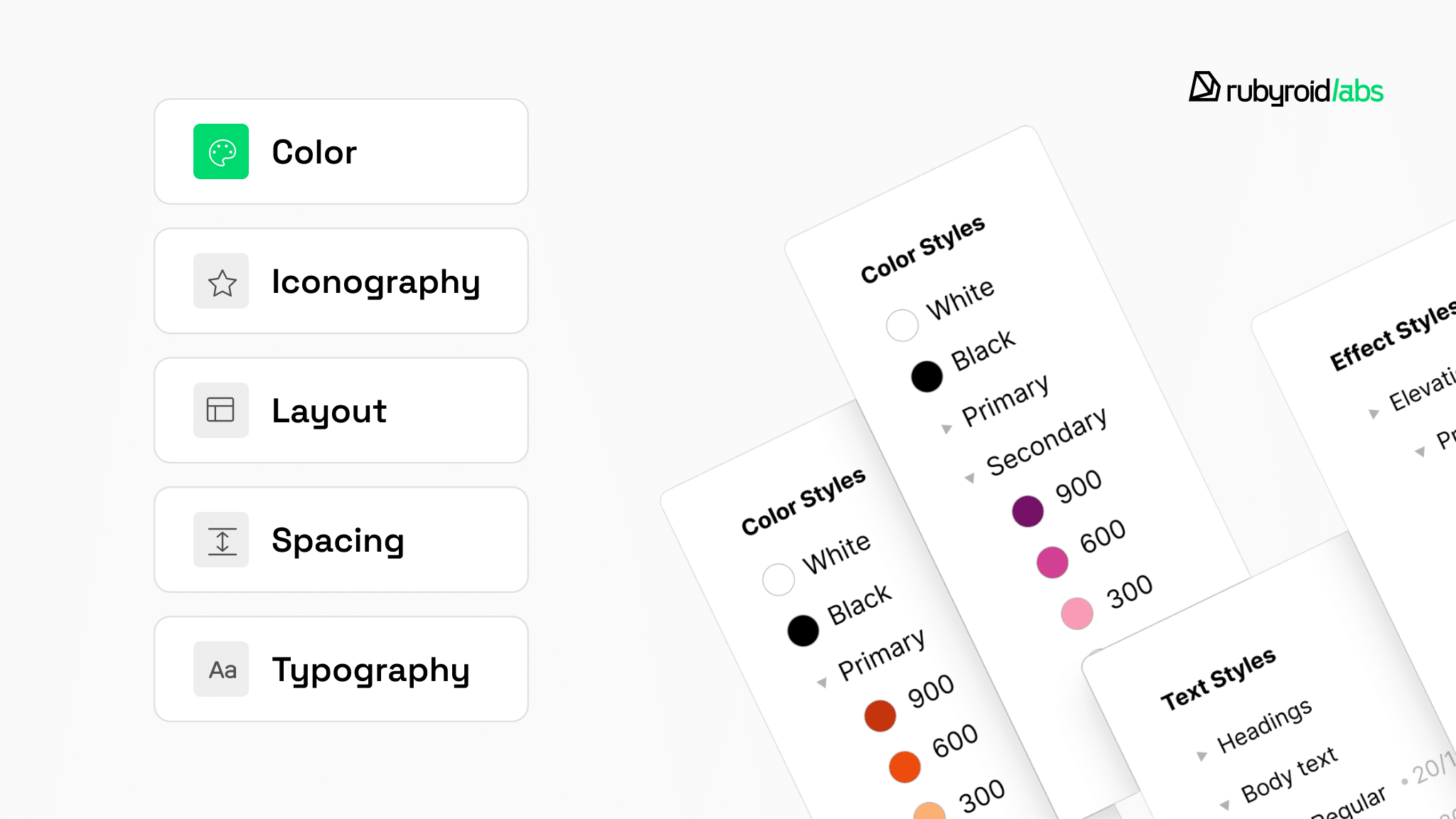
Tokens act as the connective layer between design tools (Figma) and the production codebase.
Systems split tokens into three tiers:
- Primitive tokens define the raw design values (e.g., color-blue-500: #007bff). These are rarely used directly in product code.
- Semantic tokens assign meaning to those values (e.g., background-button-primary: {color-blue-500}). These enable theming (light / dark mode) because the token name remains the same while its reference point changes based on the context.
- Component tokens map semantics to specific UI elements (e.g., button-primary-font-size: {font-size-lg}). This layer allows for granular adjustments without breaking the broader system’s consistency.
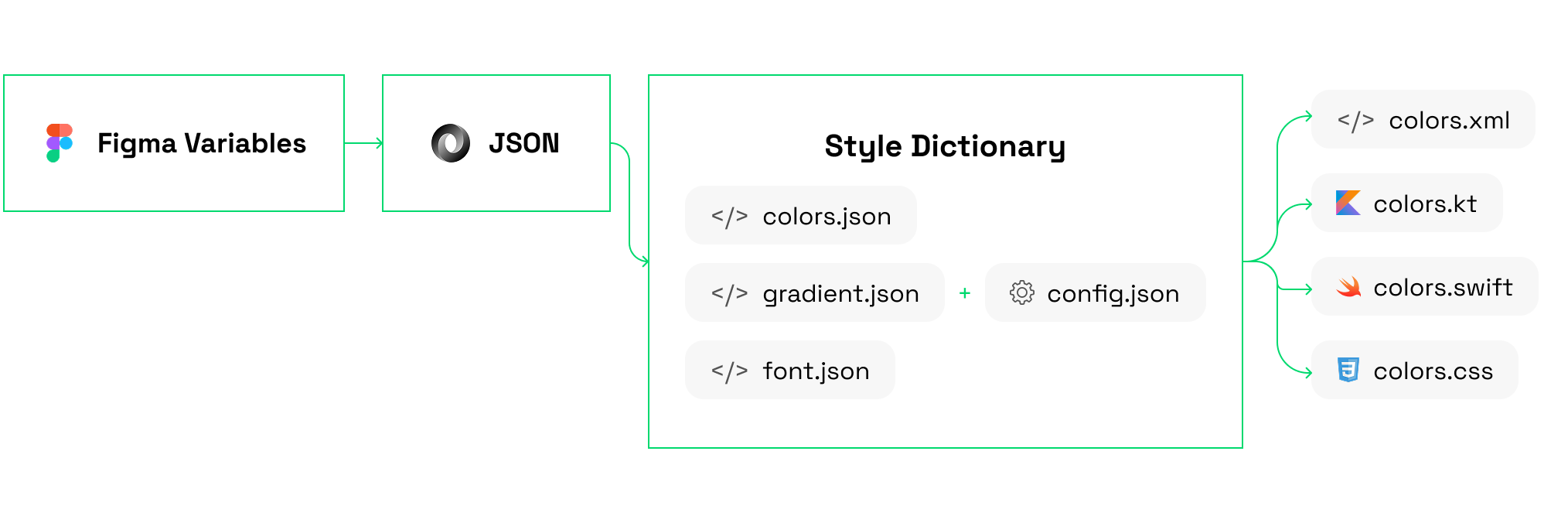
In cross-platform UI architecture, tokens are typically stored in a neutral JSON format. This allows them to be transformed into platform-specific outputs:
- CSS variables for the web;
- XML for Android;
- Swift for iOS.
How are interfaces built from tokens?
Tokens define the visual language, which is brought to life by UI components.
UI components are reusable, documented code units that implement tokens. In a cross-platform system, they must be responsive (adapting to screen size) and adaptive (respecting platform conventions).
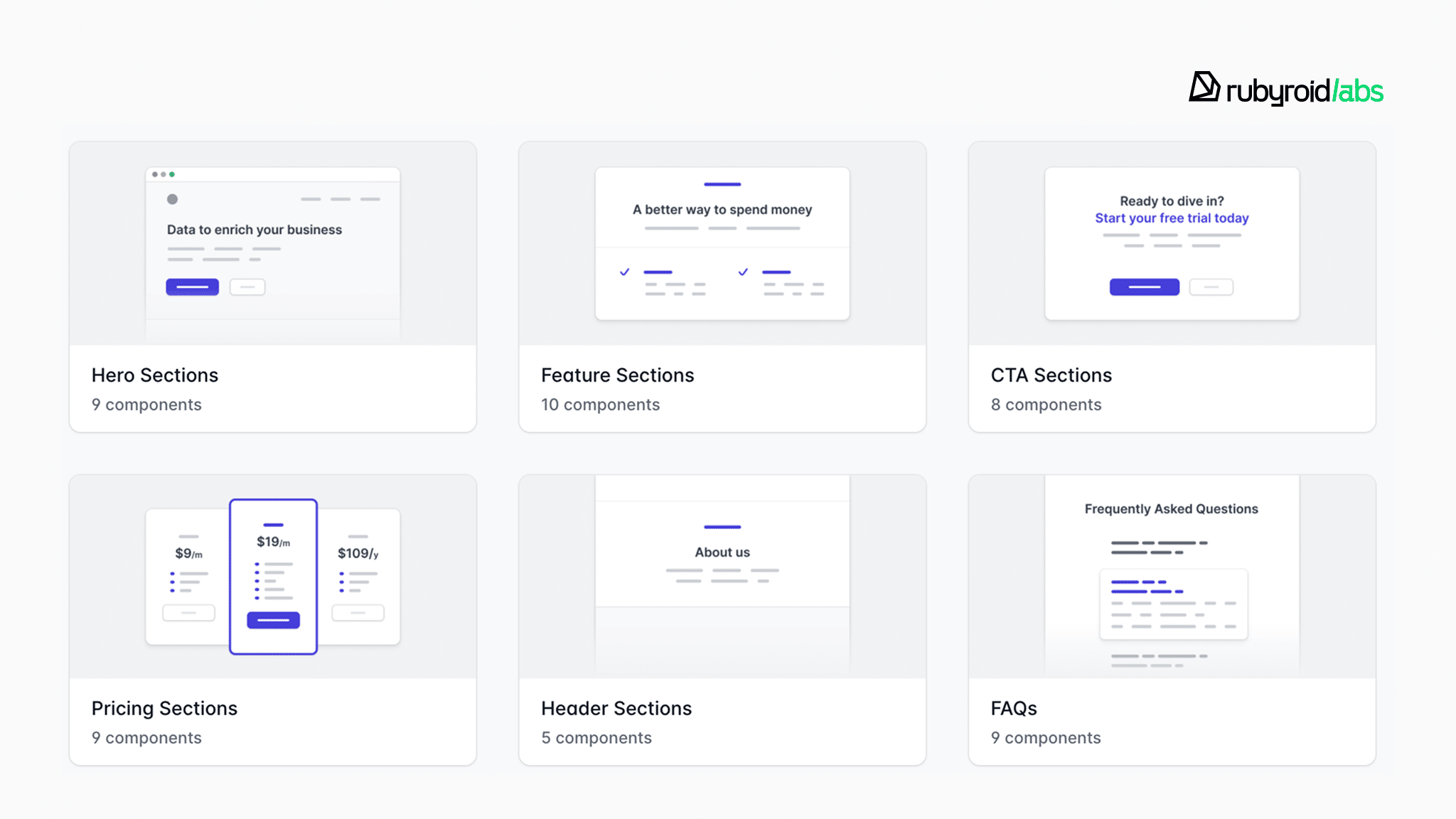
For example, a “Primary Button” may share the same design tokens across platforms, but its implementation differs:
- On Web → It is an HTML <button> styled with CSS variables.
- In Hotwire Native → still HTML button, but potentially bridged to native UI elements like UIBarButtonItem.
- In React Native → It is a <TouchableOpacity> or a custom native-backed component that uses the Yoga layout engine.
When a designer creates a “Header” component, the design system architecture provides the tokens, for example height: 56px, background: white, shadow: level-1. The web developer builds this in a Rails view, and the mobile developer builds it in React Native.
Because they use the same tokens and documentation, the result is an identical user experience even though the underlying code is different.
Why traditional design systems fail across web and mobile
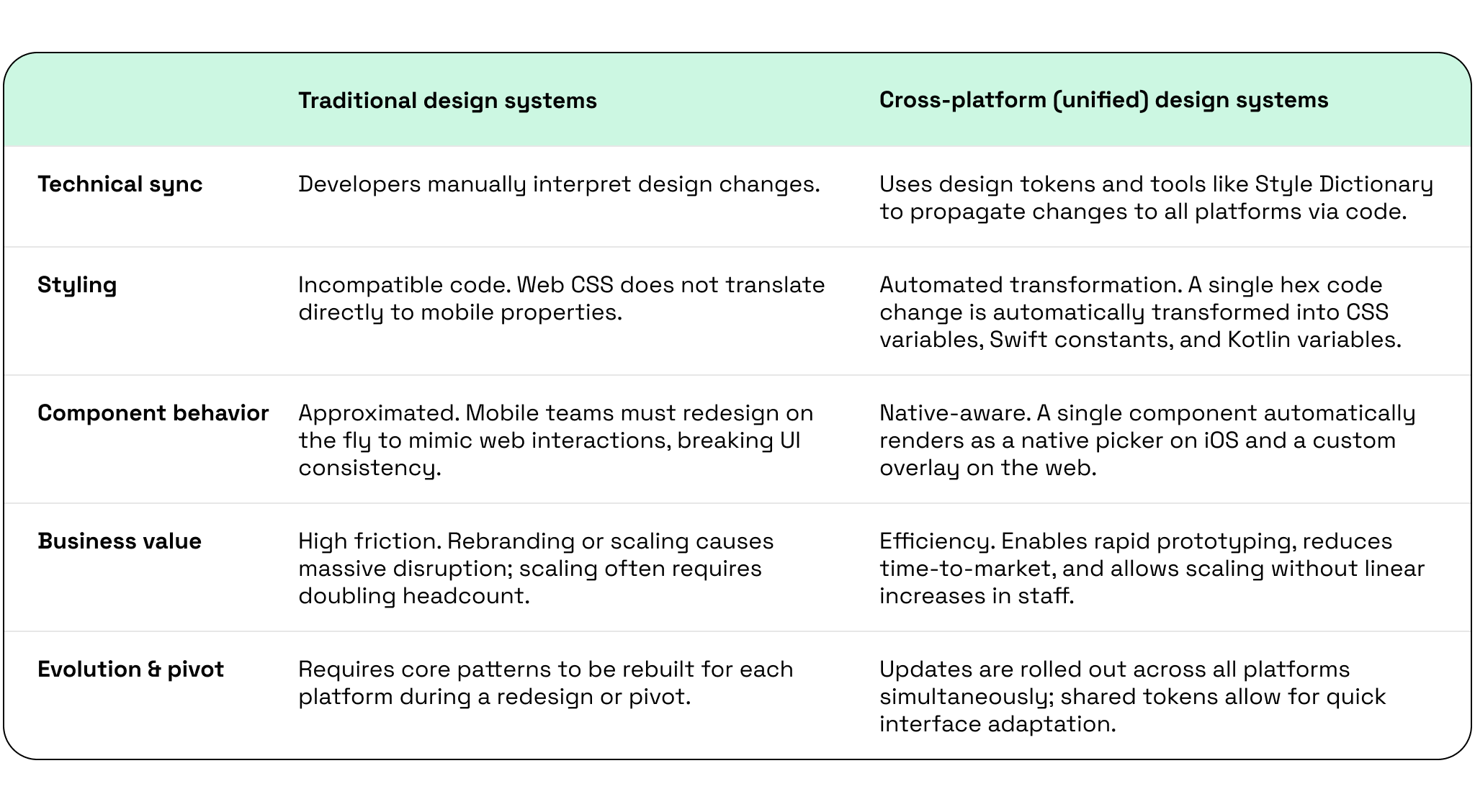
In a siloed environment, the design system often exists only as a series of static files in a tool like Figma, while the actual implementation is split across three or more different codebases (Web, iOS, Android).
Because of this gap between design intent and implementation, nearly 46% of teams face significant inconsistencies between design specs and final production code. Read more about bridging the gap between mockups and MVPs.

One of the reasons this difference exists is that most traditional systems are built with a strong web-first bias. They implicitly assume that patterns and capabilities of the browser environment can be transferred to mobile without adaptation. In reality, this assumption does not hold.
For example, iOS and Android follow different interaction patterns for fundamental elements like “Back” navigation or “Share” actions. A system that defines these interactions only from a web perspective forces mobile teams to redesign them on the fly and break UI consistency across platforms.
The same applies to styling. React Native design system does not use CSS in its standard form but relies on a limited subset of properties implemented in JavaScript.
A simple web token like box-shadow: 0 4px 6px rgba(0,0,0,0.1) does not translate directly:
- on Android it becomes elevation;
- on iOS it requires a combination of shadowOffset, shadowOpacity, and other properties.
What is more, traditional systems often rely on browser-specific capabilities such as hover states or certain layout behaviors like CSS Grid. These concepts either do not exist on mobile or require fundamentally different interaction models.
If a design system documents only the web version, mobile developers are left to approximate the intended result.
Alongside platform constraints, there is another issue with static design systems — their inability to keep all platforms in sync. When designers update a component’s visual style, developers on different teams must manually interpret those changes.
This lack of technical cohesion makes it difficult to implement breaking changes or global rebrands without causing massive disruption to the development pipeline.
Benefits of a unified cross-platform design system for product teams
A unified cross-platform design system assumes platform-agnostic principles from the start, which means that every design decision is valid for the DOM and the native View hierarchy.
This approach helps eliminate the disconnect between design and implementation described earlier.
It replaces manual handoffs with automated pipelines. By using design tokens and a translation tool (for example, Style Dictionary), you can make changes that are propagated across all platforms simultaneously.
For example, if you need to change the brand color:
| A designer updates the color variable in Figma → A webhook triggers a GitHub Action → Style Dictionary transforms the new hex code into a CSS variable, a Swift constant, and a Kotlin variable → The change is deployed to the web app instantly and included in the next mobile app build. |
What is more, a unified design system for web and mobile provides the “guardrails” for platform‑specific adaptation. In other words, it defines how components should adapt while preserving a consistent user experience.
The developer doesn’t have to decide how a dropdown should look on mobile as there is a documented component that automatically renders a native picker on iOS and a custom‑styled overlay on the web. This way you respect platform Human Interface Guidelines as well as Material Design conventions.
For developers, the unified approach provides an efficient workflow where 80% of common UI patterns (e.g., forms, charts, cards) are already built, tested, and documented.
For business, this:
- enables rapid prototyping;
- reduces time-to-market;
- minimizes the cost of introducing changes across platforms.
This is particularly vital for companies building super apps with React Native, as maintaining a unified shell for multiple services is the only way to scale without doubling headcount.
A unified design system also impacts how a product evolves over time.
- When scaling a product, there’s no need to rebuild core UI patterns for each platform.
- In pivot scenarios, shared tokens and component-based design system make it possible to quickly adapt interfaces.
- During redesigns or rebranding, updates can be rolled out systematically across web and mobile without partial updates.
- Finally, when the product is handed off to another team, a unified system serves as a documented foundation that cuts onboarding time.
However, this efficiency requires strict discipline. In a unified system, a developer cannot create a custom button variant without going through the design system governance process; doing so would reintroduce the fragmentation the system was designed to prevent.
To ensure your system hasn’t drifted over time, consider a regular UX/UI design audit and code audit to clean up technical debt.

How to create a unified design system for Hotwire and React Native: step-by-step guide
To provide a clear structure, the workflow can be divided into five main steps that outline how a cross-platform design system is built in practice.
Step 1: Establish a three-tier token architecture
Start the process with a strict separation between raw values, their meaning, and their usage. Do this according to the three-tier model mentioned earlier:
- Primitive tokens for defining raw values;
- Semantic tokens for assigning contextual meaning;
- Component tokens for binding contextual meanings to specific component properties.
Use numeric variables for spacing, sizing, and radii so that the system could apply proportional scaling later. With the introduction of Figma MCP, these values can be interpreted programmatically, for example, to increase tap targets on mobile without breaking layout proportions.
Do not type color: #2196F3 or padding: 16 directly into the code. Once hex colors or spacing values appear directly in Rails templates or React Native components, you break the chain of dependency, and the system loses its ability to support theming or global updates.
You must also move away from static “Text Styles” in favor of Typography Variables, which bind font families to string variables and line heights to numeric ones to handle cross-platform discrepancies with ease.
In a production setup:
- store tokens in Figma Variables (as the design source of truth);
- export them to JSON;
- transform via Style Dictionary into platform-specific formats.
Thus you ensure that tokens remain consistent while still being usable in different environments.
Step 2: Configure the Figma environment and MCP integration
The second phase aims to turn your design file from a static document into a dynamic source that AI agents and development tools can interpret.
Start by creating distinct collections for Primitives and Semantics, where the Semantic layer utilizes “Modes” to toggle between light and dark themes or scale appropriately for Web and Native platforms.
To bridge the gap between design and development, connect a Figma MCP server to the team’s development tools, so that AI agents could programmatically interpret the underlying constraints like Auto Layout rules and variable aliases.
Within the components themselves, the use of “Native Slots” provides the necessary flexibility for complex layouts while keeping the outer properties like padding and shadows strictly governed by the design system.
To prevent the MCP context window from crashing under the weight of a massive Master Library, split the architecture across multiple specialized files (Icons, Components, etc.).
This setup, supported by Code Connect to link Figma directly to your GitHub repository, transforms the design file into a live data feed that powers Hotwire frontend architecture as well as React Native simultaneously.
Step 3: Implement server-driven UI design with Rails Hotwire
The third step is leveraging Rails and Hotwire to sync your web app and mobile shell with design tokens. With the release of Rails 8 and 8.1, the framework has introduced “Solid” and built-in authentication that make server-driven UI even more efficient.
To begin, you should establish a robust component architecture by installing the view_component gem, which allows you to build encapsulated UI units that house Ruby logic, HTML structure, and scoped CSS within a single directory.
It is essential to strictly namespace these components, using categories (e.g., UI::Button or Marketing::Hero), so that human developers and AI agents can navigate the library with ease.
With this structure in place, the Rails backend renders responsive HTML that the Turbo Native SDK interprets to provide a native-feeling experience on iOS and Android.
To ensure peak performance within the mobile, avoid over-complicating your HTML. Keep the structure clean and lean on Flexbox and Grid CSS features, which are directly supported and highly optimized by the Turbo Native WKWebView.
Finally, alias slot helpers within your ViewComponents (e.g., cp.with_column → a more intuitive cp.column) to keep your views clean and maintainable.
By following this approach, a single update to a Rails ViewComponent simultaneously refreshes your web and native mobile applications.
Step 4: Build the high-performance layer with React Native
The high-performance layer with React Native handles interactions, which require the highest level of native fidelity.
React Native 0.82 and beyond have removed support for the old bridge, so starting a new project without the New Architecture creates immediate technical debt. Begin by adopting the New Architecture, specifically Fabric and JSI.
Thus you prevent dropped frames and visible rendering delays. In our comparison of React Native vs. Flutter, we found that the New Architecture makes React Native app development the superior choice for teams building cross-platform products from scratch.
To maintain visual consistency across the unified design system, apply utility-based styling approaches such as NativeWind to align spacing, typography, and layout decisions with the web layer. This alignment reduces the gap between CSS and React Native styles.
Consider performance when selecting components, particularly for data-heavy interfaces. You should replace default list implementations with optimized, recycling-based alternatives to improve responsiveness.
Furthermore, you must optimize rendering behavior by strictly avoiding unnecessary re-renders. Use the “React Compiler” to automatically memoize components. This keeps your design system components lightweight and predictable even on the most data-intensive screens.
Step 5: Establish the communication bridge between web and native
The final step is the synchronization between the server-rendered web content and the native platform features. This is achieved through Bridge Components (formerly Strada).
Build these components by pairing a Stimulus controller on the web with a corresponding native module written in Swift or Kotlin, allowing them to communicate via structured JSON messages.
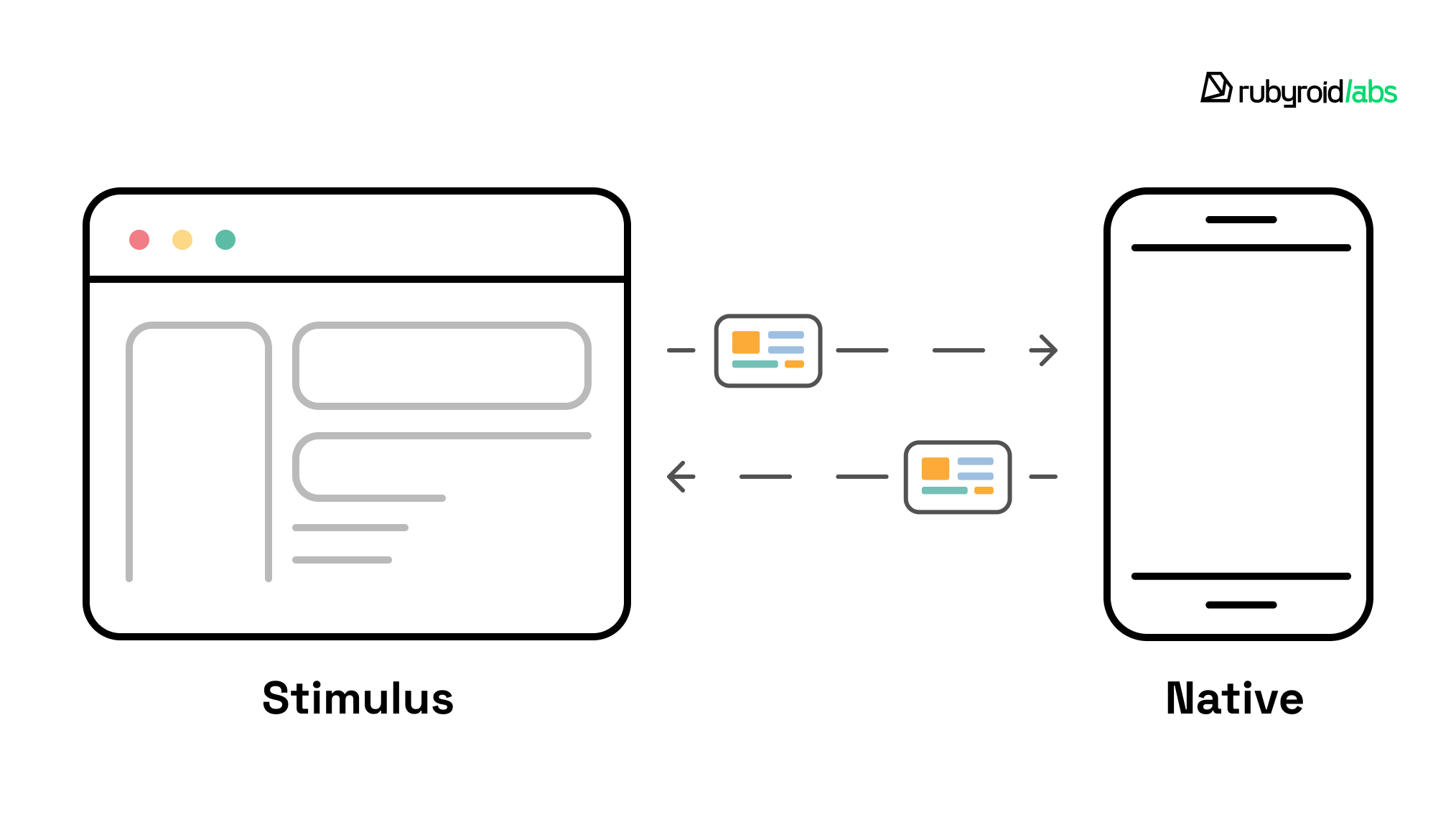
This bridge enables you to trigger native behaviors (camera access, biometric authentication, advanced gestures, etc.) directly from web events without duplicating entire screens.
To maintain a high-quality user experience, follow a progressive enhancement model where the screen is initially delivered as standard web content, with native features layered on only where necessary. Specifically, use scoped CSS to hide web elements, when the native app detects it can provide a superior native toolbar equivalent.
Consistency across this bridge is not automatic, so standardize how these interactions are defined by establishing a strict naming convention for events and data structures. We highly recommend using a consistent prefix like bridge– for all JavaScript events, so the native app can listen for and respond to specific interactions.
Finally, eliminate design drift in your authentication flows by reconciling the differences between web-based cookies and native token-based authentication.
Thus, you prevent user friction when switching between the web and native platforms. This is a vital part of UX for onboarding, where the first 60 seconds determine whether a user stays or leaves.
Conclusion: is a cross-platform design system worth it?
Differences in interaction patterns, styling systems (CSS vs JS), and other underlying technologies lead to divergence between web and mobile during implementation.
A cross-platform design system aims to solve this. It reduces complexity, brings consistency to how interfaces are built and maintained, and lowers development costs.
Building such a system requires a structured approach:
- establishing a token architecture;
- configuring the Figma environment and MCP integration;
- implementing server-driven UI with Rails Hotwire;
- building a high-performance layer with React Native;
- establishing a communication bridge between web and native.
This is a resource-intensive process that requires technical expertise and dedicated ownership.
For teams that lack the experience or capacity to build and maintain such a system internally, we recommend working with an experienced UX/UI partner. Rubyroid Labs, with more than 12 years experience in design services and more than 50 reviews on Clutch is a trusted fit.