For decades, the B2B sector operated under the assumption that high-stakes, complex transactions were the exclusive domain of the desktop environment.
However, the past fiscal year has proven that the failure to prioritize mobile optimization is no longer a peripheral technical concern. If your website renders poorly on mobile, AI search experiences and generative engines may simply exclude it from consideration.
The Rubyroid Labs UI/UX design team analyzes B2B buyers’ mobile behavior in the USA, explains how mobile optimization affects B2B traffic and shares which design tactics can help you make it work in your favor.
Contents
- B2B mobile traffic statistics and current trends in 2026
- How does poor mobile design affect SEO and Google rankings?
- 10 mobile design tactics for B2B interface
- Conclusion
B2B mobile traffic statistics and current trends in 2026
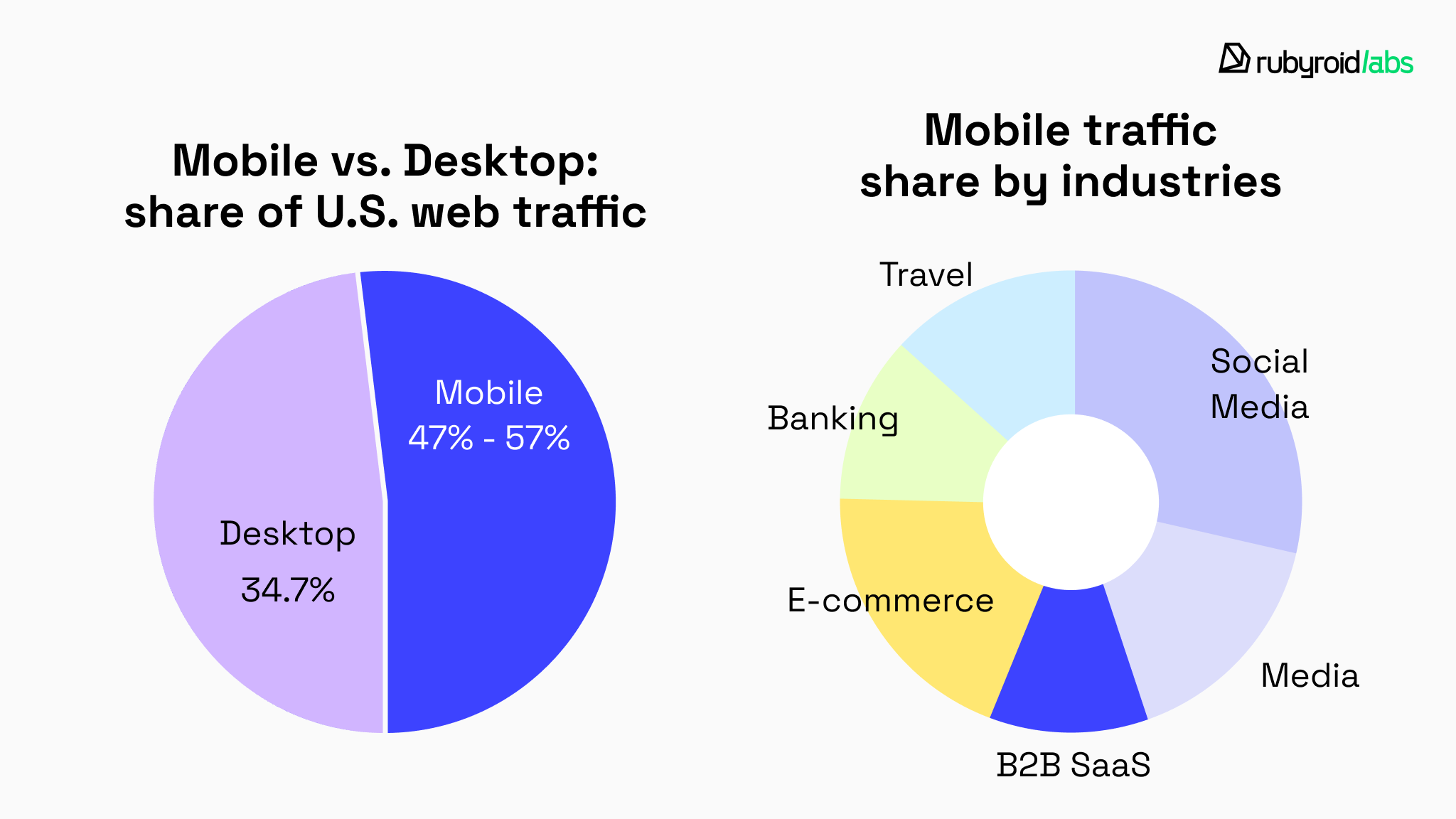
In the United States, mobile traffic currently accounts for approximately 47.3%–57% of total web activity, depending on the industry vertical.
In the B2B sector specifically, mobile traffic share in 2025 was 34.7%, which is significantly less than in industries such as social media, e-commerce, travel, and banking.
However, the trajectory of Internet consumption in 2026 is defined by the deep integration of mobile devices into the professional workflow.
Statistical data indicates that while desktop usage remains high during standard business hours (9:00 AM to 5:00 PM), mobile usage spikes significantly during “micro-moments”.
These moments include commute hours, lunch intervals, and the post-6:00 PM window when decision-makers continue their research in more casual environments. Thus, nearly 1 in 3 potential clients form their first impression of your B2B brand while standing in line for coffee or commuting home.
This behavioral pattern can be explained by the fact that millennials and Gen Z now represent 73% of all B2B buyers. These individuals are “digital natives”. They use smartphones to conduct product research, compare pricing, read peer reviews, and evaluate product catalogs before ever contacting a sales representative.
Consequently, the first interaction a buyer has with a B2B brand often occurs on a smartphone, even if the final transaction is completed on a desktop computer.

Which industries are losing most of their potential buyers?
Certain sectors, particularly those rooted in traditional industrial and technical fields, are suffering from a significant “optimization gap”.
This gap refers to the disparity between the high volume of mobile traffic and the poor quality of the mobile user experience provided by industry leaders. We explain its role in our article The Importance of User Experience (UX) in Web Development.

Manufacturing and industrial sector
While 84% of industrial buyers use the Internet as their starting point for finding components and services, the industry average for website load times remains over 6 seconds.
Given that more than half of mobile users abandon a site that takes longer than 3 seconds to load, manufacturers are systematically losing the majority of their potential mobile leads. Learn How To Speed Up Website in our guide.
Every time a buyer clicks a link to a manufacturer’s site, it’s a 50/50 shot whether they’ll get a smooth experience or a “pinch-and-zoom” nightmare from 2012.
Construction, logistics, and supply chain
In these industries, mobile utility is a functional necessity for field personnel, yet site optimization lags. Procurement officers on construction sites often use mobile devices to check technical specifications or order supplies.
Sites that rely on non-responsive PDF documents or complex, multi-column tables become unusable in these environments, which leads to immediate abandonment in favor of more agile competitors.
Professional services and technical brands
Water & wastewater, marine & maritime, and technical consulting industries are seeing increased mobile demand. These sectors often deal with high-ticket, long-cycle deals where trust is paramount.
A poorly optimized mobile site in these sectors acts as a negative trust signal. If a company cannot manage its digital presence, buyers question its ability to manage complex engineering or consulting projects.
How does poor mobile design affect SEO and Google rankings?
Google currently holds 84.9% of the search engine market share, and its mobile-first indexing policy means that the mobile version of a B2B site is now the primary version evaluated for ranking and visibility.
Sites that are slow or poorly structured for mobile are crawled less frequently and indexed less reliably. AI search engines evaluate content based on its ability to satisfy specific user intents on small screens.
If the mobile site has less content, hidden sections, or poorly rendered elements compared to desktop, Google effectively sees a diminished version of your site, and that diminishes its rankings.
Nowadays, AI agents frequently do the research for buyers. They scan B2B sites to compare offers. If a site isn’t mobile-optimized and machine‑readable, the AI fails to extract data. As a result, the vendor simply disappears from the buyer’s radar.
If you want your B2B site to be cited in Google AI Overviews, it must meet several mobile UX ranking factors 2026:
- Semantic chunking. AI evaluates content in 300-500 token “chunks”. Content that is clearly structured with H2 and Hn headings on mobile is easier for AI to summarize.
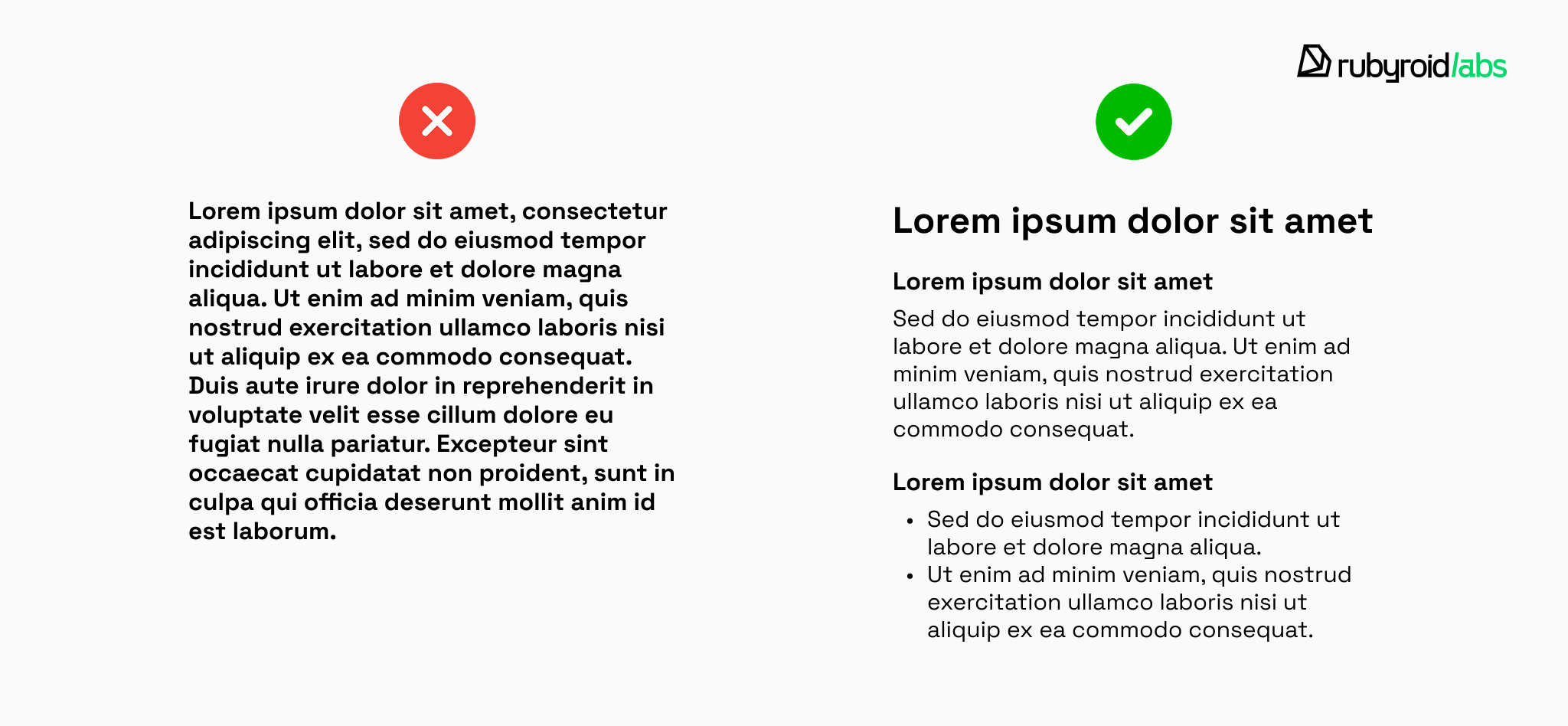
- Optimizing content for AI answers. AI engines prefer sites that provide clear, direct answers in the first 50 words of a page, as this mirrors the immediate informational needs of mobile searchers.

- Structured data. AI systems use structured data to verify the identity and expertise of the content creator. SEO specialists and web developers apply specific Schema types (e.g., Organization, Service, or Person) which work like an “ID card”. A mobile-optimized site with proper Schema markup is 70% more likely to be cited as an authoritative source.
- Responsive or adaptive UI/UX design. The mobile version of the site must contain the same primary content as the desktop version. However, visual design must be adapted for mobile usability, for instance, by using accordions or tabs to organize content.
Case study: how mobile optimization for B2B restores visibility
There is a direct correlation between B2B mobile optimization and site visibility. A strong illustration of such an impact comes from our work with a global nonprofit association connecting investors with precious metals companies through a dedicated meeting platform.
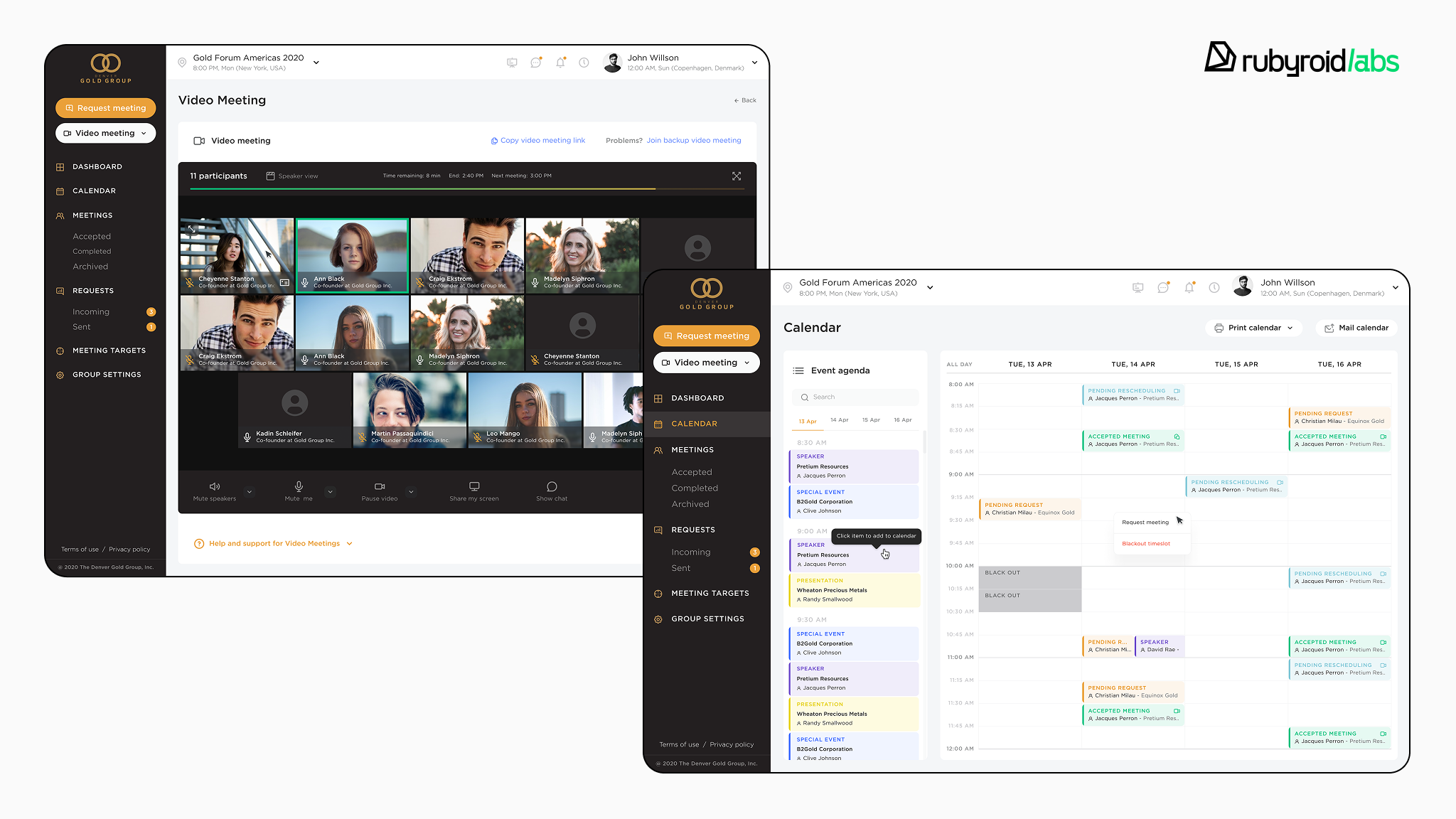
The product’s core value lies in organizing meetings, managing schedules, and coordinating event participation.
In practice, this meant that a significant portion of user interactions happened on smartphones during conferences and live networking events. However, the original platform was desktop-centric.
On mobile devices, the user experience was problematic:
- oversized elements;
- excessive scrolling;
- inconsistent layouts;
- friction caused by intrusive pop-ups.
We began with a UI/UX design audit and technical review that uncovered over 150 mobile usability issues, which affected user productivity. Learn how to run your own UX design audit in our Step-by-Step Guide.
From a search and visibility standpoint, they also created structural limitations:
- inconsistent content hierarchy between desktop and mobile;
- performance bottlenecks;
- inefficient navigation paths;
- low interaction depth on mobile devices.
In the case of our client, the product’s core pages (dashboard, calendar, meeting slots) were frequently accessed via smartphones during offline events. However, the mobile user experience did not support fast, high-intent interaction.
Low interaction depth on mobile devices indirectly reduced search performance through a combination of:
- shorter session duration;
- reduced task completion;
- lower return frequency;
- weaker engagement signals.
How did we rebuild the platform for mobile users?
We approached the redesign from an adaptive, mobile-first perspective.
The structure was reorganized to ensure that key actions were accessible immediately, without excessive scrolling or hidden menus. This included:
- consolidating related pages into logical sections;
- introducing tabbed layouts to reduce navigation layers;
- improving contrast and readability;
- redesigning the dashboard;
- optimizing the calendar to reduce scrolling;
- standardizing iconography;
- implementing bulk actions.
Learn more about shaping intuitive enterprise interfaces in our post Key Aspects of UX/UI Design for Enterprise Applications.

Critically, the mobile version retained full content parity with desktop. No information was hidden or truncated. This ensured structural integrity from a search engine perspective.
Code refactoring allowed us to eliminate performance constraints and remove the structural issues that once slowed mobile rendering. To achieve this level of performance and cross-platform consistency, many B2B leaders are turning to React Native development to ensure native-feeling experience on both iOS and Android.
What impact did adaptive design have on the platform?
After launch, user interaction with the platform increased significantly. The improved responsiveness and streamlined workflows reduced time spent completing key tasks.
What is more, the B2B mobile optimization strengthened brand perception. A modern adaptive design interface reinforced trust in the organization and positioned the platform as a professional, investment-grade product.
From a search and discoverability perspective, the improvements achieved three things:
- A clearer, crawlable content hierarchy.
- Consistent content availability across devices.
- Stronger mobile engagement patterns.
As we mentioned earlier, these factors directly support visibility in a mobile-first indexing system.

10 mobile design tactics for B2B interface
Just as poor mobile design can negatively impact search rankings, intentional mobile optimization can strengthen them. Below are ten design tactics we recommend for B2B interfaces accessed via mobile devices.
- Prioritize the thumb zone
Start with a question: can your user reach the primary action with one hand? On today’s large screens (6.1–6.9 inches), only about one-third of the display falls into the natural thumb reach zone. If your primary CTA lives in the top-right corner, you’re creating friction.
Place key actions where the thumb naturally rests. Move secondary navigation higher.

- Keep conversion actions within reach
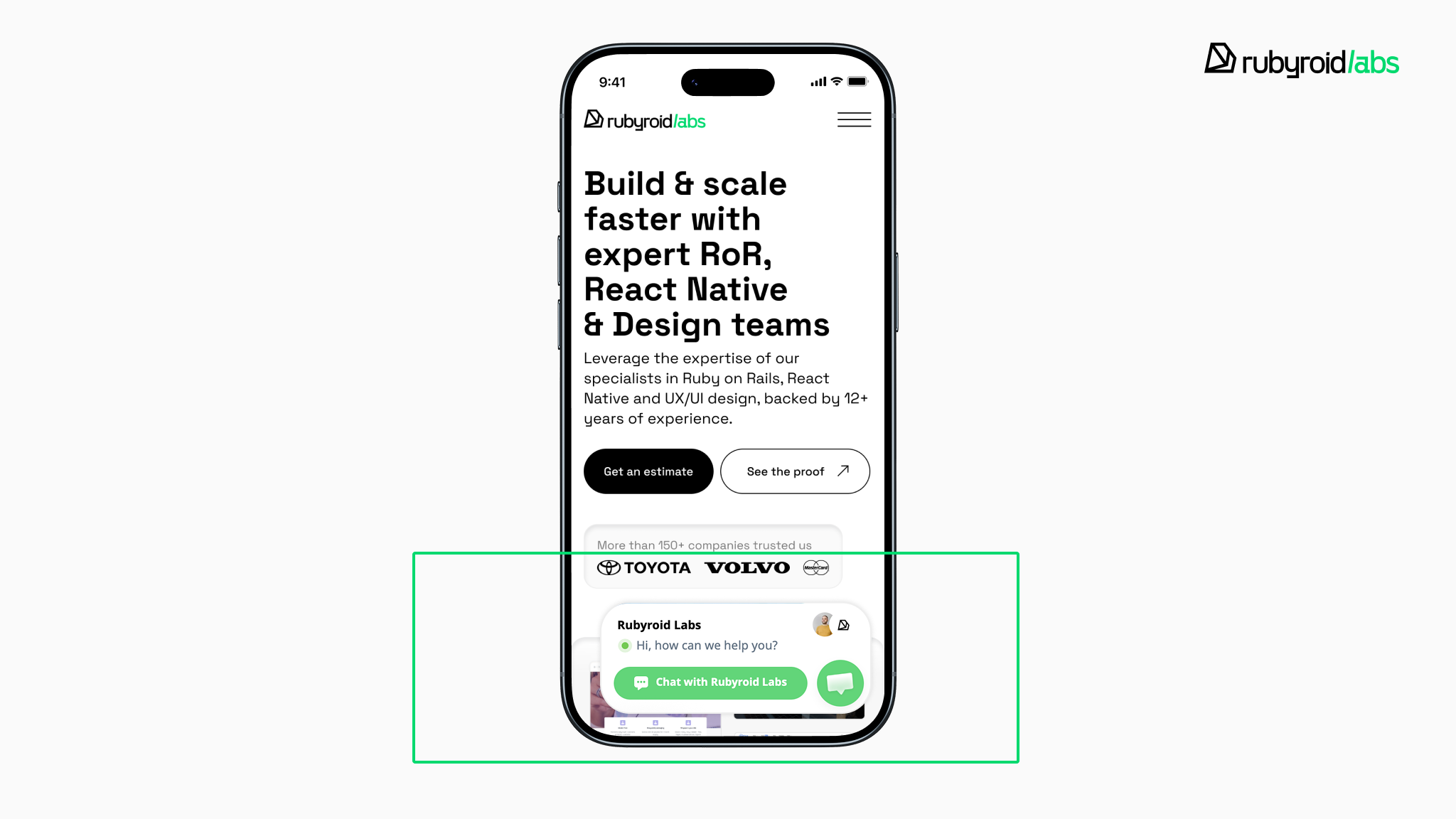
Long-scroll B2B pages are inevitable. But don’t make users scroll back up to take action. Use sticky headers or bottom CTA bars to keep “Request Demo” or “Contact Sales” visible at all times.
- Convert dense tables into mobile-readable cards
This tactic transforms each row of a table into an individual mini-card. Data is displayed vertically using label-value pairs.
This inhibits the side-by-side comparison of multiple rows, but it is the most effective way to ensure readability for individual records on narrow viewports.

- Preserve context in horizontal scrolling
If row comparison is critical, horizontal scrolling is used, but it must be implemented with sticky headers and “frozen” first columns so the user maintains context while swiping through metrics.

- Design forms in a single vertical flow
Avoid stacking a desktop dashboard vertically and calling it “mobile-ready”. A single-column layout creates a predictable scanning rhythm. It reduces missed fields and minimizes cognitive switching.

- Reveal complexity progressively
Instead of showing all technical specifications at once, show the most critical data and allow users to “tap to expand” for more depth. This manages cognitive load and prevents users from feeling overwhelmed on small viewports.

- Adapt the interface design to the user’s role
Not every user needs the same view. Mobile space is limited. The strongest B2B platforms in 2026 tailor mobile interfaces based on permissions and goals.
We explore this shift in our latest article Why B2B Interfaces Will Go Hyper-Personal by 2027.

- Replace static PDFs with HTML-first modules
One of the most common B2B mistakes is providing whitepapers or technical manuals in PDF format that require pinching and zooming.
Whenever possible, convert whitepapers and technical materials into HTML-based, responsive modules. This improves readability, discoverability, and indexing.
- Enforce comfortable touch targets
Follow WCAG 2.2 standards and make every interactive element at least 44×44 pixels, with enough spacing to prevent accidental taps. Eight pixels of breathing room between elements can save users from constant “fat finger” errors.
See our guide on preparing for WCAG 3.0.

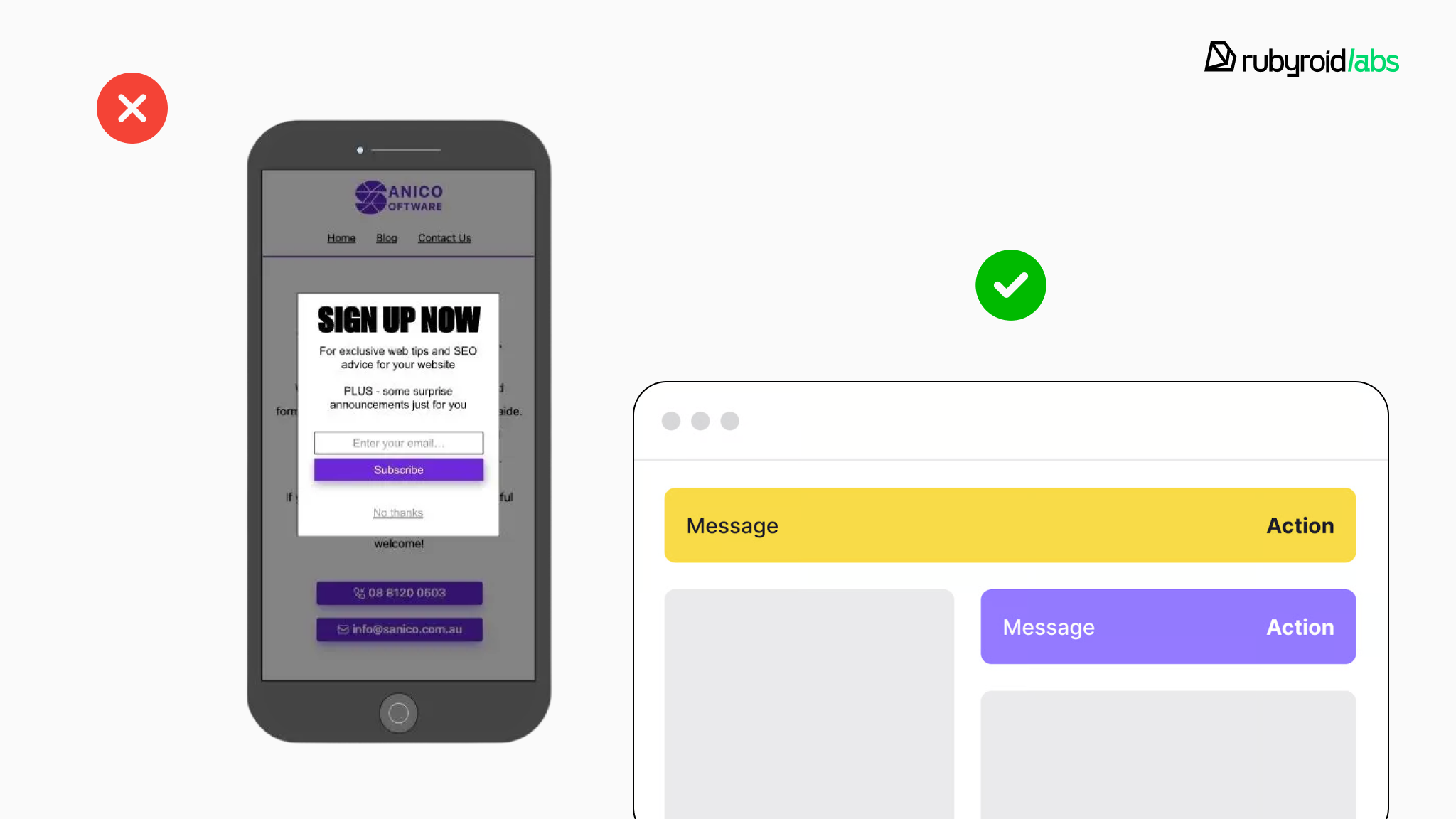
- Eliminate intrusive pop-ups
If your first interaction on mobile is a full-screen pop-up, you’re already losing attention. Intrusive interstitials are also discouraged by Google and can negatively affect rankings and bounce rates.
Replace blocking pop-ups with:
- inline banners
- subtle slide-ins
- contextual prompts triggered by user behavior
When does your company need mobile UX optimization: quick check (2 minutes)
Before moving on, open your website on your smartphone as a real user would.
Now check three things:
- Is your primary CTA in the thumb-friendly zone? Can you reach “Request Demo” or “Contact Sales” with one hand without stretching or readjusting your grip?
- Are your PDFs actually readable? Open a whitepaper or technical document. Are you forced to pinch and zoom? Scroll horizontally? Squint?
- How fast does the page load on mobile data? Turn off Wi-Fi and reload the page. Does it feel instant or do you wait?
If any of these checks feel uncomfortable, your site is likely failing the 2026 mobile-first standard.
Conclusion
Mobile optimization is still relatively underdeveloped in the B2B sector. Yet, with the deep integration of mobile devices into professional workflows, its importance will only grow in the coming years.
Certain industries are particularly vulnerable to losing B2B traffic due to mobile issues, among them:
- manufacturing and industrial companies;
- construction, logistics and supply chain;
- professional services and technical brands.
Poor user experience (UX) leads to low interaction, and low interaction leads to low visibility, directly affecting how a site ranks in search engines.
In 2026, it’s necessary to adjust mobile UX for AI search visibility. Without it, your site risks losing ground in Google and AI results, and becoming invisible to potential clients.
Our verdict: it is the right time to perform mobile design optimization for your website. With Rubyroid Labs UX design services, you get a clear roadmap to making it mobile‑first and search‑friendly.