Why we choose React Native for Ruby on Rails ecosystems in 2026-2028

You can build a mobile app on Rails in 2026 two ways: smart or expensive.
Go fully native, and you’ll pay for the same business logic two (or three) times on iOS, Android, and the backend plus the overhead of keeping teams in sync.
Choose Flutter, and be ready to spend months hunting for a strong senior developer.
That’s how mobile projects quietly burn an extra $50k+ on duplicated work, mismatched behavior, and an unnecessarily expensive tech stack.
Rails + React Native avoids that:
- Rails gives you speed and stability for your backend once, for years.
- React Native ships iOS and Android from one codebase, one team, and one transparent budget.
You move faster than competitors without hiring three separate departments.
This post shows you how to avoid overpaying for features that trendier stacks charge 2x for.
4 ways to build a Rails mobile app in 2026-2028
Behind every “simple” mobile app is a backend that either keeps up or becomes the reason you miss every deadline.
If your backend is shaky, you’ll feel it fast:
- MVP stage: features “ship” but don’t survive the first real users.
- Growth stage: every change becomes a risk, and every sprint becomes negotiation with legacy.
- Scale stage: you’re paying for stability work instead of new features.
Ruby on Rails is the backend choice when you’re tired of chaos. It gives you a structured, production-proven foundation where business logic stays centralized and doesn’t collapse under change.
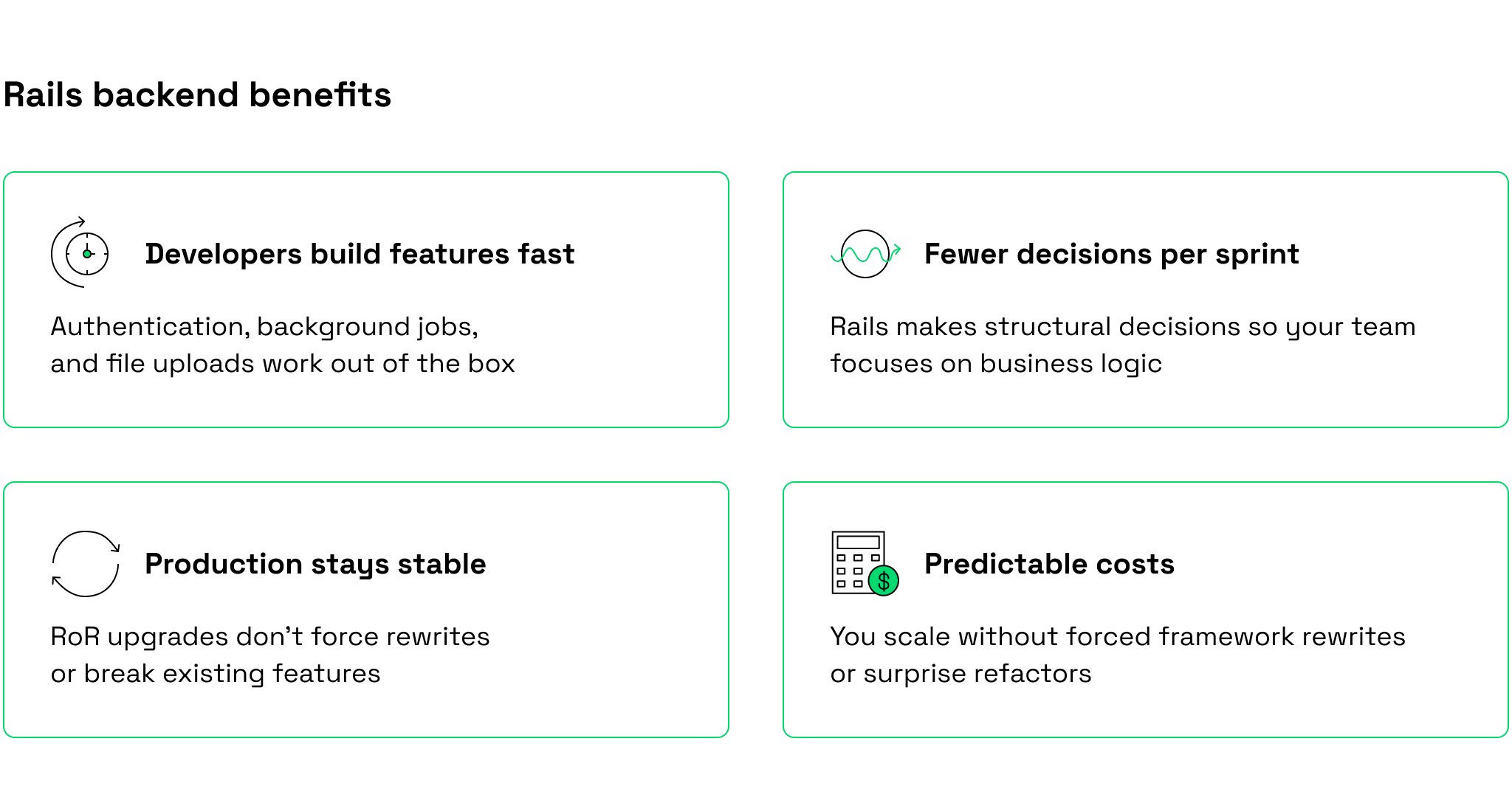
For mobile products, this matters more: a stable Rails backend lets you choose the right mobile approach without rewriting the core later. Whether you are launching an MVP or expanding an existing product to mobile, Rails development makes that process more manageable.
Rails can power any mobile direction. The mistake is choosing a mobile approach that doesn’t match your product reality.
Native apps
Native apps means building two separate applications: one for iOS (Swift/SwiftUI) and one for Android (Kotlin/Jetpack Compose). Each platform has its codebase, release cycle, and usually its own specialists.
When it’s worth it: When you need top-tier performance, platform-specific UX, or deep device integration that cross-platform approaches can’t reliably deliver.
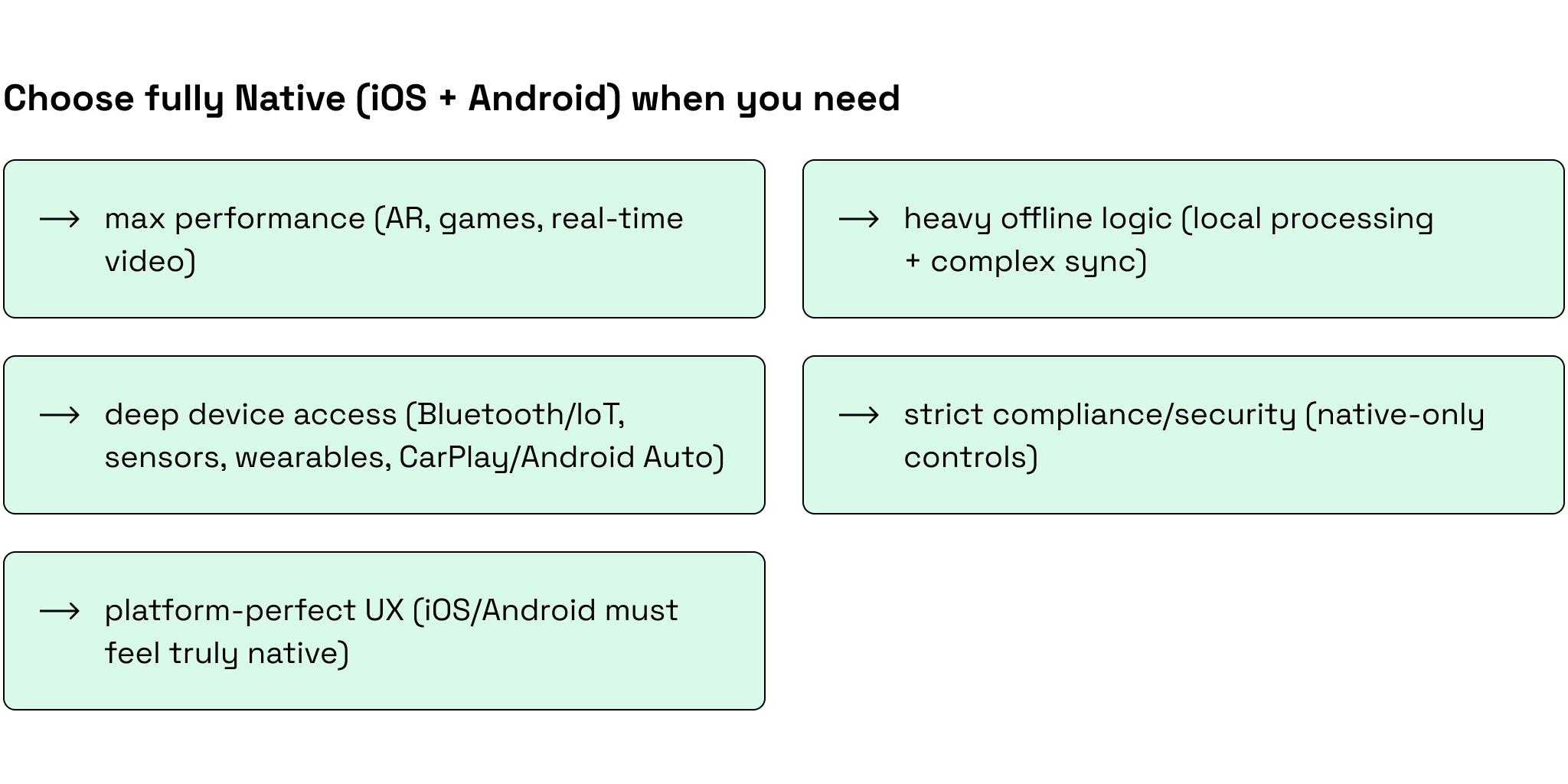
Why it often doesn’t fit: You build and maintain the same features twice, spend ongoing effort keeping iOS and Android behavior aligned, and ship updates on app store review timelines.
Our advice: Choose native when there’s a clear, validated requirement for native-only capabilities. Otherwise, it’s usually the highest-cost path, especially at the MVP stage.
Progressive Web Apps (PWA)
A progressive web app is a mobile web app that runs in the browser and can often be installed to the home screen, but it’s not a full native app from the App Store/Google Play.
When it’s great: Fast validation and fast launch for marketplaces, booking, client portals, internal tools, and early MVPs.
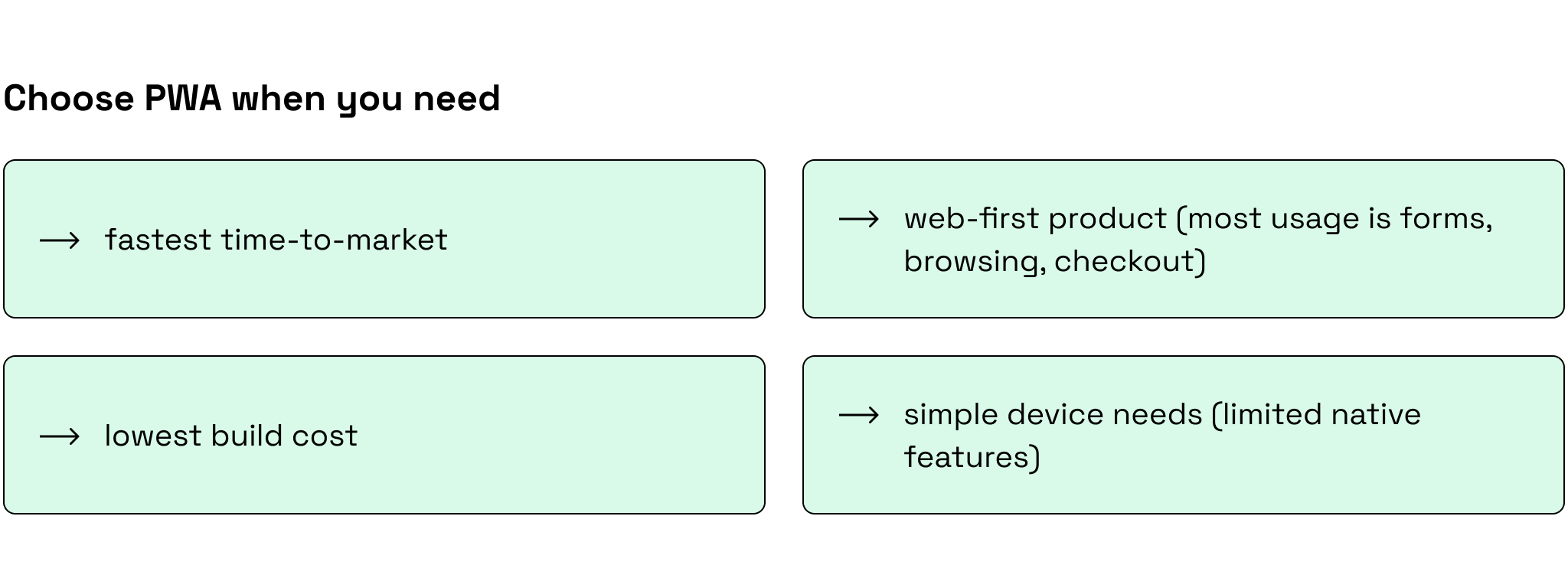
Why it often doesn’t fit long-term: It hits limits when users expect a “real app” feel, deeper device access, stronger offline capabilities, push reliability, and store presence. You’ll usually see it in retention, reviews, and conversion.
Our advice: Choose PWA to test demand and ship quickly. Plan to move to React Native/native once mobile UX and device features become core.
Hotwire: Rails native frontend tool
Hotwire is a Rails-native frontend approach that delivers app-like interactivity using server-rendered HTML with Turbo/Stimulus, so you ship faster with less JavaScript and a simpler frontend stack.
When it works: Simple app-like experiences, internal products, admin panels, and workflows where speed and maintainability matter more than native polish.
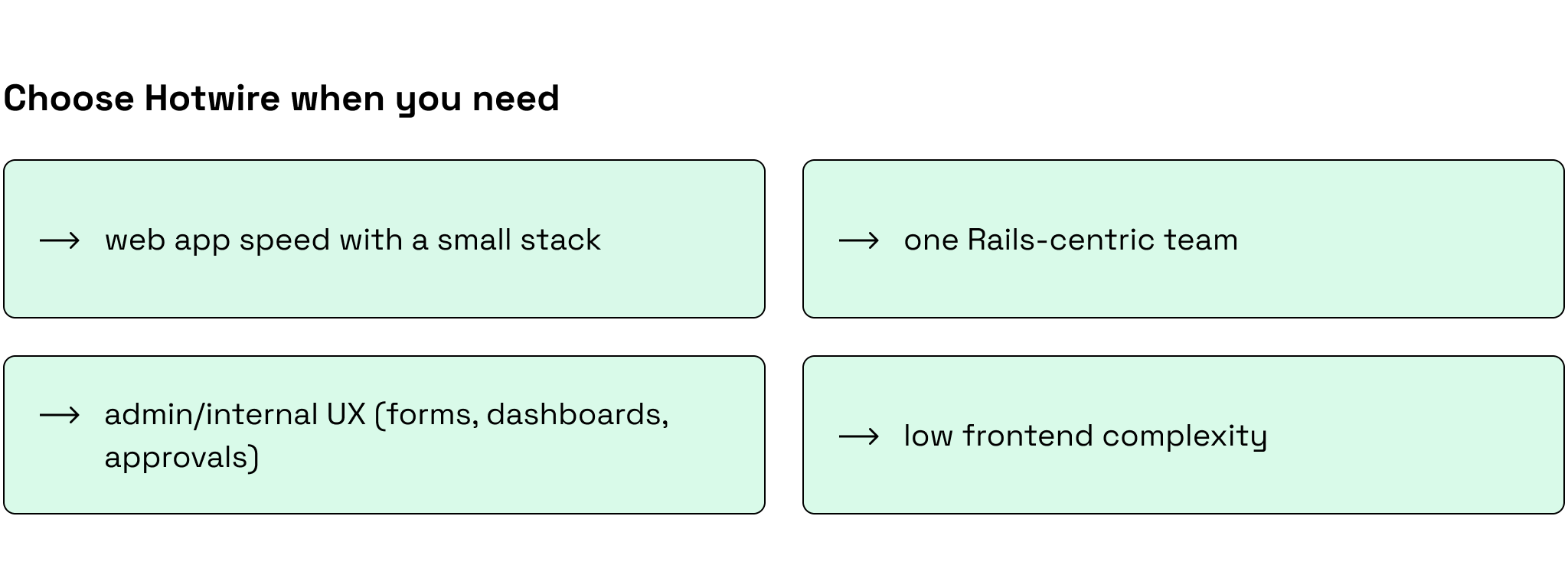
Why it often doesn’t fit for consumer mobile: Advanced gestures, complex animations, offline-first behavior, and “native-level” responsiveness are hard to match. Compared to native apps, it can feel like a web UI on a phone.
Our advice: Hotwire is excellent for Rails-first products and internal tools. For premium consumer mobile UX, choose React Native or native.
Cross-platform app development
Cross‑platform app development means building one mobile app codebase (e.g., React Native or Flutter) that runs on both iOS and Android, while Rails serves as the backend API and the single source of truth for business logic.
When it’s the best deal: You want a real app experience, fast iteration, and a balanced budget without running two separate mobile teams.
The trade-off (be realistic): 80–90% shared code is common, but platform edge cases still exist (push, payments, camera, OS quirks). You need engineers who know where cross‑platform ends and native begins.
Our advice: Rails + React Native. It’s the fastest path to a production-grade app for 90%+ of mobile products, keeping one source of truth in Rails and avoiding duplicated logic across platforms.
And when native code is needed, our in-house developers handle it smoothly. At Rubyroid Labs, we typically work with the Rails + React Native development combination: our RoR team builds the API layer, while our React Native team integrates it into the app, so both teams can move in parallel. In the next section, we’ll dive deeper into the specifics of working with both tools.
Why Ruby on Rails & React Native is the best cross-platform stack
Mobile projects usually go off track for one reason: the product gets implemented multiple times, once for iOS, once for Android, and then again (partially) in the backend. In fact, you end up with:
- different behavior on iOS vs Android
- duplicated business logic (and duplicated bugs)
- more QA than product development
- roadmaps driven by coordination, not value
Rails + React Native is a practical way to avoid that.
Rails stays the single source of truth for data and rules, while React Native gives you one mobile codebase for both platforms so the product evolves as one system.
At Rubyroid Labs, we’ve chosen this combination through delivery experience.
1) MVP speed without multiplying work
Problem: Two native apps often mean two timelines, duplicated implementation, and slower iteration, especially early, when requirements are still moving.
Decision: We ship a single React Native app for iOS + Android and keep Rails as an API-first backend (REST or GraphQL) where all core business logic lives: models, validations, permissions, pricing, workflows, and background jobs. The mobile app focuses on UI/device behavior, consumes one shared API contract, and uses small native modules only when truly needed.
Result: Faster time to market and parallel delivery (backend APIs/admin can progress while mobile UI is built and tested).
Case study: car wash CRM app with Rails + React Native
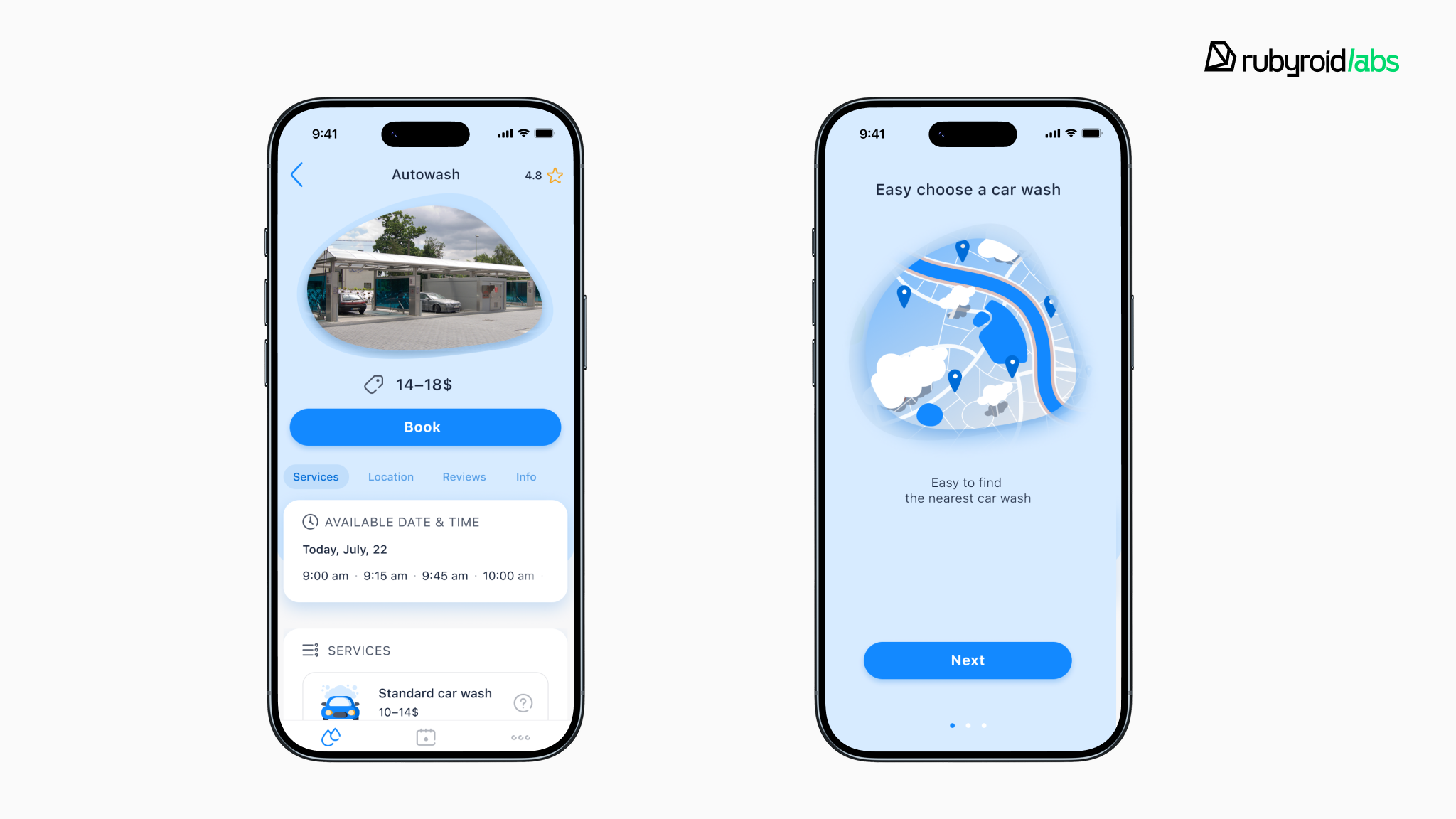
We built RocketWash, a CRM platform that automates day-to-day car wash operations, with a Rails backend and a React Native mobile app. From a simple product, it grew into a scalable, multi-tenant product that streamlines bookings, finances, and staff control for car wash networks.
Team needed: 3 full-stack RoR developers, 1 React Native developer, 1 UX/UI designer, and 1 PM.
Results:
- 50+ automated modules delivered
- 130 car wash companies joined the CRM
- some owners reported profit growth from 40% to 350% after implementation
- signing up for a car wash in ~20 seconds
2) Consistency across iOS and Android (API-first, single source of truth)
Problem: When business rules live partly in iOS code and partly in Android code, platform behavior drifts (pricing, permissions, onboarding logic), and QA becomes a permanent tax.
Decision: Rails handles rules, React Native handles UI. We implement core logic once in Rails, including authentication, permissions, pricing, workflows, and validations, and then expose it through a versioned API. React Native consumes that contract for both platforms, preventing iOS and Android from diverging.
If your UI approach changes later, your Rails backend and business logic remain stable.
Result: Changes happen once in Rails and apply consistently across both platforms, reducing bugs, rework, and “platform mismatch” issues.
3) Faster iteration when updates are frequent
Problem: In operational products (delivery, retail, catalogs), waiting for store review for every tweak slows growth and operations.
Decision: We use React Native and apply OTA updates for eligible changes to reduce dependency on store cycles (while shipping store releases when native-level changes require it).
Result: Shorter turnaround for many improvements and operational fixes without rebuilding the release process around app store delays.
Case study: food delivery MVP with Rails + React Native
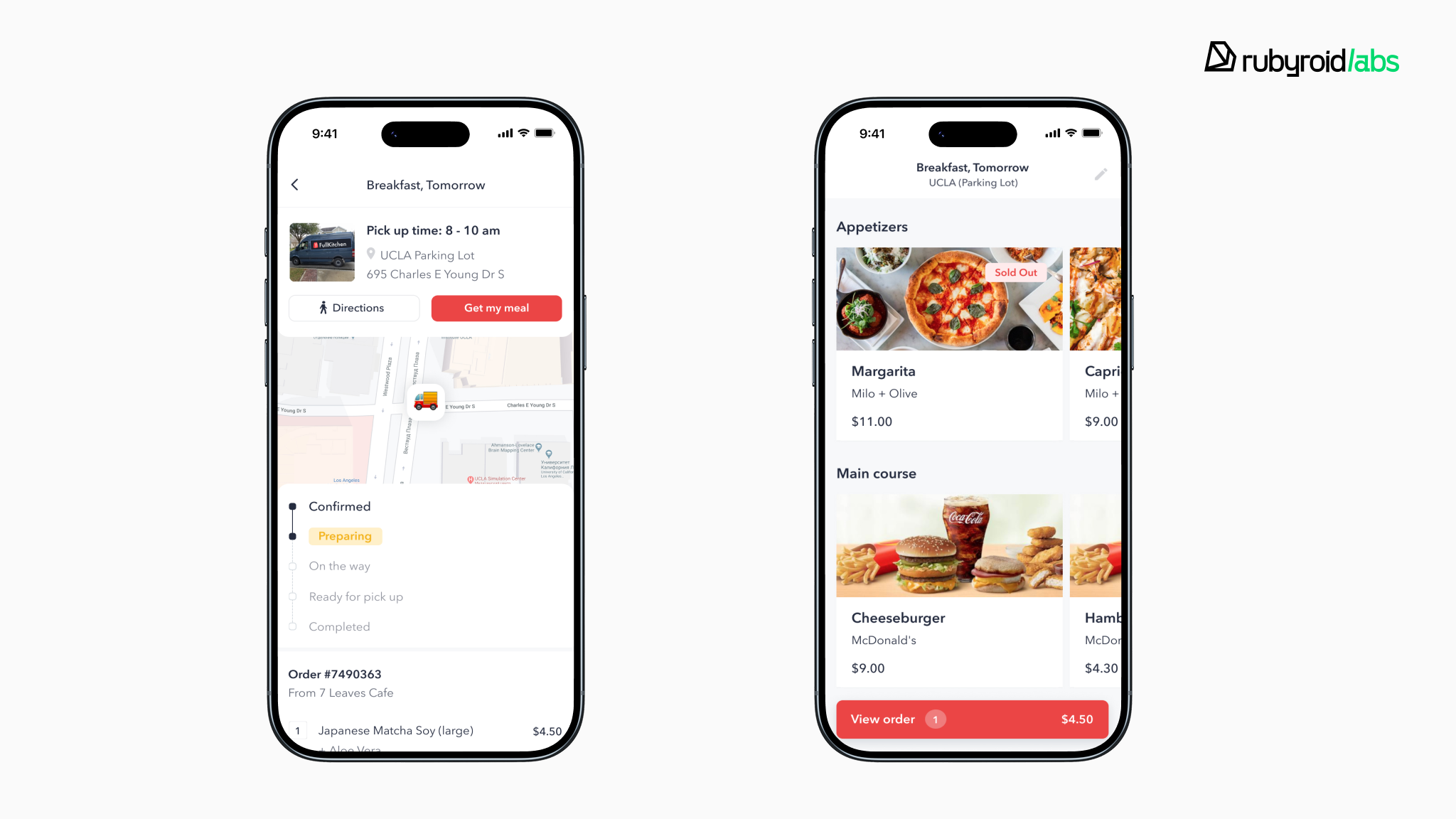
FullKitchen is a food delivery app that combines dishes from different restaurants in one order. So, the MVP had to ship fast and adapt to frequent menu changes. Waiting for App Store / Google Play reviews (often ~2 days) would have slowed updates, so we used React Native OTA to ship many changes without store delays.
We built the Ruby on Rails + React Native MVP in 2 months, then extended it post-approval.
Results:
- MVP in 2 months
- live app handles 150+ orders/day
- ~1-day turnaround for feature and operational updates
4) AI features that are consistent, secure, and maintainable
Problem: AI is now a product expectation, but pushing AI logic into mobile creates fragmentation, security issues, and hard-to-debug behavior across platforms.
Decision: We keep AI server-side and treat Rails as the orchestration layer. Concretely, we expose AI via dedicated endpoints (e.g., /semantic_search, /recommendations, /assistant/actions) that sit behind the same authN/authZ and policy checks as the rest of the product. Rails composes the workflow: it pulls domain data, applies permissions, runs retrieval (often embeddings + vector search), calls the LLM, and persists outputs/feedback. Long-running or multi-step tasks execute via background jobs with retries/timeouts, while we add logging/auditing, rate limits, and feature flags so behavior is observable and controllable.
React Native stays focused on the AI UX (prompting, streaming/rendering results, user feedback), so iOS and Android share one behavior because the logic lives in one governed backend.
Result: AI features ship faster and stay aligned with real business rules (availability, pricing, roles). iOS and Android get the same AI behavior because it’s governed in one place.
Where this shows up in real products:
- semantic search over your catalog/content
- recommendations/personalization tied to user permissions and behavior
- assistants/agents that complete workflows (reschedule, refund, propose alternatives, generate docs)
5) Leaner team model, fewer hiring bottlenecks
Problem: Fully native usually means two specialized mobile pipelines. That increases hiring pressure and coordination overhead early.
Decision: One cross-platform mobile track with React Native, core logic in Rails, targeted native work only when needed.
Rails developers already use JavaScript daily. React Native extends that skillset naturally, we can work full-stack for speed or split into specialized tracks as we scale. Either way, both sides share language and mental models, eliminating translation overhead.
Result: Fewer moving parts, fewer handoffs, one product cadence.
6) Cost efficiency that holds up over time (TCO, not just MVP cost)
Problem: Mobile cost is ongoing: bugs, OS changes, QA cycles, and feature iterations. Two codebases often means you pay twice for the same maintenance.
Decision: We keep one React Native codebase for iOS + Android and centralize business rules in Rails (pricing, permissions, workflows, validations). The app focuses on UI/device behavior and uses a stable, versioned API (REST or GraphQL). We add small native modules only when needed, so features and fixes are built once, and QA still covers multiple iPhones/Androids and simulators (plus any Rails web/admin), but without duplicating logic across two separate mobile codebases.
Result: Lower long-term cost because most fixes and features are implemented once, and business logic doesn’t get scattered.
Sail Croatia needed mobile apps for two brands across iOS and Android, typically 4 native apps. We delivered one React Native codebase powering all four apps while keeping branding and separate backend connections.
Results:
- ~1.9× faster than a fully native approach
- 4 mobile apps built from a single codebase
- delivered by a lean team (2 React Native, 2 Ruby on Rails, 1 QA, 1 PM)
RoR + React Native vs Node, Flutter, and Native apps
Choosing a stack isn’t a tech beauty contest. The wrong choice locks you into extra hiring lanes, duplicated work, and release coordination you pay for every sprint.
Ruby on Rails has already proven itself against every trendy framework that promised to replace it. We break down the full comparison in our article on Rails vs. other frameworks where we compare all major development frameworks with Rails.
Here are the most common alternatives and why they cost more than they’re worth.
| Stack | Speed to first release | Hiring & team shape | Long‑term maintenance | Best for | Limitations |
| Rails + React Native | Fast | 1 backend core + 1 mobile track | Low–medium | Iteration-heavy products | Not for game/AR-heavy apps; occasional native modules |
| Node + React Native | Fast–medium | Node backend + 1 mobile track | Medium | TypeScript-first teams | Fewer conventions → more drift without strong standards |
| Python + Flutter | Medium | Python backend + Flutter lane | Medium | UI-led apps | Smaller & more expensive hiring pool; plugins may force native bridges |
| Native (Swift & Kotlin) + .NET | Medium–slow | Two mobile teams + backend team | Medium–high | Device-heavy apps | Two codebases + two releases; duplicated fixes |
- Python + Flutter is a good choice when UI polish is central and Flutter/Dart is a realistic hiring plan. The trade-off is a smaller talent pool, and plugin churn can push you into native bridging at the worst possible time. See our full React Native vs Flutter comparison in the extended guide where we touch this topic.
- Native (Swift & Kotlin) + .NET makes sense for Bluetooth/IoT, AR, camera pipelines, or strict performance constraints. The cost is operational: two mobile codebases, two release trains, and more duplicated implementation and coordination as the product evolves.
- Node + React Native works if you want TypeScript end‑to‑end and you’re disciplined about standards (types, tests, boundaries, observability). Without that discipline, Node backends tend to sprawl, leading to more architectural choices, less consistency, and slower onboarding.
- Rails + React Native works when you want one backend source of truth and one mobile codebase to iterate fast. You keep business rules in Rails, ship iOS + Android together, and only drop to native for the few features that truly require it.
When NOT to use Ruby on Rails + React Native
Rails + React Native is a great default for most product apps today. React Native can hit a smooth 120 FPS for typical UI, and for many products, it’s genuinely hard for users to tell RN from native. Still, there are a few cases where we’d recommend another approach upfront.
1. Game-engine class performance requirements
If your app is essentially a game or needs continuous heavy rendering, use a game engine or native. React Native handles product UI, not engine-level graphics.
2. Device-specific features drive most of the roadmap
When your core value is deep OS integration like Bluetooth/IoT, background processing, advanced camera/AR, low-level audio, native reduces risk. React Native works but requires more native modules and platform testing.
3. Enterprise legacy and mandated constraints
In large enterprises with fixed tech standards, legacy SDKs, strict compliance, or older device fleets, the environment dictates the stack. Choose what fits the existing ecosystem.
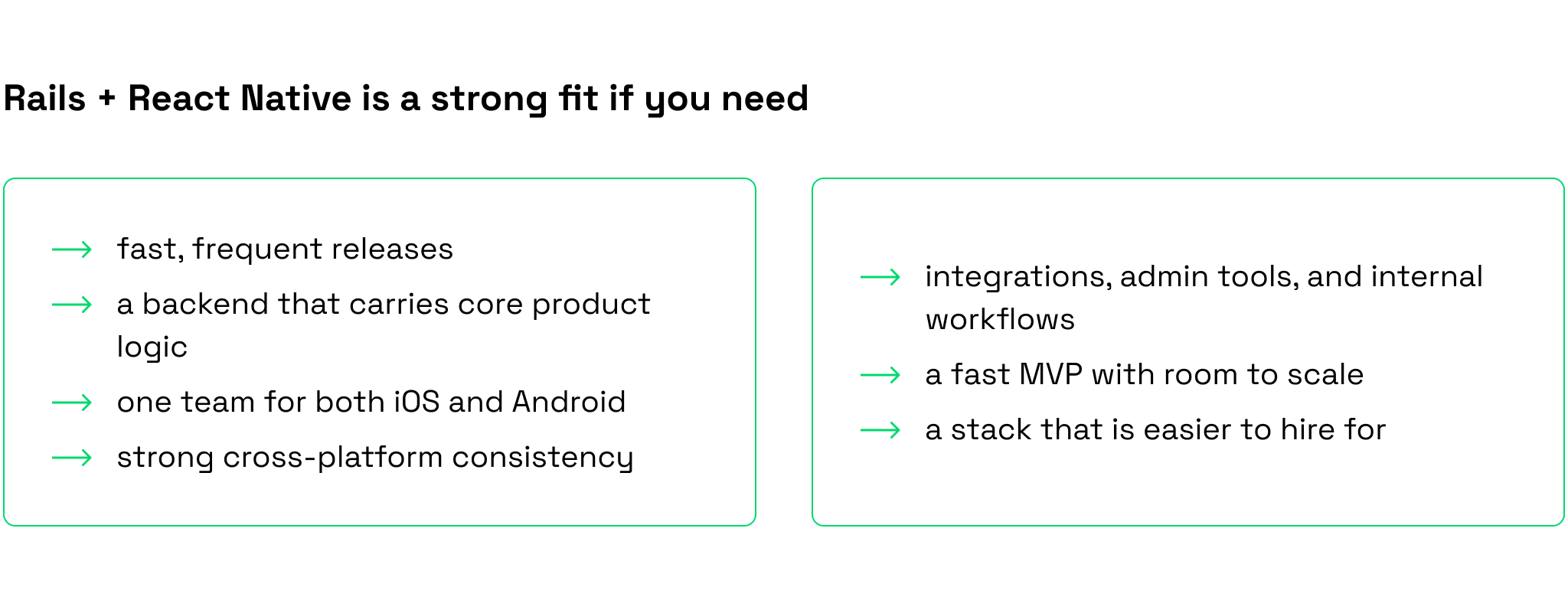
The Ruby on Rails and React Native combination is a good choice if 3–4 items from the list apply to your project.
React Native with Rails backend: final thoughts
In 2026–2028, Rails + React Native is the smart choice. Everything else is either premature complexity or expensive theater.
Rails keeps your backend sane, including business logic, integrations, and admin tools in one place, not scattered across three codebases. React Native ships both platforms from one team with no duplicate work and no coordination tax. You don’t burn hidden budgets on problems you don’t have yet.
The result: you ship faster, spend less, and don’t hate your codebase six months later.
Wrong for games or apps that live in Bluetooth hell? Sure. But for MVPs, service platforms, marketplaces, and Rails products going mobile, this is the obvious move.
Launch with a stack that won’t embarrass you a year from now. Rails + React Native does that. The alternatives don’t.
FAQ
Can Ruby on Rails handle mobile apps?
Yes, Rails powers mobile apps as the backend, not as the mobile UI. It’s the engine behind your app: authentication, business logic, APIs, background jobs, admin panels, and integrations.
For the mobile client, you have options:
- Turbo Native (Hotwire) can be a good fit for simpler, Rails-first apps but it adds another abstraction layer with real constraints, and the UX can feel “not quite native.”
- React Native is our default choice for most products because it delivers a true app experience with one iOS/Android codebase, and users typically can’t tell it’s not fully native.
So the practical setup is: Rails for the core + React Native for the app UI.
Why use Rails for MVP?
Rails is a strong MVP choice because it removes a lot of early-stage overhead with clear conventions. It standardizes common decisions like project structure, routing, and data modeling. So teams don’t waste time debating tooling such as ORM choices, folder layouts, or build vs. buy for auth.
As a result, developers spend less effort on setup and boilerplate and more on shipping core business logic quickly. For a step-by-step process and pitfalls to avoid when building an MVP, see our step-by-step guide: building a scalable MVP with Rails.
Can you migrate from native apps to React Native?
Yes. Most migrations are incremental over 6–18 months: ship new features in React Native while native stays in production, then move simpler screens first and complex platform features later. You’ll typically share 70–90% code across iOS/Android, but you still need some native support; expect a small size increase (~3–5MB). It’s usually not worth it for apps with minimal roadmap, extreme performance needs, or deep platform-only integrations.
How to integrate AI features into a React Native app with Rails?
We keep all AI logic server-side in Rails and expose it through secure API endpoints, while React Native handles only the UI. Rails manages permissions, constructs prompts, calls LLMs, validates responses, and tracks costs. React Native provides input interfaces, streams responses, and collects user feedback. We use fetch API for real-time streaming, background jobs for long tasks, and cache results for performance. We also store prompts in the database for versioning, implement offline queuing, and use mocks for testing.