Migrating from Heroku: the 2026 business case for AWS and DigitalOcean

As Salesforce shifts Heroku toward a more sustainable engineering model, many product owners are thinking less about day-to-day uptime and more about business continuity.
The question is speed: how quickly you’ll be able to keep up with Rails/runtime upgrades, security expectations, compliance audits, and customer due diligence if the platform’s roadmap slows down.
Some teams set migration dates immediately. Others decide the platform still fits. The rest wait until something forces the decision.
Below we break down the two main alternatives in 2026: AWS and DigitalOcean. You’ll find practical guidance on costs, tradeoffs, and the decision triggers that typically drive a move.
Should you migrate from Heroku in 2026? Decision framework for teams
Not every team needs to migrate from Heroku and not every team can afford to wait. The right move depends entirely on where your team stands right now, and that’s worth being honest about before touching a single config file or reading another benchmark.
Before getting into the AWS vs DigitalOcean debate, take a moment to identify where you actually stand. The rest of this post reads differently depending on the answer.
STAY: no migration
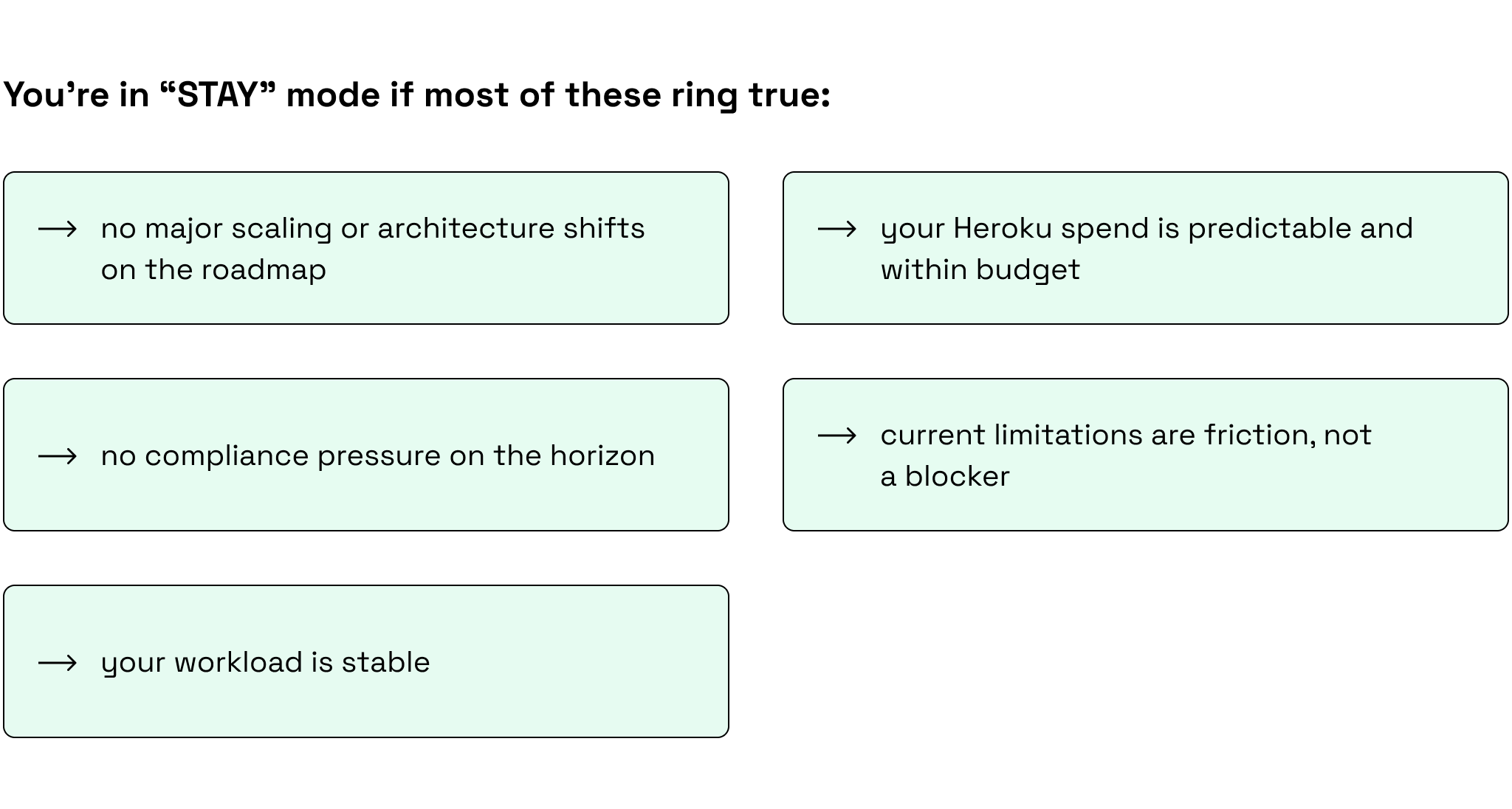
Staying is a legitimate call. But staying by default, with no documentation and no review date, is you may end up scrambling six months down the line.
This week:
Write a one-page decision memo. What you run on Heroku, what you pay, your top three risks (cost, reliability, and compliance), and the specific triggers that would push you into Plan or Move mode. Then set a quarterly review and actually honor it.
PLAN: prepare to migrate
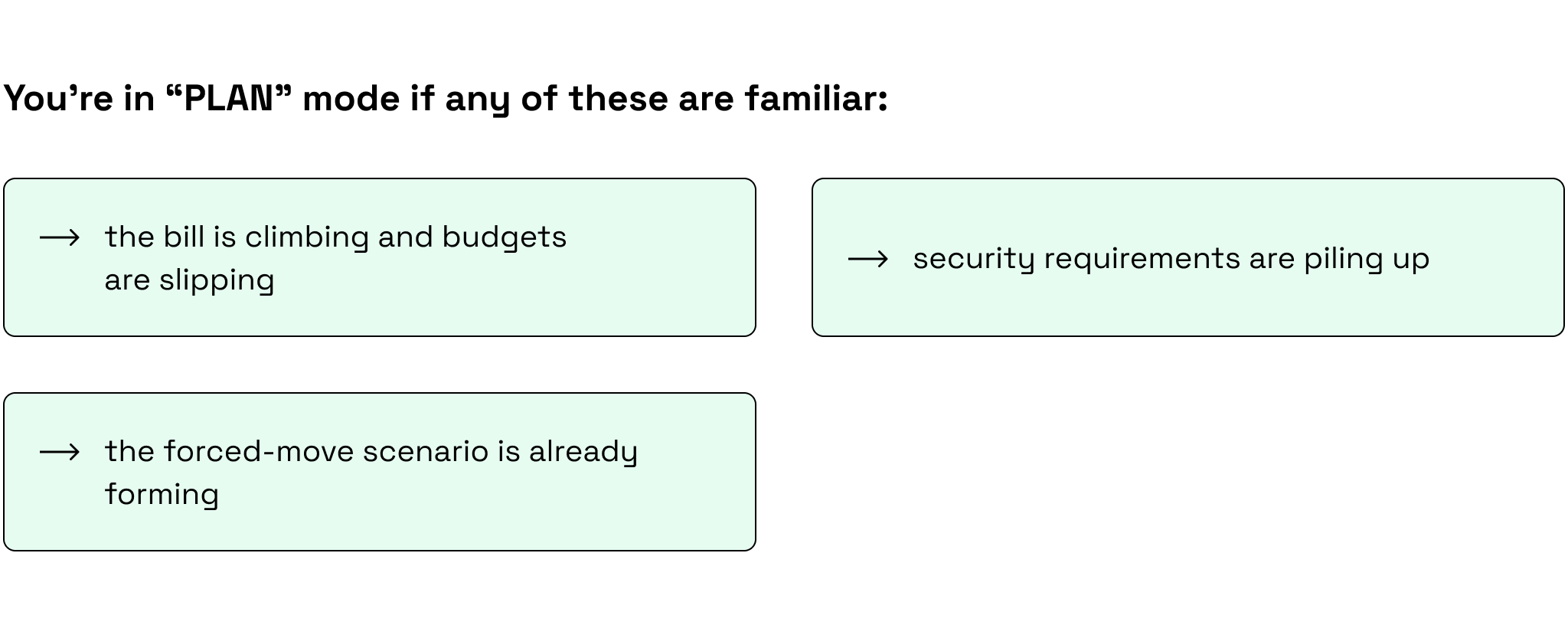
Over the next 2 to 4 weeks:
Shortlist two realistic targets (AWS and DigitalOcean are the sensible starting point). Run a migration inventory across your build flow, secrets, networking, add-ons, and observability. Map the database migration path first, because that’s almost always where complexity hides. Then run a small proof of concept on one service in one environment.
MOVE: migrating from Heroku soon
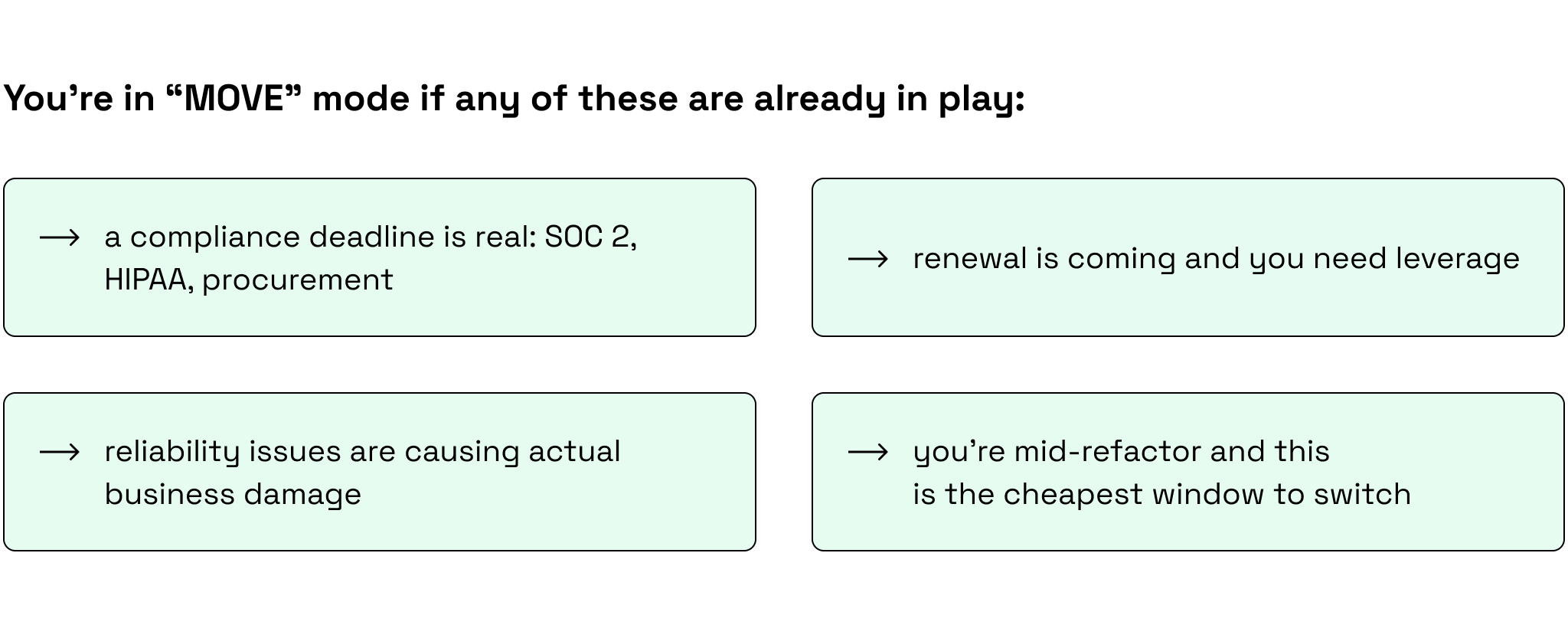
Now:
Pick your target platform and assign a migration lead. Design your cutover and rollback plan before anything else (rollback is not optional). Start with data: replication, backup strategy, downtime tolerance. Keep migration and modernization on separate tracks. Scope creep is exactly how a two-week project turns into a four-month ordeal.
Moving platforms is not a one-person job. If your team is short on Rails or infrastructure experience, it might be the ideal time to look into hiring RoR developers to bridge that gap.
Our team brings over 13 years of Ruby on Rails development experience, including hands-on migrations from simple apps to complex, multi-environment platforms, and we’ve seen and prevented most of the ways these projects go sideways.

When to leave Heroku: 4 migration triggers
Heroku built its reputation on simplicity: git push to deploy, add-ons for everything, and zero infrastructure headaches.
However, that simplicity has a ceiling, and Heroku hasn’t raised it. The platform still runs on AWS, charges a premium for the abstraction layer on top, and carries the same architectural constraints it did years ago. Salesforce’s decision to move it to sustaining engineering just made the trajectory official.
The limitations aren’t new, but they’ve become harder to ignore.
Heroku scaling limitations
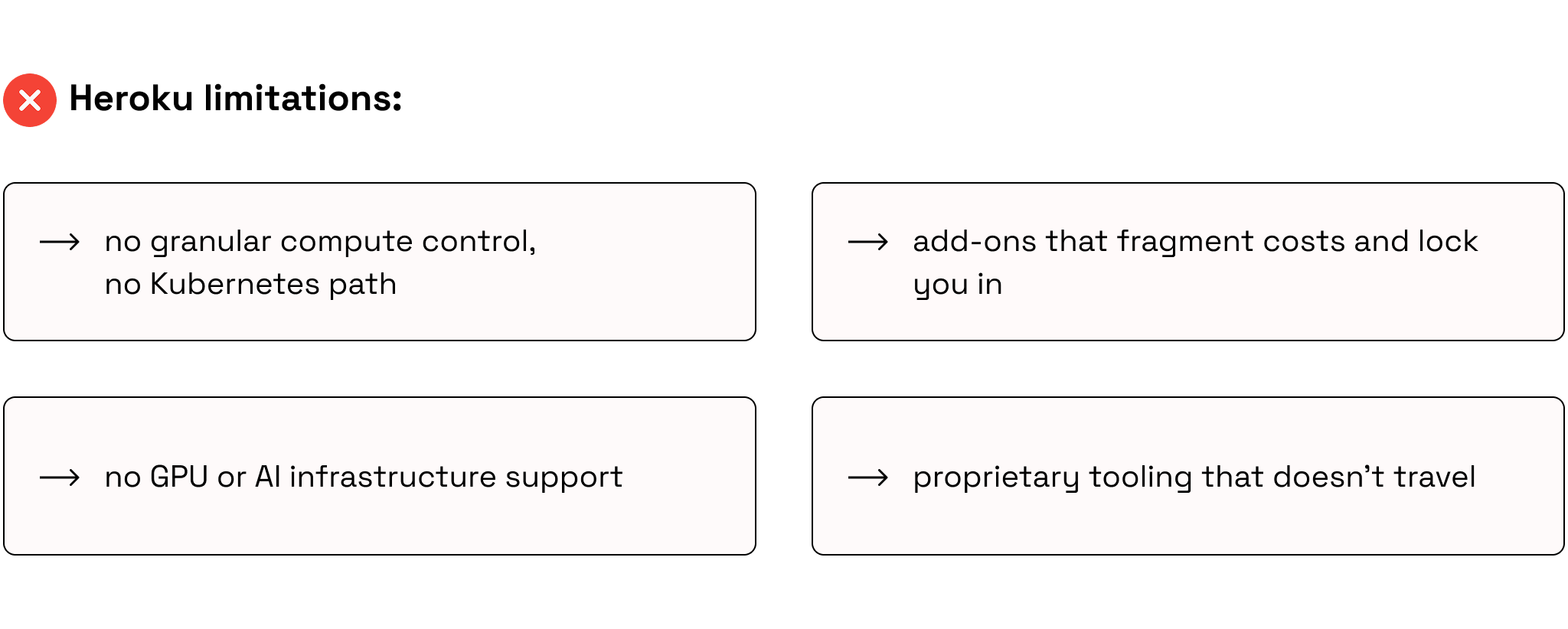
There’s nothing wrong with choosing Heroku. You get speed and simplicity, but you give up some flexibility and cost efficiency, and for many product owners that’s ok.
The real question is when the deal stops being fair. These four triggers usually make that obvious.
1) Costs stop scaling with usage
Heroku spend tends to rise in steps, not smoothly with demand. As you grow, you usually add more dynos/workers, keep multiple environments (staging + review apps), and adopt “must-have” add-ons (Postgres, Redis, logging, monitoring). The bill becomes harder to predict and eventually shows up as a margin problem, not just an engineering one.
If you want to understand the infrastructure required for true, proportional growth, read our complete guide on how to scale a Ruby on Rails application for high traffic.
2) Ruby/Rails + security updates become a recurring tax
Ruby/Rails updates are easy until you have multiple apps and pipelines. Then it’s version conflicts, build/slug quirks, and tight patch windows.
Security also shifts from occasional to nonstop: scanning, patching, rotation, compliance. It’s doable on Heroku, but the convenience fades when it never lets up.
3) AI work doesn’t fit the platform
If “AI” means a few LLM API calls, Heroku can be fine. But once AI becomes a real workload, friction climbs fast:
- Batch processing (backfills, re-processing, embeddings) wants cheap, bursty compute and long-running jobs.
- Pipelines need dependable queues, orchestration, retries, and observability.
- Model serving needs predictable latency, scaling behavior, and sometimes specialized hardware (GPUs).
- Data movement (images, audio, large documents) stresses dyno-based patterns and can get expensive/fragile.
At that point, Heroku often turns into workarounds (bigger dynos, custom queues, external runners), and you spend more time making the platform cooperate than shipping the capability.
4) Performance becomes a business issue
When performance hits revenue, Heroku forces you to throw bigger dynos at problems you can’t actually diagnose. You can’t isolate workloads, tune autoscaling, or fix host-level bottlenecks, so background jobs choke web traffic, heavy tasks create lag, and spiky loads overwhelm the platform. The abstraction that saved you time now blocks the fix.
These triggers rarely arrive all at once. It’s a slow accumulation until the cost of staying quietly exceeds the cost of leaving. That’s when it’s time to decide.
However, there’s also a point where staying makes more sense than moving.
When staying on Heroku still makes sense
As a Ruby on Rails development company, we run a wide range of products on Heroku, from small internal tools to revenue-critical apps.
Given the current situation, we’re staying close to what’s changing and keeping a clear Plan B. For some projects we’re actively preparing a migration. For others, we still recommend staying.
Here’s how our VP of Engineering Ilya Bibikov puts it:
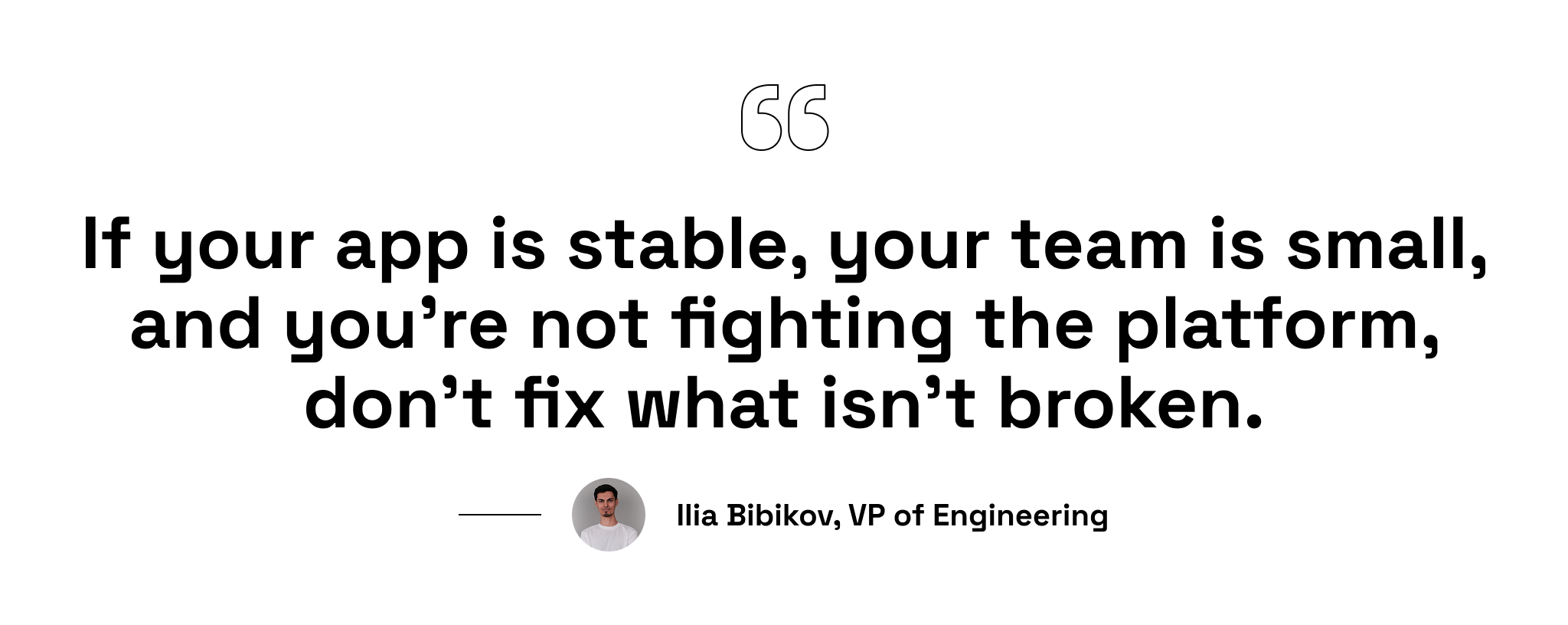
There are five situations where that logic holds.
- Small teams with limited DevOps capacity. If you don’t have dedicated infrastructure engineers, Heroku’s managed environment is an advantage, not a limitation. The alternative platform is a different operational model that requires a headcount and budget you may not have.
- Stable apps with predictable load. Heroku’s pricing model makes sense when traffic is consistent and growth is linear. No surprises in load mean no surprises in the bill.
- Speed of iteration over infrastructure control. When time-to-market matters, Heroku removes friction from the deployment cycle. If you’re still finding product-market fit, that velocity is worth more than infrastructure flexibility. You have bigger problems to solve than your deployment pipeline.
- Finished products with a closed feature set. If your Rails app does what it needs to do and the roadmap is effectively closed, there’s no business case for absorbing migration complexity and cost.
- No significant load growth expected. If scale isn’t on the horizon, you’re not going to hit Heroku’s ceilings. The triggers from the previous chapter simply won’t activate and neither will the justification to migrate.
That said, keep the possibility of migration in the back of your mind regardless. Circumstances change: products pivot, teams grow, AI requirements appear from nowhere.
Heroku to AWS migration: why teams choose AWS
AWS (Amazon Web Services) is the default “grown-up” destination when teams leave Heroku. It’s the biggest and the deepest infrastructure ecosystem in the market. The platform also has the widest global footprint: 39 regions and 123 availability zones.
It’s a strong alternative to Heroku and one our developers actively recommend…with one condition.
AWS is the right choice when you’re ready to own control and complexity.
What AWS gives you:
1) Full control over compute and architecture
Heroku gives you dynos while AWS gives you choices, and those choices matter:
- EC2 for full VM control
- ECS / Fargate for managed containers without running your own Kubernetes
- EKS if you want Kubernetes and portability
Each fits a different workload profile, and you can mix them. It also means custom networking, VPCs, security groups, IAM roles, and autoscaling policies tuned to your actual traffic, not a slider that adds dynos.
2) Enterprise-grade AI and data ecosystem
AWS works well for AI not because it covers the full path from data → models → production:
- S3 + streaming/ETL (e.g., Kinesis) to reliably collect and process large volumes of product data, files, and events (the part most AI projects fail on).
- Bedrock when you want to ship GenAI features fast using managed foundation models, with enterprise-friendly security and access controls.
- SageMaker when you need custom ML (training, deployment, and MLOps) instead of only calling third-party APIs.
- GPU-capable EC2 when you need serious compute for inference/training and want control over performance and cost.
If you’re planning to include AI, analytics, or data pipelines into your product, AWS has native services for all of it. For a deeper dive into building these capabilities natively, check out our tutorial on implementing AI features in Ruby on Rails.
3) Global scalability and high availability patterns
AWS is built for multi-region and multi-AZ designs. If you’re selling globally or need real HA patterns, AWS gives you the building blocks and the geography to do it properly.
4) Long-term cost efficiency at scale
AWS can be cheaper than Heroku at scale, but the savings only show up if you actively manage it (right-size, autoscale, commit baseline capacity with Savings Plans/RIs, set storage lifecycles, and watch spend).
Here’s a sample cost breakdown for a mid-size Rails app:
| Cost component | Heroku (typical mid-size setup) | AWS (typical mid-size setup) | The difference |
| App compute (web + workers) | $200–$800/mo | $60–$300/mo | Heroku scales in dyno “steps”; AWS can be right-sized and autoscaled to real demand |
| PostgreSQL | $200–$1,000+/mo | $120–$700/mo | AWS gives more instance/storage choices; Heroku tiers can jump quickly as you grow |
| Redis | $50–$400/mo | $30–$250/mo | Similar story: more sizing flexibility on AWS |
| Logs/monitoring & add-ons | $50–$500/mo | $30–$500/mo | Depends on tooling (Datadog/New Relic/CloudWatch/etc.) more than the platform |
| Typical total | $500–$2,700+/mo | $250–$1,750+/mo | Often ~30–60% lower when optimized |
AWS looks cheaper at scale until you factor in the infrastructure work. Someone has to do what Heroku automated: either new DevOps hires or your senior devs stepping away from shipping features.
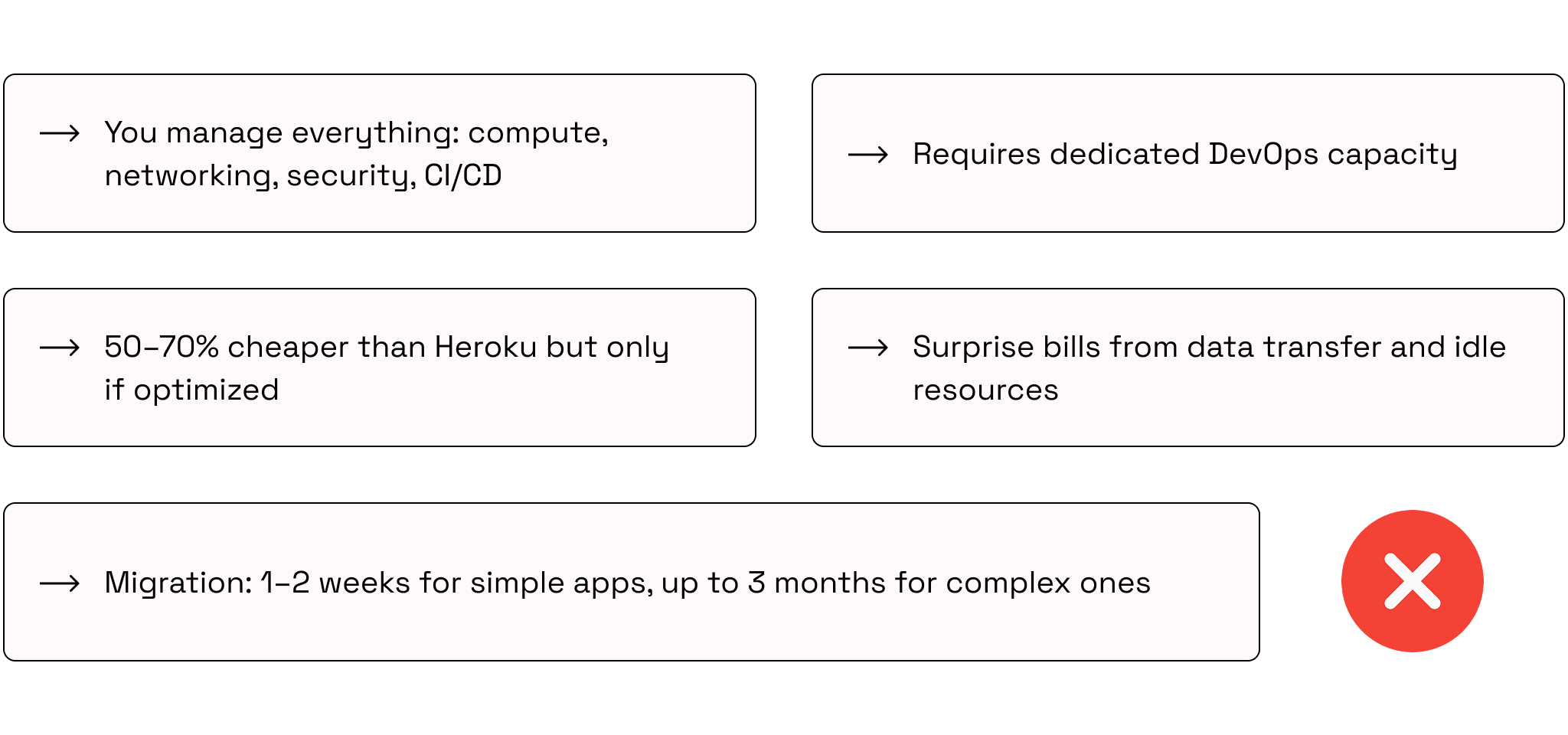
The AWS drawbacks
Heroku to AWS migration case study
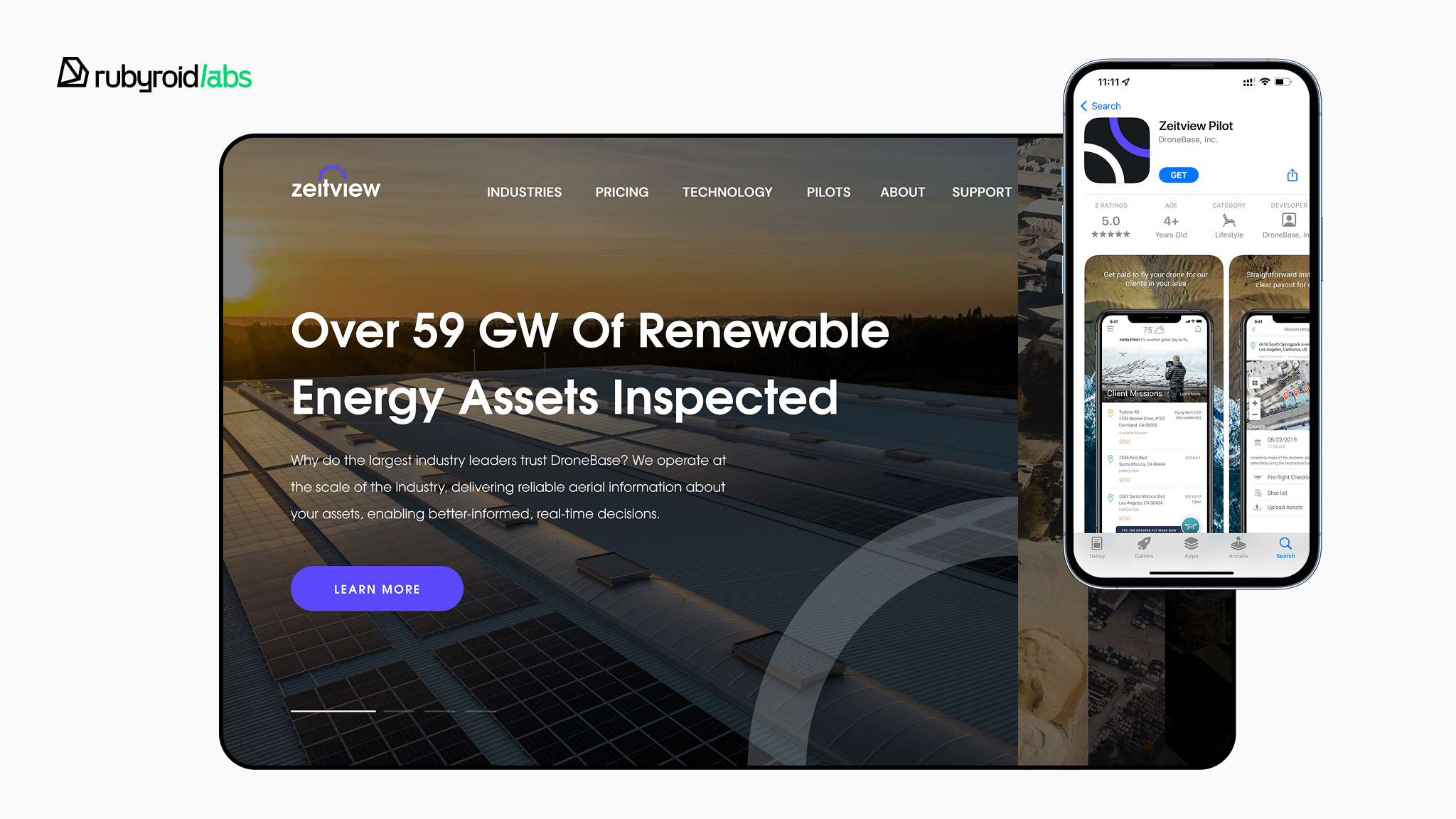
Zeitview (formerly DroneBase) is a California-based, AI-powered asset intelligence platform that uses inspection imagery and analytics to help teams inspect and maintain critical infrastructure across solar, wind, utilities, construction, and commercial real estate.
The Heroku to AWS migration covered:
- 1 large Rails monolith running across seven environments (production, staging, QA, and more)
- 3 frontend applications each with their own seven environments,
- 5 microservices with production and staging environments each.
The goal was to fully reproduce everything Heroku was managing: applications, databases, Redis, and additional services on AWS and wire it all into an existing release process without breaking it.
Our approach
We ran the migration from Heroku gradually, by design. Pulling the whole team off product work for a big-bang migration wasn’t an option.
Instead, 1 to 3 engineers worked on it in parallel with their regular responsibilities over approximately 6 months.
That pacing kept disruption low, gave us time to catch mistakes before they became incidents, and meant the team delivering the product never stopped.
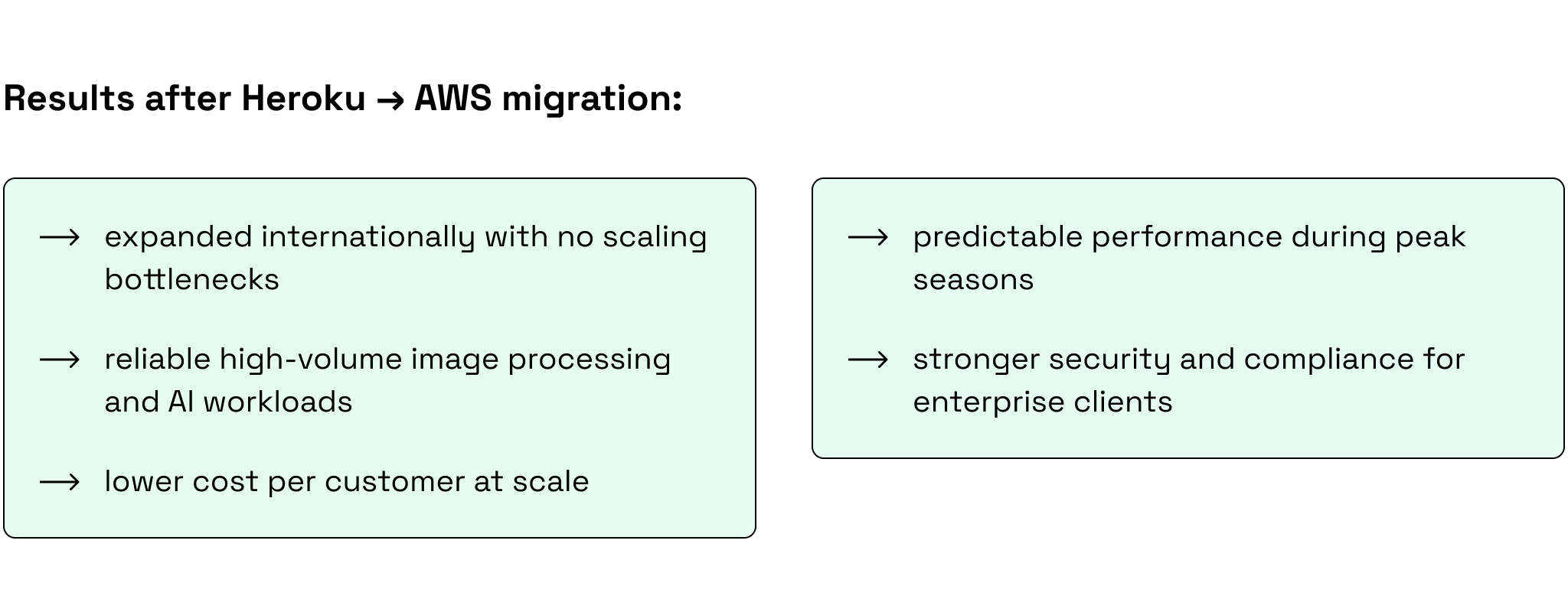
As a result of the migration, Zeitview gained predictable, manageable infrastructure costs, the headroom to grow their AI capabilities, and the ability to scale across diverse verticals like solar, construction, and monitoring without the unnecessary workarounds that Heroku required to deliver the same functionality
If you’re on Heroku and starting to feel the ceiling, let’s look at your product together and build a realistic path forward.
Heroku vs. DigitalOcean: when DigitalOcean is the better fit
DigitalOcean is a full cloud platform that sits in a practical middle ground: it’s simpler than AWS, but more expandable than a PaaS-only setup.
Because App Platform uses the same Cloud Native Buildpack model as Heroku, many Heroku apps can migrate with minimal changes and a familiar deployment workflow.
This is what you can gain by moving to DigitalOcean.
1) More control without signing up for AWS-level complexity
With DigitalOcean App Platform you can deploy straight from Git (or Docker) and get CI/CD + autoscaling, but you’re not boxed into “PaaS-only.” When your product grows, you can extend into DigitalOcean’s VMs, Kubernetes, storage, and networking inside the same provider. You can start simple, then expand architecture without changing providers.
2) A more practical AI path than “just call an API”
If you’re planning AI implementation, the key thing you need to consider is: will this be a small feature (LLM calls + prompt orchestration), or a real workload (background inference, vector search, image/audio processing, fine-tuning, or GPU-bound jobs)?
DigitalOcean is attractive for teams in the middle: you can keep your app on App Platform while running AI-adjacent components on dedicated infrastructure when needed:
- GPU Droplets for predictable GPU capacity when you need inference or processing jobs that third-party APIs can’t handle cost-effectively.
- Kubernetes / Droplets to host supporting services like queues/workers, inference APIs, vector databases, and internal tooling.
- Managed Databases for storing embeddings and application data in one ecosystem.
This gives you a cleaner architecture than duct-taping AI into your Rails app or relying entirely on third-party services forever.
3) Better unit economics as you scale
DigitalOcean often wins on cost because you typically get more CPU/RAM per dollar and fewer “pricing step jumps.” The trade-off is that you take on a bit more infrastructure ownership than Heroku.
Here’s a simple Heroku vs. DigitalOcean pricing example for a mid-size Rails app (illustrative ranges):
| Cost component | Heroku | DigitalOcean | The difference |
| App compute (web + workers) | $200–$800/mo | $80–$450/mo | DO often gives more resources per dollar; more flexibility in sizing |
| PostgreSQL (managed) | $200–$1,000+/mo | $100–$700/mo | DO managed DBs can be cheaper at comparable sizes (varies by HA needs) |
| Redis (managed) | $50–$400/mo | $30–$250/mo | Similar story: more budget-friendly tiers for many workloads |
| Logs/monitoring | $50–$500/mo | $30–$500/mo | Mostly depends on tooling choices, not the platform |
| Typical total | $500–$2,700+/mo | $300–$1,900/mo | Often ~20–40% lower for many teams (sometimes more) |
Important: if you need very advanced HA, multi-region failover, or enterprise-grade compliance controls, the cost picture can shift because you may need extra architecture and ops work.
4) Faster, lower-risk migration off Heroku
DigitalOcean actively supports Heroku migrations with dedicated guides. So, you can reduce uncertainty, shorten the migration timeline, and get a more guided, lower-drama transition instead of a drawn-out “infrastructure project” that derails product delivery.
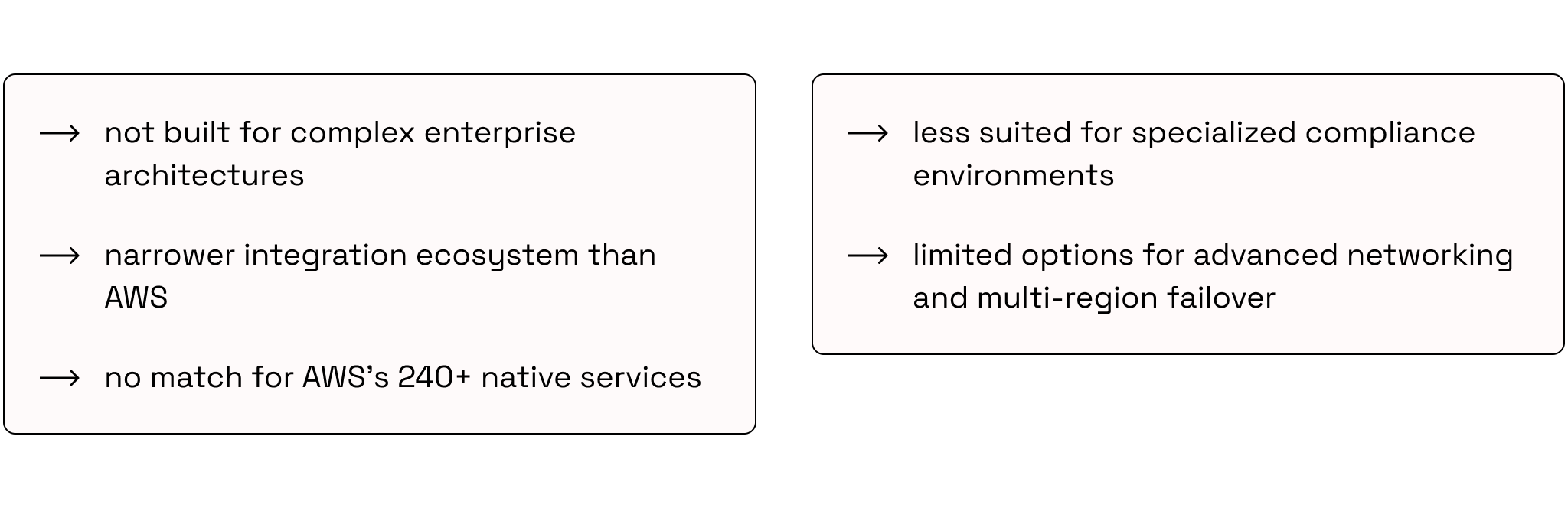
DigitalOcean drawbacks
AWS vs. DigitalOcean: which should you choose after Heroku?
Once you’ve decided to leave Heroku, the riskiest part is picking the wrong landing zone. AWS and DigitalOcean can both be the right answer, but for different teams, budgets, and operating models.
Ilya Bibikov, VP of Engineering:
“The goal isn’t to migrate fast but to migrate once.”
Use the table below to compare the trade-offs.
| Feature | DigitalOcean (Droplet) | AWS (EC2) | Heroku (Dynos) |
| Setup time | ~55 seconds; very fast | ~2–5 minutes; more steps | Minutes; simplest “git push / deploy” flow |
| Pricing model | Simple, flat monthly rates | Granular pay‑as‑you‑go; easy to misestimate | Tiered dyno sizes + add-ons; costs jump as you scale |
| Bandwidth | Generous included allowance (often 1TB+) | You pay for most data out; can get expensive | Included up to plan limits; overages/add-ons vary |
| Learning curve | Low; intuitive UI (good for SMEs) | High; expects AWS-level cloud skills | Low for app deployment; limited infra control |
| Scalability | Good vertical/horizontal scaling | Massive (ASG, Spot, many architectures) | Scales via more/larger dynos; can hit platform constraints |
| Ecosystem | Focused set (DBs, Spaces, K8s) | Huge catalog (AI/ML, managed services, edge, etc.) | PaaS + add-on marketplace; narrower “infrastructure” layer |
| Best for | SMBs/startups that want predictable pricing + simple VMs and “just enough cloud” | Teams with DevOps maturity that need flexibility, scalability, and access to a deep AI/data ecosystem | Small teams optimizing for speed of delivery and minimal ops, especially early-stage |
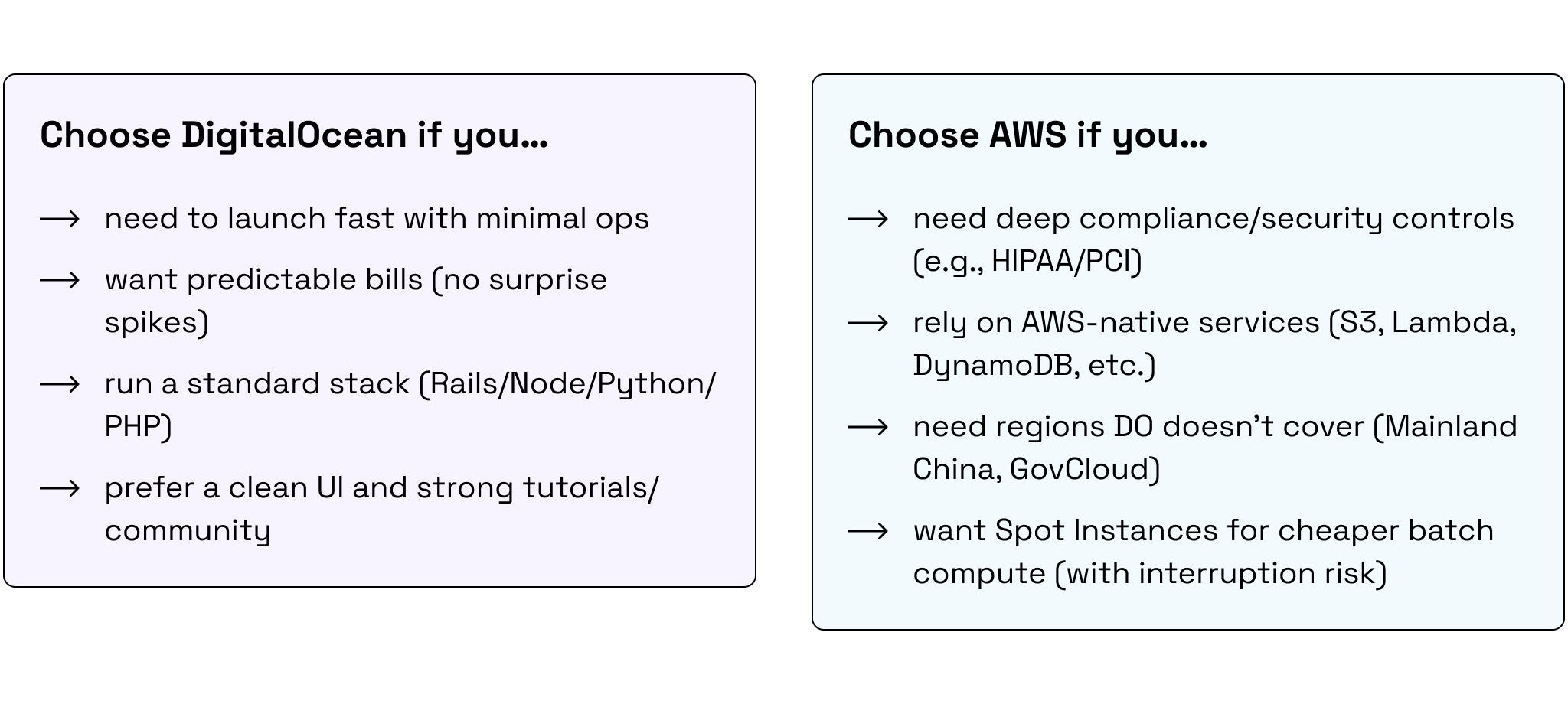
Your choice depends on how much control you need and how much operational work you’re willing to own.
- If you want simplicity and predictable costs, you’ll usually lean DigitalOcean.
- If you need maximum flexibility, compliance controls, or a deep service ecosystem, you’ll usually lean AWS.
- If your priority is minimum ops and fastest delivery, staying on Heroku can still be the best choice (until your triggers show up).
Final Verdict: should you migrate from Heroku now or wait?
Heroku does not become the wrong platform overnight. But for many growing Rails products, it does become the wrong long-term bet.
That is the real conclusion here: maybe not this quarter, maybe not under pressure, but sooner or later, migration becomes part of the roadmap. The only real question is whether you do it early, with options, or late, with constraints.
“In three years, the teams that migrated with a plan will have infrastructure that grew with them. The ones that waited will be migrating in a hurry and paying for it twice.”
— Ilya Bibikov, VP of Engineering
That is why the team matters. A weak migration creates downtime, hidden costs, broken delivery, and months of cleanup. A skilled one keeps the product moving while the platform changes underneath it.
If migration is on your horizon, treat it like a business-critical move, not a side project. Do it once, do it cleanly, and do it with a team that knows where these projects fail.