Building a mobile app with a Rails backend in 6 weeks
Can you build a mobile app in 6 weeks? Yes, if your Ruby on Rails backend is already stable.
If your company already has a working Rails web product, a React Native mobile MVP can often be delivered in 6–8 weeks. The backend already contains the business logic, database models, user roles, and core workflows, so the mobile app can focus on the user experience instead of rebuilding the product from scratch.
But the timeline does not depend only on React Native speed. The bigger question is whether your Rails backend is ready for mobile.
In this article, we’ll explain when this timeline is realistic, what to audit before week 1, and what can increase the project from 6 weeks to several months.
When is a 6-week mobile app timeline realistic
A 6-week deadline can be realistic, but it should not be treated as a default estimate. In our experience, this timeline only works when the project passes a few practical checks before development starts.
We asked our Ruby on Rails and React Native developers what they look at first when estimating this kind of project. Many of them combine 10–12+ years of Rails experience, 7–8+ years of React Native experience and production work with both web and mobile products.
Before they estimate the timeline, they look at the product foundation: what already exists, what can be reused, and what would need to be built specifically for mobile.
Based on that review, a 6-week delivery is usually realistic or risky for the reasons below.
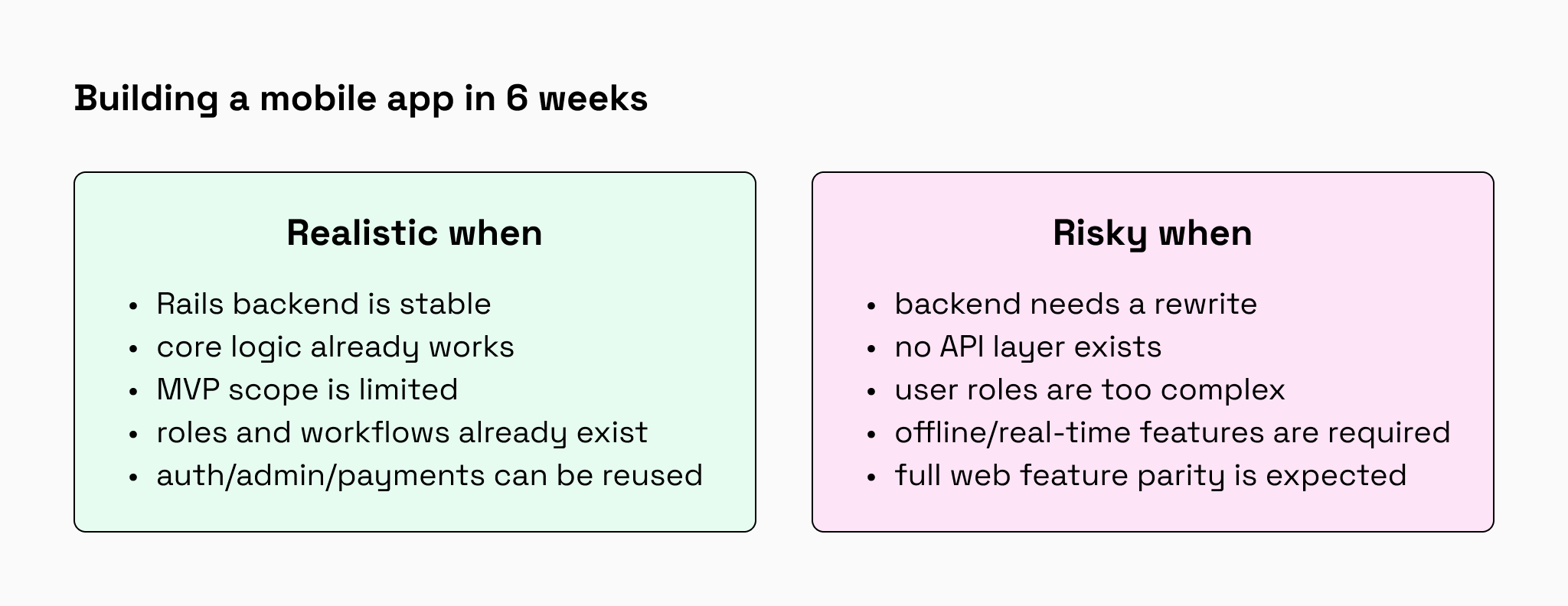
6 weeks is realistic if:
- The Rails backend already exists and is stable.
The mobile app can rely on working data, logic, and infrastructure. - Core models and business logic are already implemented.
Users, services, bookings, roles, and key rules should already work correctly in Rails. - The mobile app covers a limited MVP scope.
For example: sign up, browse services, choose a time slot, create a booking, view booking history, and cancel a booking. - The first version uses existing user roles, data, and workflows.
The fewer new rules we invent for mobile, the faster and safer the release. - The team can reuse current authentication, admin tools, payments, or notifications where possible.
Reusing what already works is usually what makes the 6-week timeline realistic. - The team The design system already exists and is based on standard iOS/Android components.
The team can define one shared app theme and reuse it across screens.
6 weeks is not realistic if:
- The backend needs a major rewrite.
A weak backend does not become easier to work with just because the interface is mobile. - There is no API layer yet.
If the Rails app was built only for the web, the mobile team first needs a reliable way to connect to it. - The app requires many complex user roles.
More roles mean more permissions, more edge cases, and more testing. - You need offline mode, advanced real-time features, or heavy custom animations.
These features can be built, but they are not quick add-ons for a short MVP timeline. - The mobile app must launch with full feature parity with the web product.
A first mobile MVP should focus on the core user action, not copy years of web product development into six weeks. - The app requires a custom pixel-perfect UI.
Custom UI kits, unusual navigation, and complex animations add extra design, development, and testing time.
In other words, a 6-week timeline works when the mobile app does not need to reinvent the product. It only needs to turn existing value into a focused mobile experience. If you are not sure whether your Rails codebase is ready for that, a code audit can clarify it before development starts. You get a clear report on the current state of the backend, the main risks, and a realistic timeline for building the mobile app.
How Ruby on Rails and React Native work together
The tech stack also affects the timeline. Native development usually means separate iOS and Android work. A PWA can be faster, but it may not feel like a real mobile app. Flutter can work too, but it requires a team comfortable with Dart and its ecosystem.
For an existing Rails product, React Native is often the practical middle ground. Here’s why.
01. Rails keeps the product logic in one place
Your Rails backend already handles business logic, database models, user roles, permissions, payments, emails, background jobs, and integrations. Mobile shouldn’t duplicate any of that.
React Native connects through an API and uses the same rules. Booking creation, payment processing, and cancellation logic stay in Rails. React Native focuses on mobile UI: screens, navigation, forms, and device behavior.
When a rule changes in Rails, both web and mobile follow the same source of truth. No separate logic is maintained across the backend, iOS, and Android.
02. Existing Rails logic makes the mobile MVP safer
A mobile MVP is faster to build when the team is not discovering the product from scratch.
If web users have already tested the main flows, the mobile app can reuse proven parts of the product
Important: user roles and permission logic can usually be reused, but web session auth does not copy directly to mobile. Rails often needs to add token-based authentication, such as JWT. It takes careful backend work, but it is still faster than building auth from scratch.
The work is still serious: the API must be prepared, mobile edge cases must be tested, and the UX should be adapted for smaller screens. But the team is extending a working system, not rebuilding the product from zero.
03. A mobile-ready API speeds up React Native work
Rails does not make mobile development fast automatically. The API has to be shaped for the app.
Before React Native development can move smoothly, the Rails team usually prepares
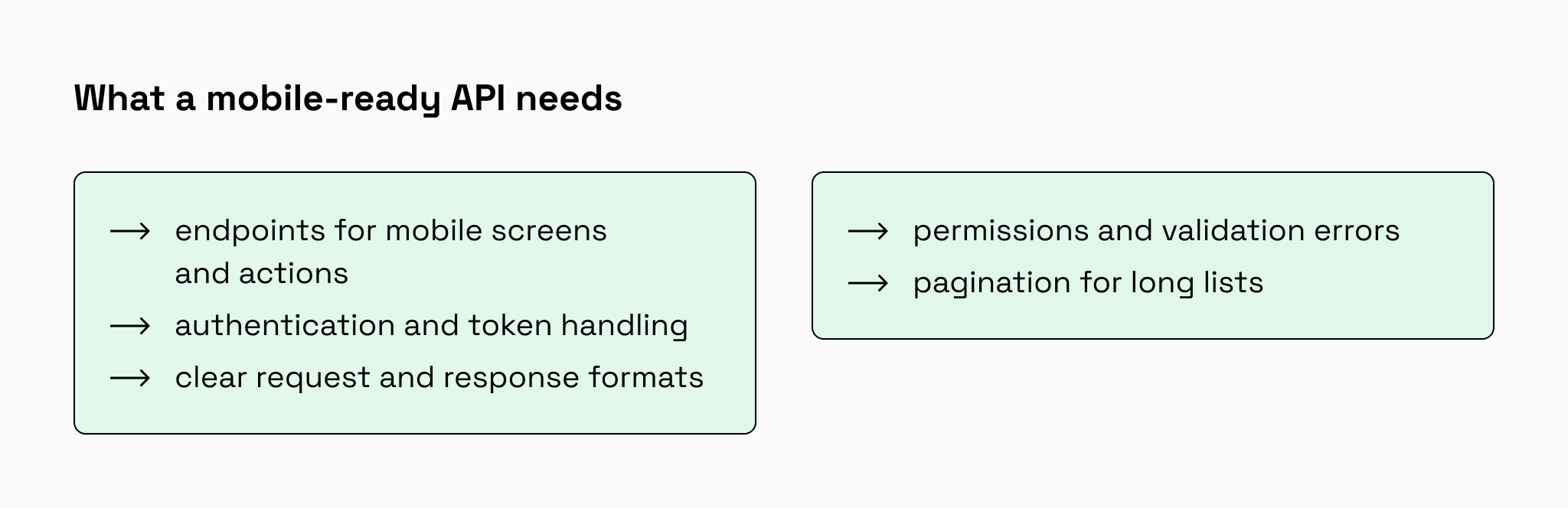
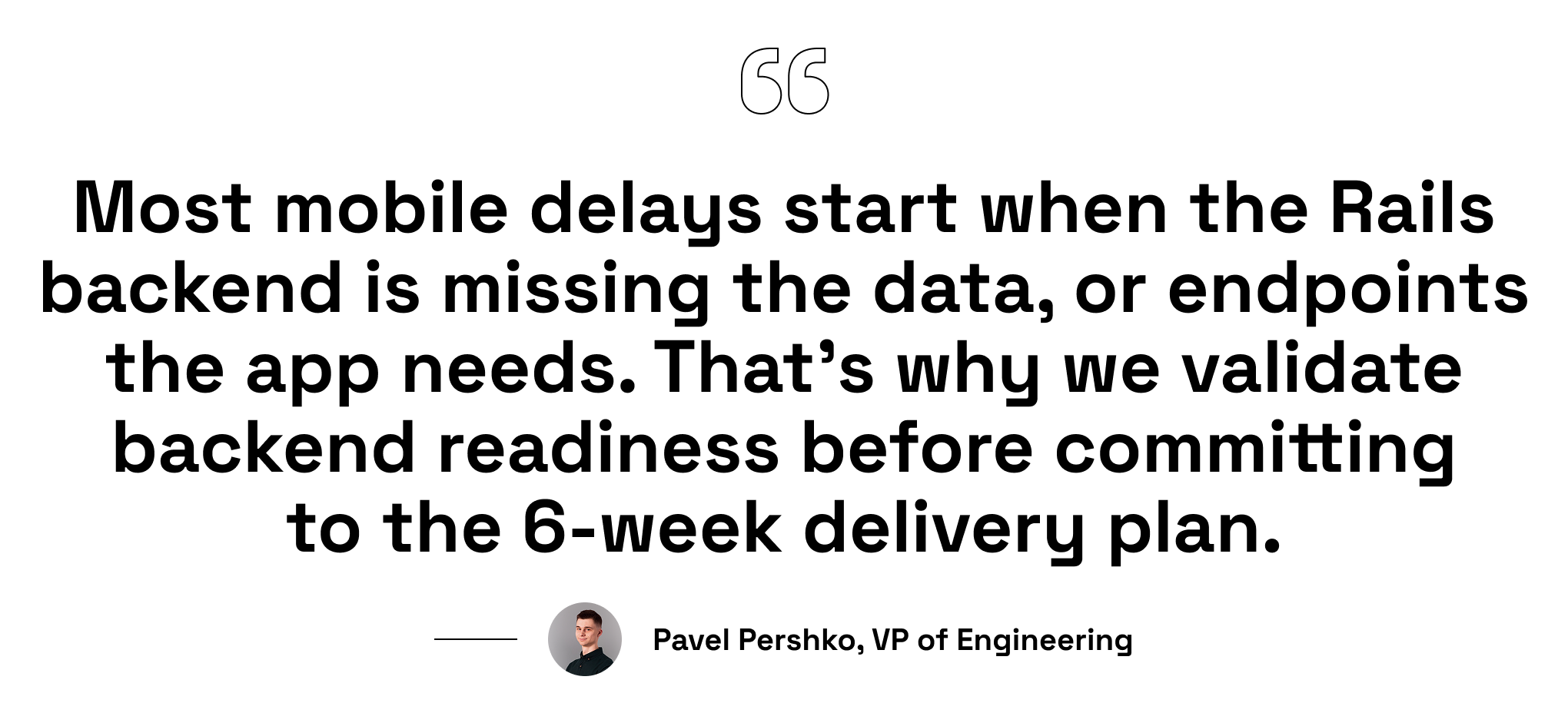
To build an MVP in 6 weeks, the mobile and backend teams must work in parallel. If the React Native team waits for the Rails team to prepare the API sequentially, you will blow past the deadline. Instead, teams must agree on a JSON API schema on Day 1. The React Native developers build the UI using mocked data while the backend developers build the real endpoints.
At Rubyroid Labs, many of our developers combine 12+ years in Ruby on Rails web development with 7–8 years of hands-on React Native practice. This helps us avoid APIs that work on the backend but slow down or complicate the mobile app.
04. React Native gives users a real app experience
React Native is useful here because it keeps the mobile side efficient without reducing the product to a mobile website.
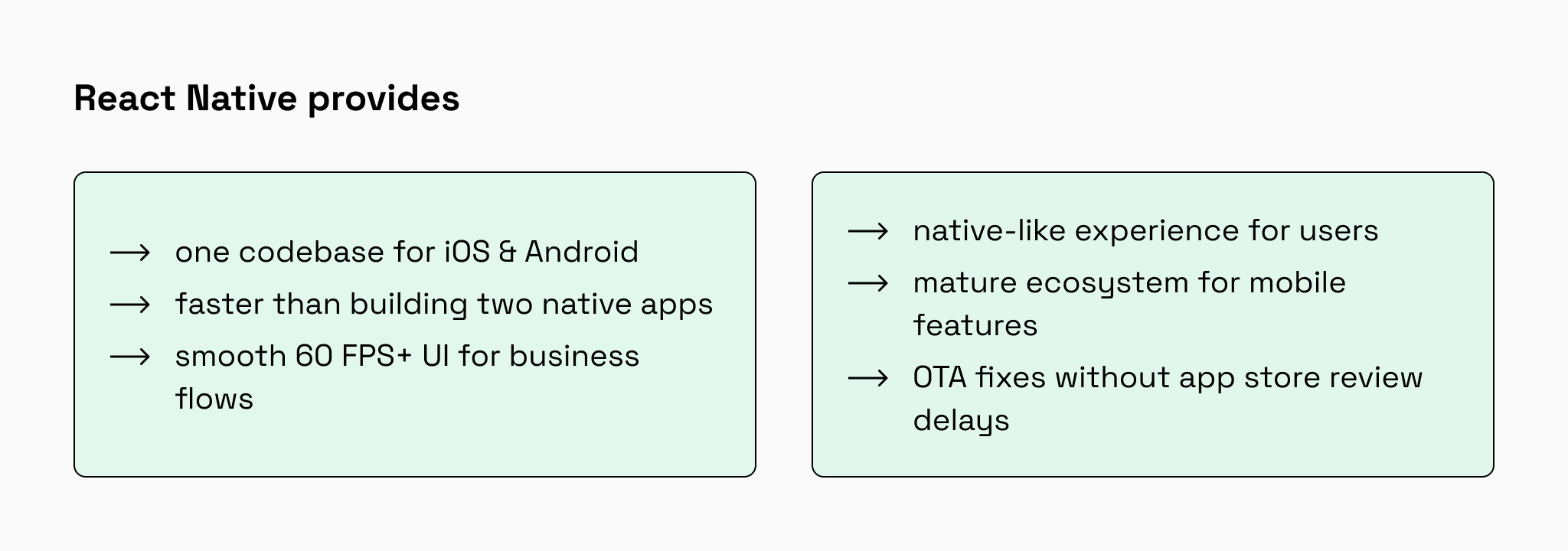
You still need testing on real iOS and Android devices. Some features may require native modules, and app store releases do not disappear completely.
But for many service apps, marketplaces, booking platforms, CRMs, and operational tools, React Native gives the right balance between speed, UX, and budget.
| Stack | Speed | Budget | Risk |
| React Native + Rails | Fast | Medium | API readiness |
| Native iOS + Android + Rails | Slow | High | Double development effort |
| Flutter + Rails | Medium | Medium | Dart expertise required |
| PWA + Rails | Fastest | Low | Weaker app-like experience |
For a deeper technical and business comparison, read our article on React Native for Ruby on Rails mobile app development, where we explain why we choose React Native for Rails ecosystems, compare it with native, Flutter, PWA, and Hotwire, and show real delivery examples.
What must be audited before development starts
Now let’s move from theory to practice.
Before the 6-week timeline starts, we need to check whether the existing Rails backend is actually ready for mobile. This is the purpose of pre-week 0: reduce uncertainty before development begins.
Let’s take a service booking platform as an example. The Rails web product already lets users browse services and make bookings. Now the business wants a React Native mobile app.
The mistake is to start drawing screens immediately. The better first step is to audit the current product, check backend readiness, and define what the first mobile version really needs.
What we check before week 1
For a booking app, we should answer the following
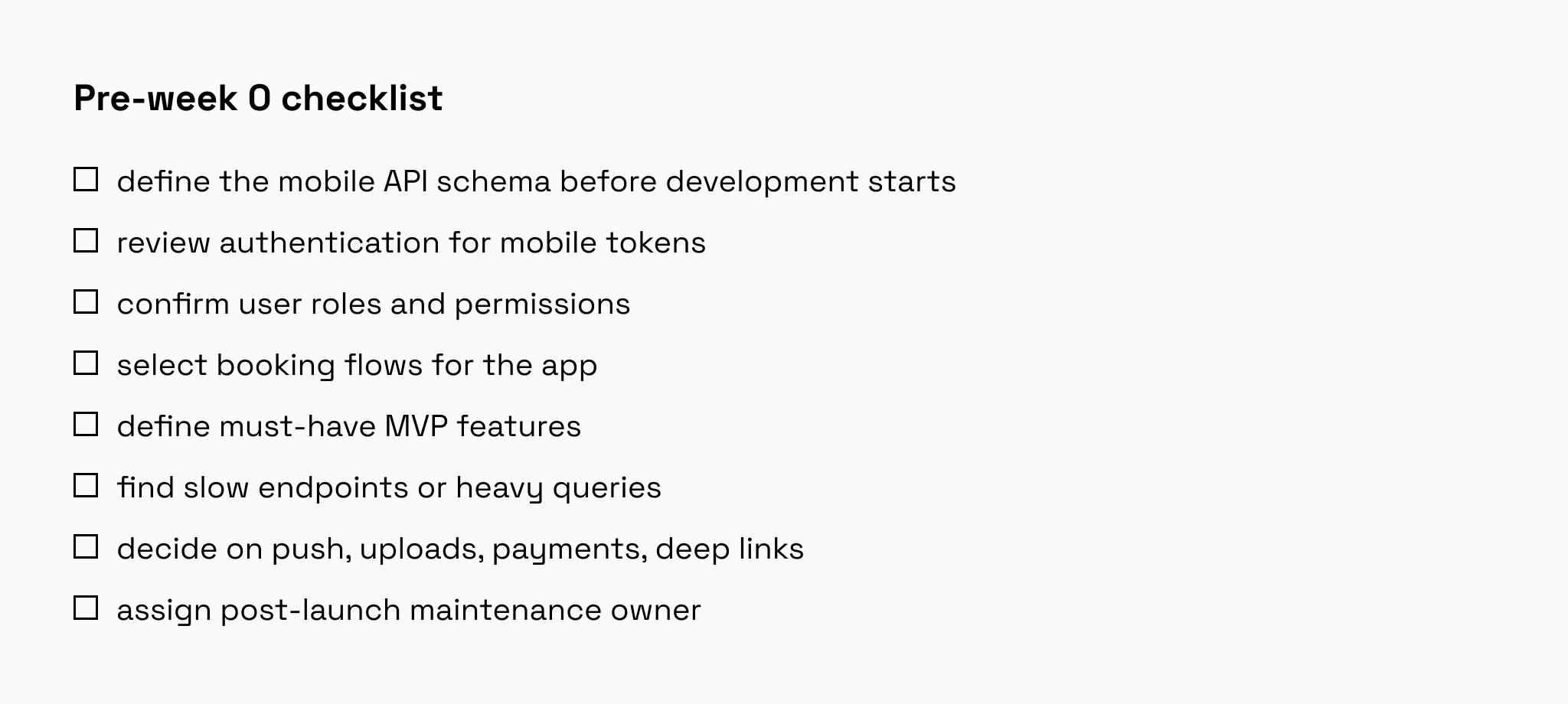
These answers become the actual delivery plan
- MVP scope: what goes into the first mobile version.
- API gap list: which endpoints exist, need changes, or must be created.
- Mobile user journeys: the main flows users complete in the app.
- Technical risks: auth issues, unclear permissions, slow endpoints, missing integrations.
- 6-week roadmap: what the team will build week by week.
Example: booking app MVP scope
For our booking app, the first React Native MVP includes only the core user journey
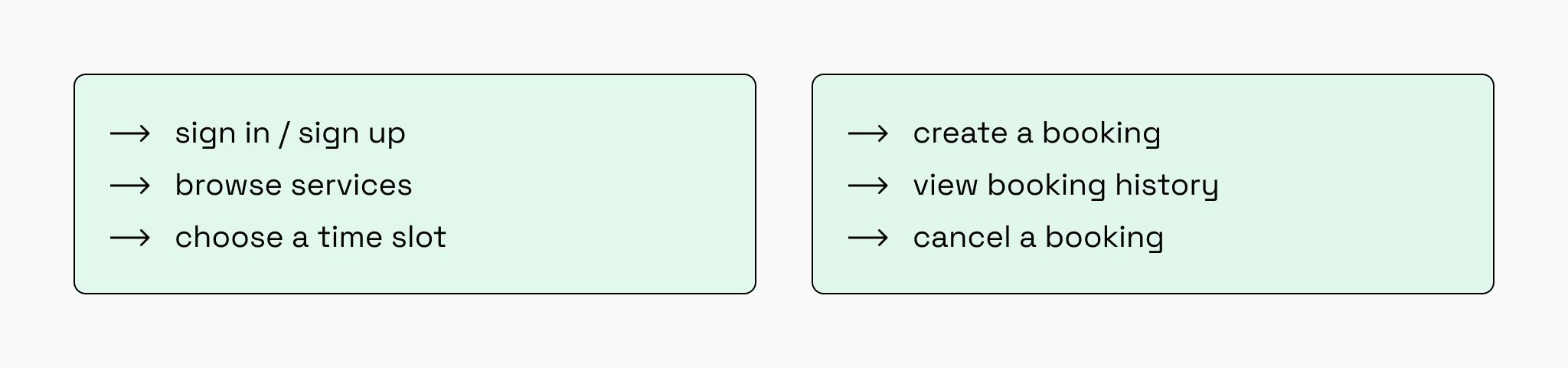
Everything else goes to later: advanced filters, loyalty programs, chat, reviews, admin features, complex notifications, offline mode, and full web feature parity.
Pre-week 0 protects the timeline. It helps us avoid discovering critical backend problems after mobile development has already started.
What a 6-week mobile app development process looks like
Once pre-week 0 confirms that the Rails backend is ready for mobile and the MVP scope is realistic, we can begin the 6-week development timeline.
At this point, we should know what the first mobile version includes, which API gaps need to be closed, and which risks could affect delivery. The roadmap below shows how we usually structure the build after that audit is complete.
Instead of treating the project as “six weeks of coding,” we split it into three delivery stages: foundation, core flow, and launch readiness.
Step 1: foundation and authentication (weeks 1–2)
The first stage prepares the Rails backend and React Native app to work together reliably.
On the Rails side, this usually means setting up or refining the mobile API, adding API versioning, preparing token-based authentication, standardizing response formats, and making sure errors are returned in a format the mobile app can handle consistently.
On the React Native side, the first week is used to set up the app foundation: navigation, project structure, secure token storage, loading states, signed-in and signed-out flows, and a reusable component system aligned with the product’s visual style.
At this stage, the app may still have only a few basic screens. The priority is to make authentication, API communication, and navigation stable enough to support the rest of the build.
For example, the Rails API can return a token after successful sign-in, which the mobile app then uses for authenticated requests:
ruby
# app/controllers/api/v1/authentication_controller.rb
class Api::V1::AuthenticationController < ApplicationController
  def create
    user = User.find_by(email: params[:email])

    if user&.authenticate(params[:password])
      token = generate_token_for(user)

      render json: {
        token: token,
        user: UserSerializer.new(user)
      }, status: :ok
    else
      render json: {
        error: "Invalid email or password"
      }, status: :unauthorized
    end
  end
endDeliverable: users can create an account, sign in, and access the protected mobile app area.
Business value: the product becomes accessible on mobile, and the team has a reliable foundation for building the main user journey.
Step 2: core booking flow (weeks 3–4)
The second stage focuses on the main action the mobile MVP must support.
For a booking app, this usually means users can browse services, open service details, choose an available time slot, create a booking, view booking history, and cancel a booking when allowed.
The important part is that Rails remains responsible for the business rules. Availability checks, double-booking protection, cancellation policies, user permissions, and booking conflicts should be handled by the backend. The mobile app should display the flow clearly, but it should not become the source of truth for booking logic.
For example, availability should be checked again when the booking is created, not only when the user first sees the list of time slots:
ruby
# app/models/booking.rb
class Booking < ApplicationRecord
  belongs_to :user
  belongs_to :service

  validate :time_slot_is_available

  private

  def time_slot_is_available
    return if service.available_at?(start_time)

    errors.add(:start_time, "is no longer available")
  end
end
React Native focuses on the user experience: service lists, detail screens, calendar or time-slot selection, booking confirmation, booking history, cancellation dialogs, and clear messages when something goes wrong.
Thus, if a time slot becomes unavailable while the user is browsing, the app should explain what happened and help the user choose another available option.
Deliverable: users can browse services, choose a time slot, create a booking, view booking history, and cancel bookings.
Business value: the mobile app now supports the core revenue-generating flow.
Step 3: polish, test, and store submission (weeks 5–6)
The final stage makes the MVP stable enough to launch.
On the Rails side, we focus on API stabilization, production checks, performance issues, time zone handling, expired tokens, booking edge cases, analytics, error monitoring, and any launch-critical integrations such as push notifications.
On the React Native side, the app is tested on real iOS and Android devices. This helps catch issues that often do not appear in a simulator: keyboard behavior, safe areas, permissions, different screen sizes, slow connections, and platform-specific UI problems.
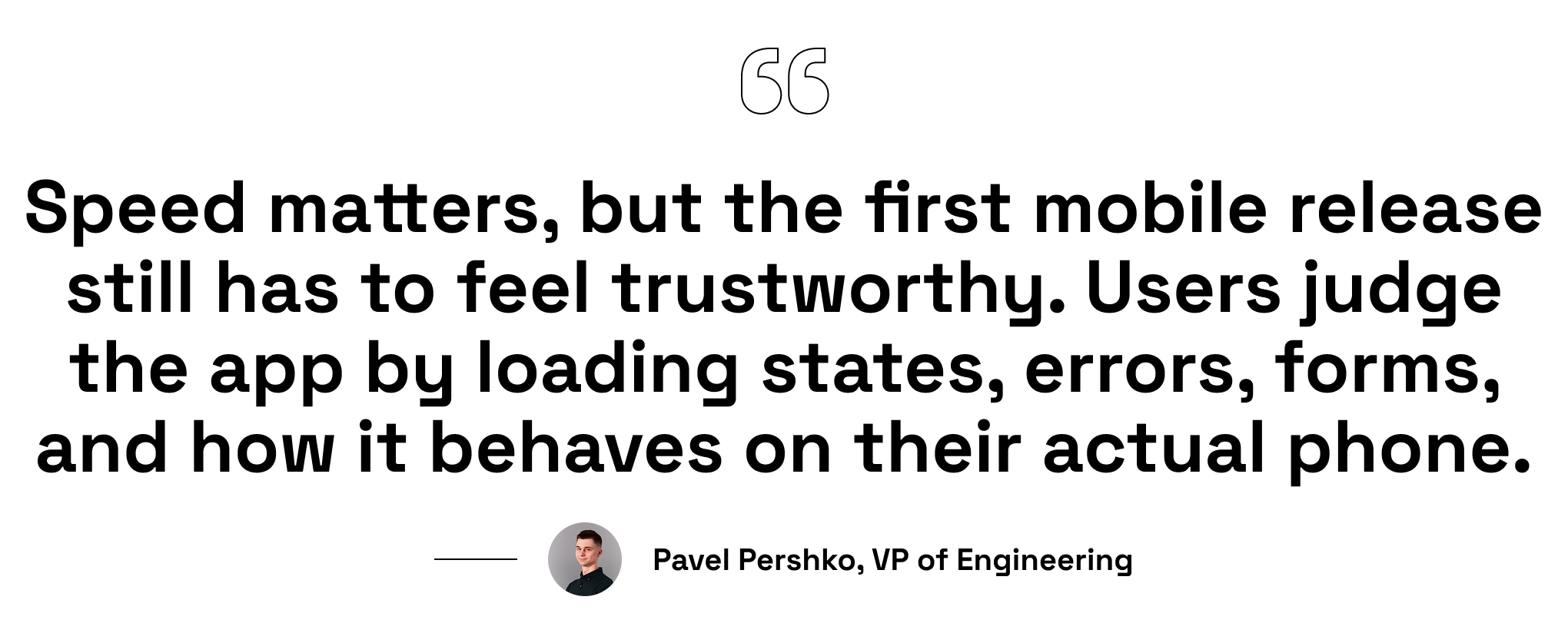
We also polish the parts users notice immediately: loading states, empty states, validation messages, error messages, app icons, splash screens, and store screenshots.
The goal at this stage is not to add new features. We stabilize what has already been built and prepare the app for App Store and Google Play submissions.
Deliverable: the mobile MVP is submitted to the stores or already live, depending on review timing.
Business value: the product can reach iOS and Android users, not only web users.
Store review note: Google Play and App Store review times can vary. To protect the timeline, we usually prepare store assets and submit them as early as possible in the final stage.
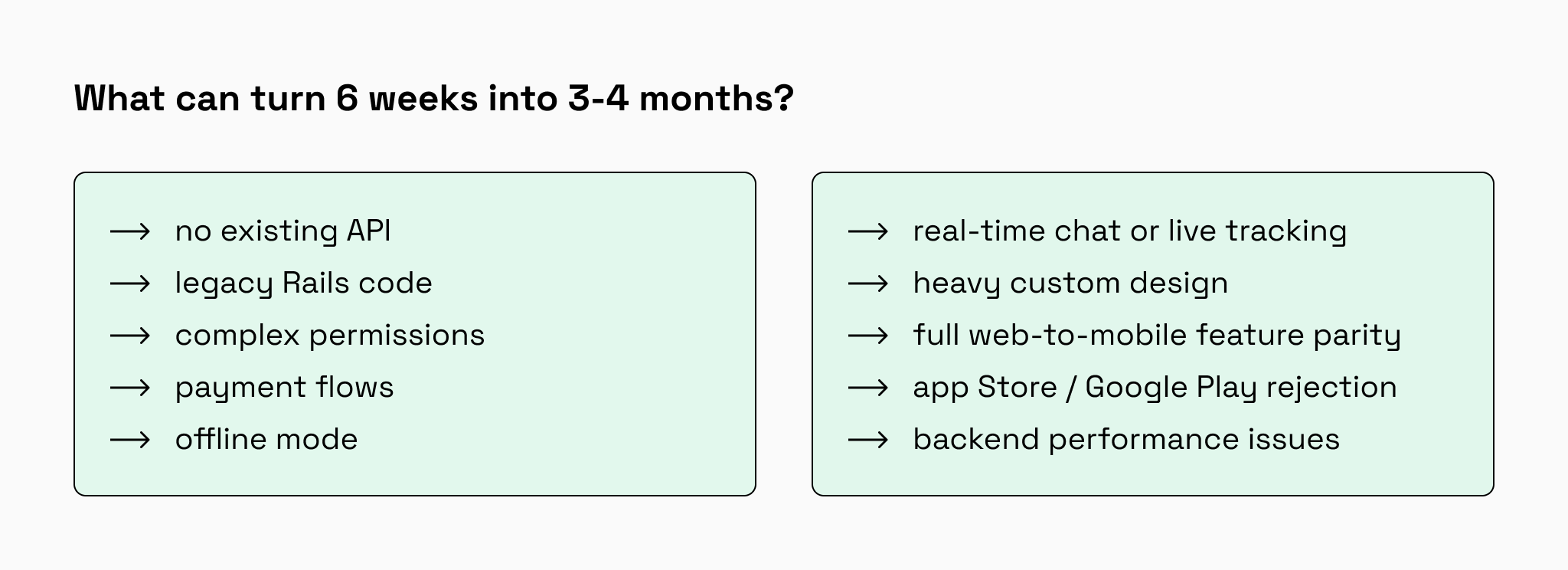
What can increase the timeline?
Six weeks is realistic for a focused mobile MVP. But the timeline grows when the project stops being only a mobile extension and turns into backend cleanup, product redesign, or compliance work.
The most common timeline risks fall into four groups:
- Backend readiness: no API, legacy Rails logic, slow endpoints.
Rails renders HTML but mobile needs JSON endpoints. Building serializers is foundational work. Legacy controllers need refactoring before mobile can use them cleanly. Performance issues hidden on desktop surface immediately on mobile networks. - Product complexity: complex permissions, payments, offline mode, real-time features.
New user roles cascade authorization across endpoints. Payment flows must handle interrupted connections. Offline mode requires conflict resolution and sync queues (12-16 weeks). Real-time features mean WebSocket infrastructure and reconnection handling. - UX scope: heavy custom design or full feature parity.
Custom gesture interfaces and physics animations need optimization across devices. Porting 40 web screens means redesigning each for touch with loading states and offline behavior, which makes 3-4x development time per screen. - Release risks: App Store rejection, compliance issues, backend problems.
Apple rejects apps for policy violations. GDPR and payment compliance surface during review. Backend problems discovered under mobile conditions block launch.
The best way to stay close to a six-week timeline is to define the first mobile release tightly: core flows only, existing Rails logic reused, and no unnecessary infrastructure or product redesign.
Conclusion: what happens after week 6
A 6-week mobile MVP is realistic when the team builds on top of a stable Rails backend, keeps the first release focused, and avoids rebuilding what already works. The goal is not to copy the entire web product into a mobile app but to give users the core journey in a convenient iOS and Android experience.
For our booking app example, that means the first version covers the essentials: sign up, browse services, choose a time slot, create a booking, view booking history, and cancel a booking. Everything else can wait until real users show what they actually need.
After week 6, the work does not stop. The team reviews analytics, monitors errors, collects user feedback, and decides what to improve next. This may include push notifications, payments, advanced filters, reviews, chat, offline mode, or deeper personalization.
But each new feature adds development time, testing, and maintenance cost. That is why the smartest path is to launch a focused MVP first, learn from real usage, and then expand the mobile app step by step.
FAQ
Is Rails good for building MVPs?
Yes. Rails is a strong choice for MVPs as it combines fast development with a scalable structure. Its conventions, generators, gems, built-in security, caching, background jobs, and deployment tools help developers avoid repetitive setup work and focus on the features that validate the business idea. We explain this approach in our blog post on building a scalable MVP with Ruby on Rails.
How much does it cost to build a mobile app in 6 weeks?
Our 6-week mobile MVP development service starts at $15,000. The final cost depends on the app scope, Rails backend readiness, integrations, and launch requirements. After a short audit, we can confirm the timeline, budget, and what can realistically be delivered in 6 weeks.
What if my Rails backend is slow or outdated?
We audit it first. If performance issues or technical debt block mobile development, we’ll recommend backend optimization before starting the 6-week mobile timeline. Building on a weak foundation always causes delays. Learn more about maintaining quality Rails code in our guide on best practices for clean and maintainable Rails code.
Do I need a designer for the mobile app?
Yes. A designer is needed to make the mobile user flow, navigation, forms, and interactions intuitive. Developers can implement the screens, but they should not define the mobile UX alone.
For a 6-week mobile MVP, design work is usually limited if branding, UI components, and the web interface already exist. The designer mainly adapts the existing product to a mobile app interface, which can often take about one week.