Rails performance optimization checklist for SaaS applications 2026-2028

Once your platform load time reaches five, eight, or ten seconds, users leave before key pages finish loading. Every extra second can reduce conversions by 7%, while churn, support tickets, and infrastructure costs keep growing.
Most Rails performance problems start earlier, when the app outgrows “fast enough” queries, background jobs, APIs, frontend assets, or infrastructure decisions made at a smaller scale.
The upgrade to Rails 7 or Rails 8 does not remove these bottlenecks by default. Turbo, Hotwire, and improved Active Record can help, but only after you identify where performance breaks in production.
Our guide gives you a practical Rails performance checklist for production SaaS platforms.
Why Rails SaaS apps slow down under heavy traffic
Most teams add more servers when response times climb. That is expensive and rarely fixes the actual problem. A Rails app that handles hundreds of users smoothly can start struggling with thousands, not necessarily because it needs bigger infrastructure, but because the same code now runs under much heavier usage.
Before throwing money at servers, you need to find where the app actually wastes time.
What slows down a Rails app as traffic grows?
Rails performance usually drops because one or more parts of the app start doing too much work:
- Unoptimized database queries
More users and data make old queries slower. Missing or poorly optimized indexes can make them dozens of times longer. - N+1 query problems in Rails requests
N+1 queries and inefficient data loading can make one page trigger dozens or hundreds of queries. The Bullet gem can help detect these issues during development. - No caching for expensive Rails operations
Calculations, permissions, filters, search logic, or external API calls may run again and again instead of being cached or simplified. - Slow background jobs and growing queues
Emails, imports, notifications, syncs, billing tasks, and data processing jobs start waiting in queues. - High memory usage and memory leaks
Rails processes consume more RAM, servers become unstable, and infrastructure costs increase. - Infrastructure limits show up
As traffic grows, Heroku dynos, AWS instances, database connection pools, Redis capacity, or Puma settings may no longer match the app’s workload. - Slow Rails API responses
The app sends more data than the frontend needs, slowing down both backend response time and user experience. - Frontend performance issues
Even if Rails responds faster, heavy JavaScript, large assets, or slow client-side rendering can still make the product feel slow.
Why is your Rails app slow in production, and how do you fix it?
A Rails app usually slows down when traffic, data, jobs, APIs, and frontend complexity grow faster than the system is optimized. Start by measuring where response time is lost, then fix the biggest bottlenecks first: database queries, caching, background jobs, web servers, APIs, frontend performance, and infrastructure.
Key performance metrics and what they mean
| Metric | What it means | Good performance | Performance problem |
| Response time | how fast users get a response from the app | under 200–300 ms for APIs and under 500 ms for server-rendered pages | Above 1 second |
| Database query time | how much request time is spent waiting for the database | Under 50ms per query, 30–40% of response; frequently executed queries stay fast and avoid full table scans | Above 100ms, over 60% of response; hot-path queries running full table scans |
| Memory usage | how stable and cost-efficient Rails processes are | Stays flat over time, no steady upward trend | Grows continuously or spikes without returning to baseline |
| Background job latency | Shows whether async work keeps pace with user actions | Under 30 seconds | Minutes or hours in queue |
| Error rate | Share of requests that fail | Under 0.1–1% of requests | Above 1–5%, or trending upward |
| Throughput | Requests handled per second | Stable or scaling with traffic | Dropping while traffic holds steady |
The metrics show the technical side of Rails performance, but they do not always capture the full business impact. Even a one-second delay can affect how users behave, how many of them convert, and how much revenue the product generates. The table below shows what slower load times can mean in real business terms.
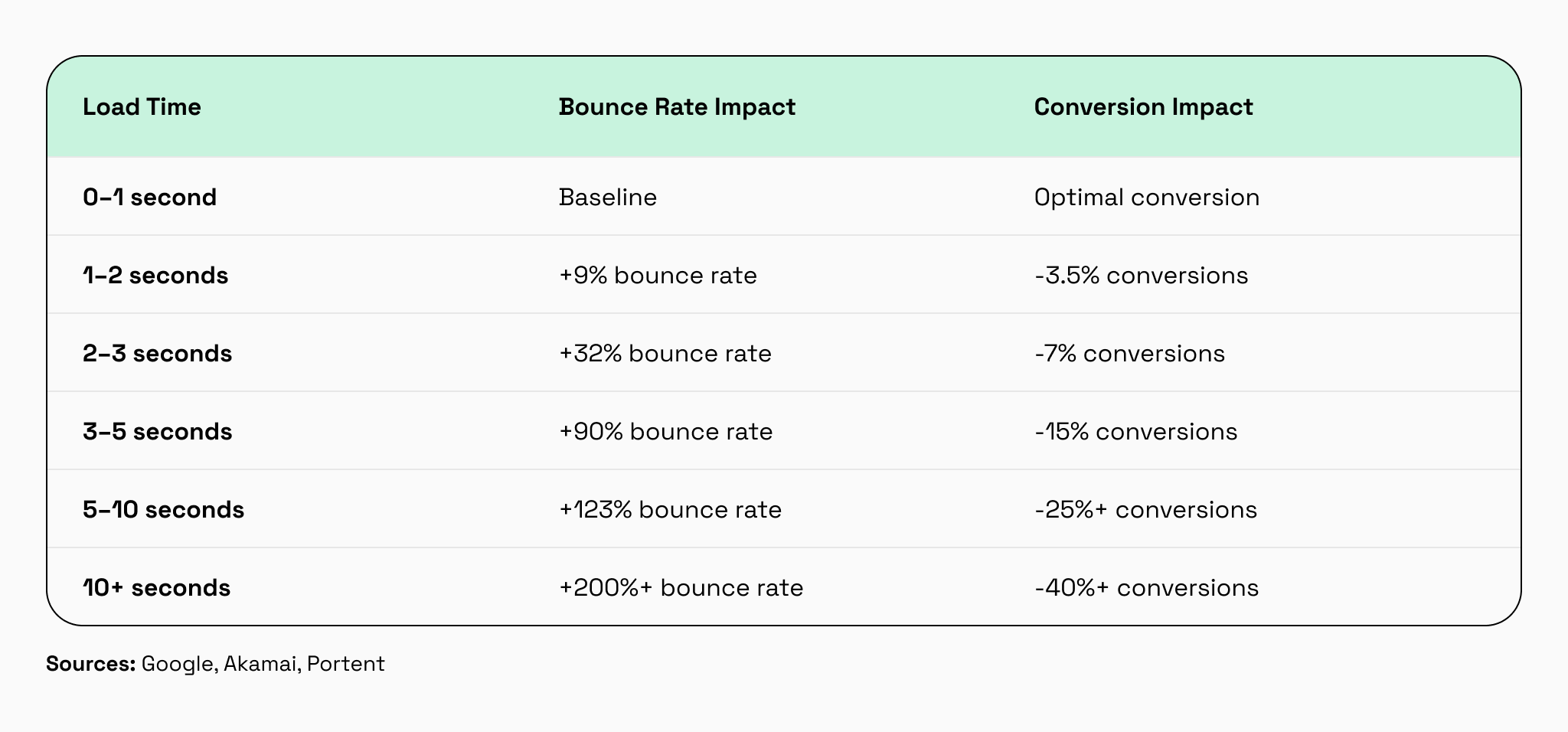
Before changing the system, it is better to understand why performance is dropping. A code audit helps reveal the concrete issues behind slow responses, growing server costs, delayed background jobs, or unstable behavior.
This is also what we provide at Rubyroid Labs as one of our Ruby on Rails development services: we conduct code audits, identify bugs, security risks, outdated dependencies, architecture issues, and performance bottlenecks, then turn the findings into a practical improvement plan.
Once the main reasons are clear, the team can start Rails performance optimization step by step. The first step is finding the real bottleneck before changing code.
How to speed up a slow Rails app in production
01. Find the real bottleneck before changing code
Performance optimization without measurement wastes time and money. Teams rewrite code that’s already fast while the actual bottleneck sits in a forgotten background job or unindexed database query. Before touching any code, identify which operations consume the most time under real production traffic.
Check four areas first:
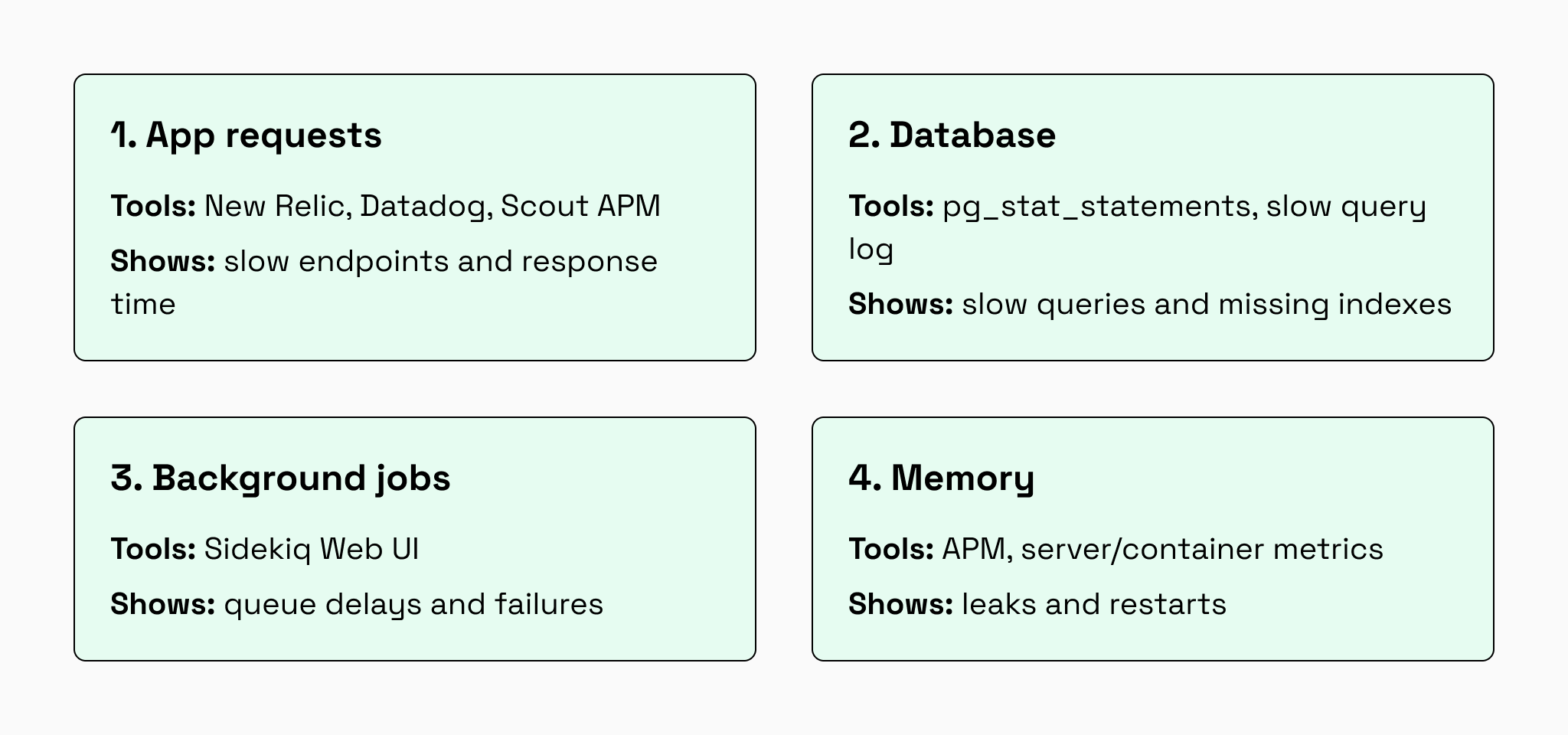
The goal is finding the one change that cuts response time by 50%, not making ten changes that each improve it by 2%.
02. Remove the biggest load inside the Rails app
After the main bottleneck is clear, reduce the work Rails has to do on every request. In most cases, this means fixing database queries, adding caching carefully, reducing memory usage, and making API responses lighter.
Fix slow database queries
Database problems are one of the most common reasons Rails apps slow down. A page can look simple to the user but still run dozens or hundreds of database queries in the background.
One common issue is an N+1 query. This happens when the app loads a list of records, then makes a separate database request for each item in that list.
For example, loading 100 posts and then loading each author separately can create 101 database queries instead of just a few.
A simplified fix looks like this:
ruby
# Loads posts and their authors more efficiently
@posts = Post.includes(:author)
Your team should also check for missing indexes. Without indexes, the database may scan huge tables to find a small amount of data. This becomes slower as the product grows.
Slow database queries mean users wait longer for dashboards, search results, product listings, reports, or admin screens. Fixing them often creates the fastest and most noticeable performance improvement.
Use Rails caching where it reduces load
Caching stores the result of expensive work so the app does not repeat it on every request. This is useful for data that is expensive to generate and does not change every second.
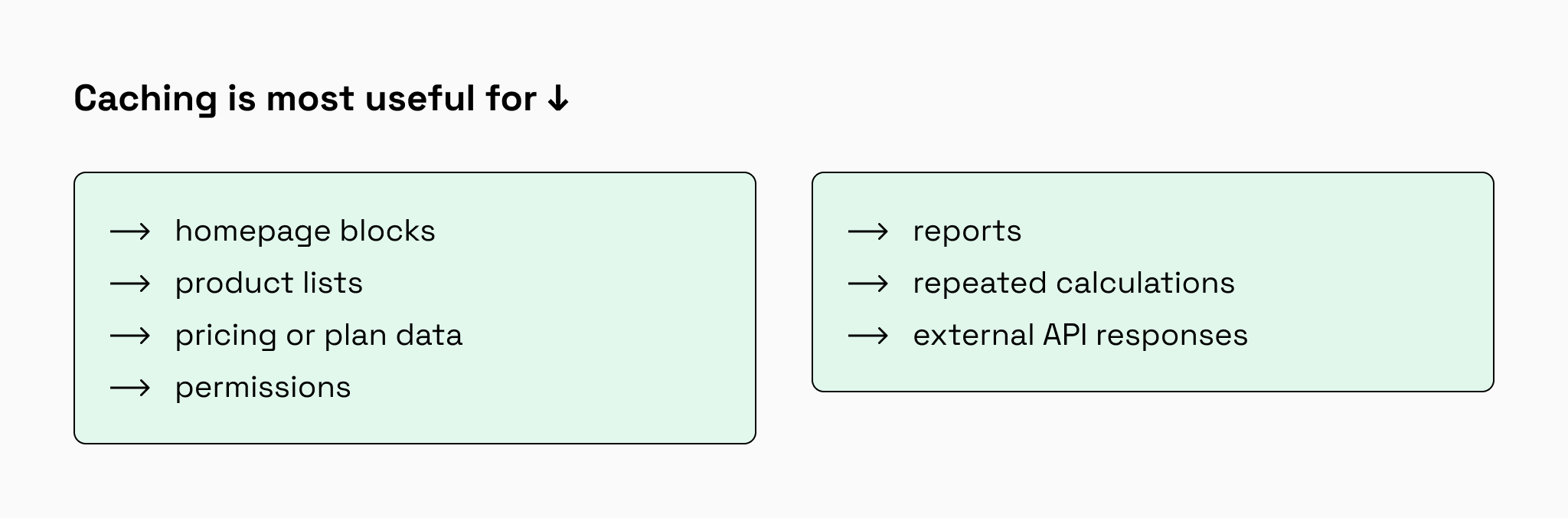
Caching should be used carefully, otherwise it can create stale data, confusing bugs, and unnecessary complexity. The best approach is to cache only the parts that are expensive, frequently used, and safe to reuse for a short time.
For production Rails apps, Redis is commonly used for distributed caching because it can share cached data across multiple servers and processes. Depending on the Rails version and app architecture, teams may also use Solid Cache in Rails 8, MemoryStore, or local cache for specific use cases.
Reduce Rails memory usage before it eats servers
High memory usage makes Rails apps more expensive and less stable. If each Rails process uses too much memory, the company needs more servers to handle the same amount of traffic.
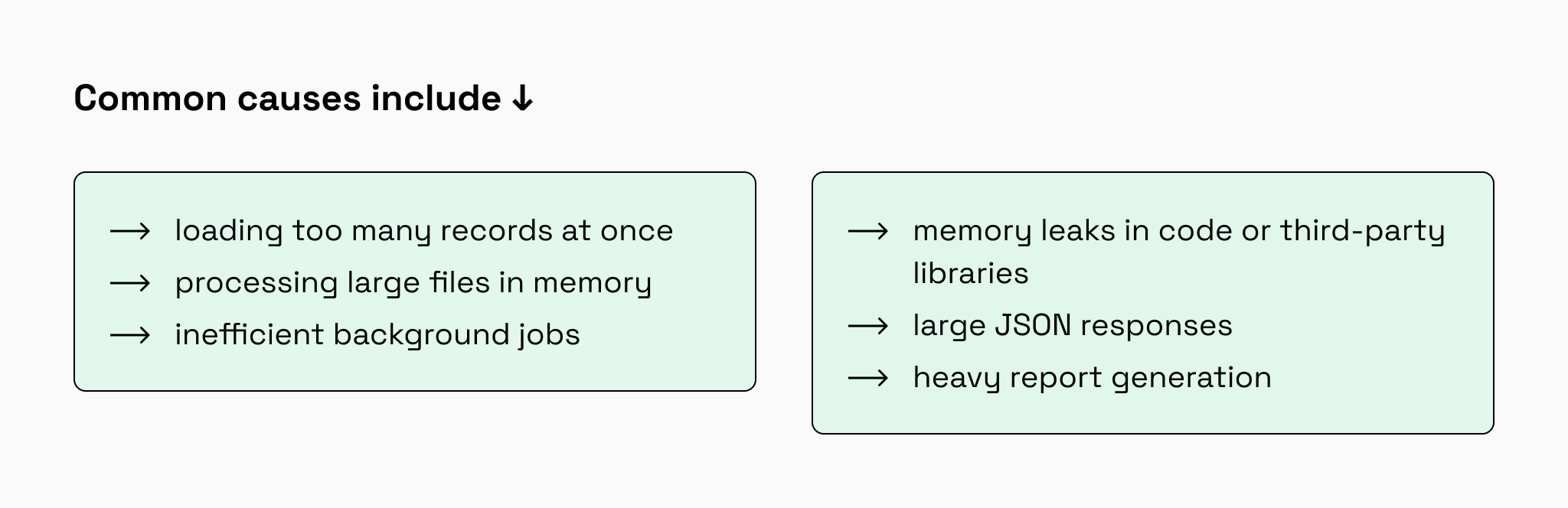
A simple example is batch processing. Instead of loading every user into memory at once, Rails can process users in smaller groups:
ruby
User.find_each(batch_size: 1000) do |user|
  user.send_notification
end
Processing records in batches keeps memory usage more stable and reduces the risk of crashes during heavy tasks.
Optimize Rails API responses
Many Rails apps serve data to web apps, mobile apps, dashboards, or external systems through APIs. If these API responses are too large, users still experience the product as slow, even if the backend logic is reasonably fast.
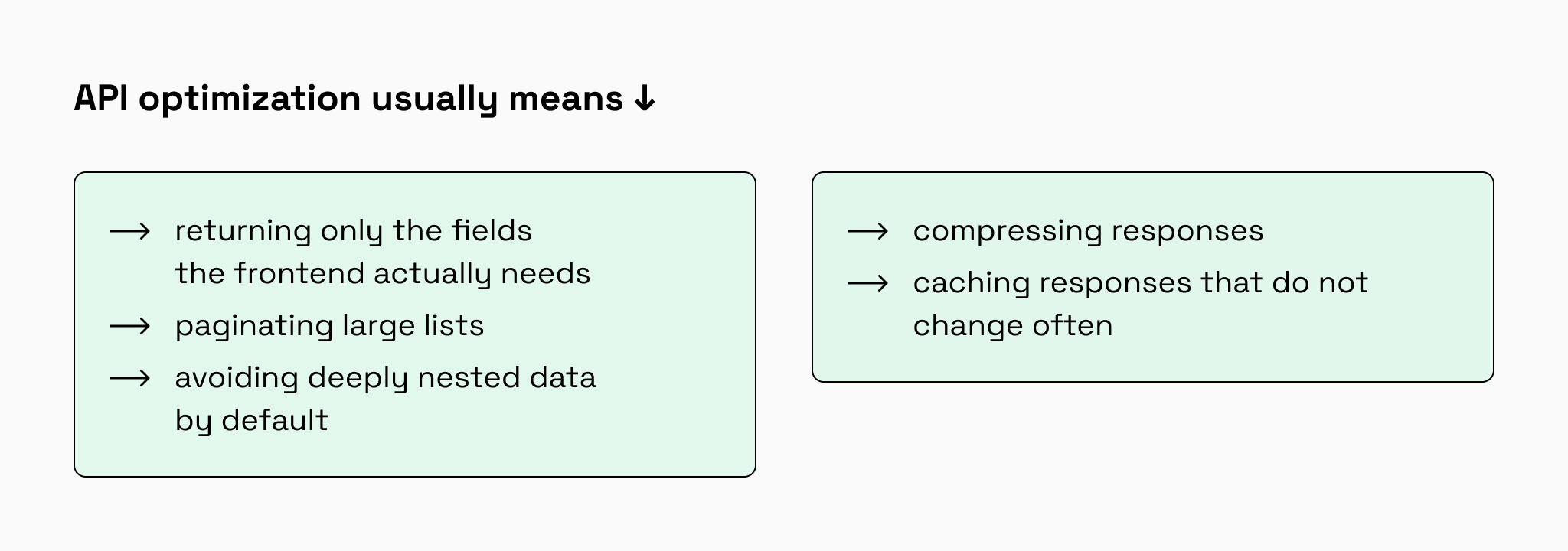
For example, a mobile screen may only need a user’s name, avatar, and status. Sending the full user record, internal metadata, and related objects creates unnecessary load for the backend and frontend.
Smaller API responses reduce database work, network time, and browser or mobile app rendering time.
03. Keep background jobs and web requests under control
Rails performance is not only about page loads and API responses. Background jobs and web server settings also affect how reliable the product feels under real traffic.
Sidekiq usually handles emails, reports, imports, payments, notifications, and data syncs. When these queues fall behind, users may not see an error, but the product still feels broken: emails arrive late, reports take too long, and updates do not appear on time.
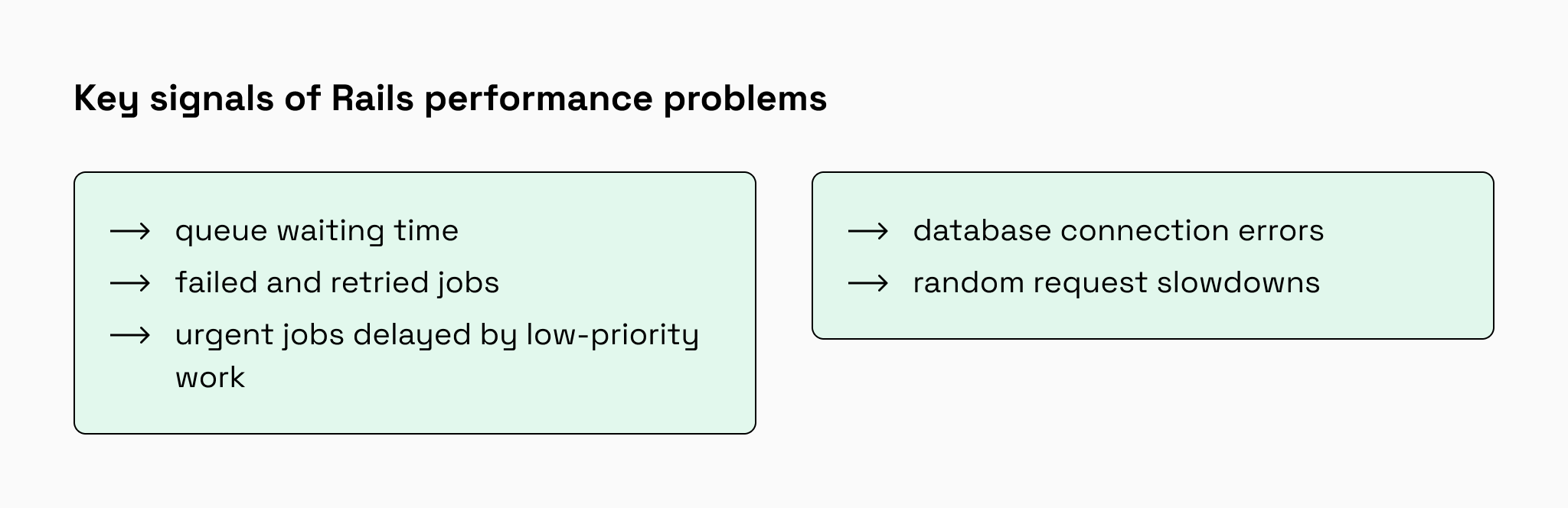
Puma handles Rails web requests. Its configuration should match traffic level, database connection limits, CPU capacity, and available RAM. The number of workers depends not only on CPU count but also on how much memory each Rails process uses. Simply increasing workers or threads can overload the database, exhaust memory, and create timeouts instead of improving performance.
Good queue management and Puma tuning help the same infrastructure handle more users with fewer slowdowns.
04. Improve frontend performance
Backend optimization is only part of the user experience. If the frontend loads too much JavaScript, large images, third-party scripts, or unnecessary assets, the product will still feel slow.
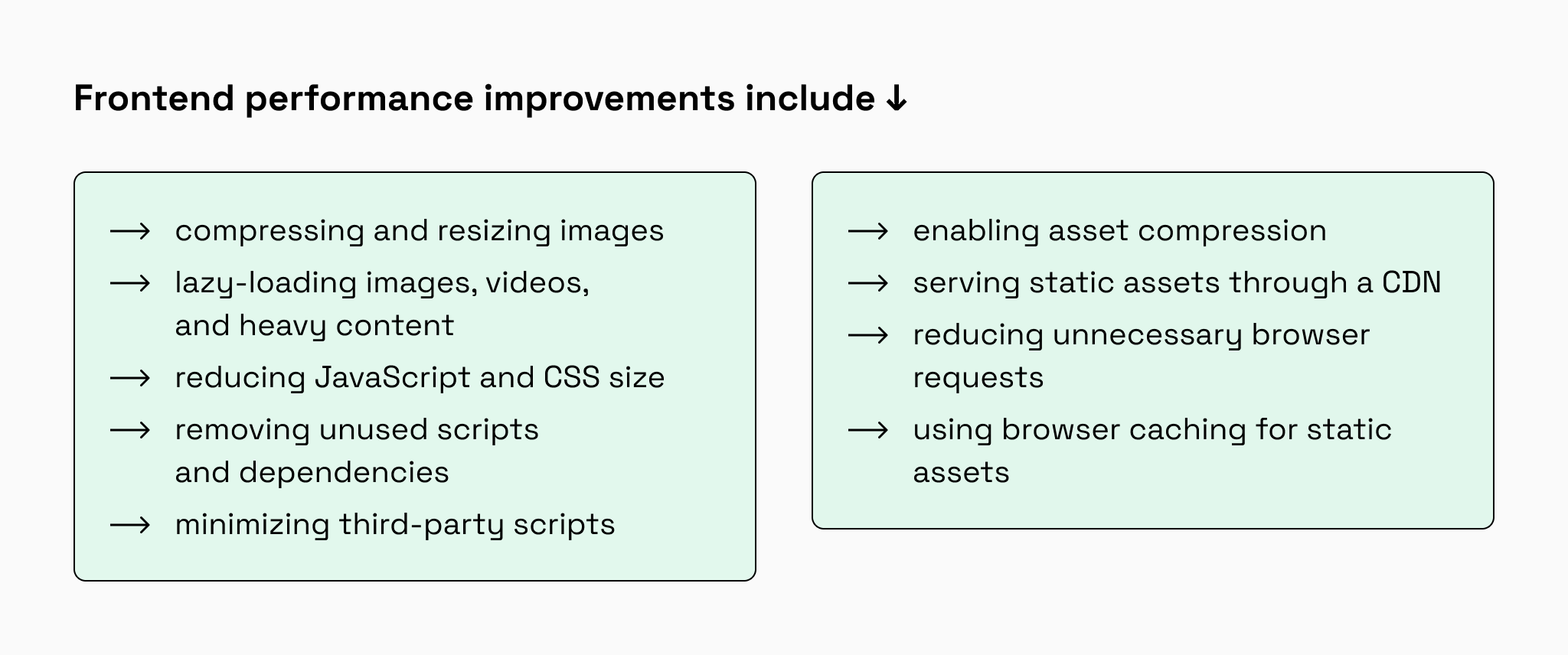
This is especially important for mobile users and users on slower connections.
What matters to users is not the server response time itself, but how quickly they can see, use, and interact with the page. We covered this topic in more detail in our guide to website performance optimization and faster load times, including image optimization, lazy loading, CDN usage, browser caching, and other frontend speed improvements.
05. Scale Rails infrastructure after removing bottlenecks
Do not add servers just because the app is slow. First, check what is actually limiting performance. Extra servers are not financially useful if the bottleneck is a slow query, missing index, N+1 issue, memory leak, or uncached work. In that case, hosting costs grow while users still get a slow product.
Scaling becomes worth the money only when the app is already optimized and the current infrastructure is truly at capacity.
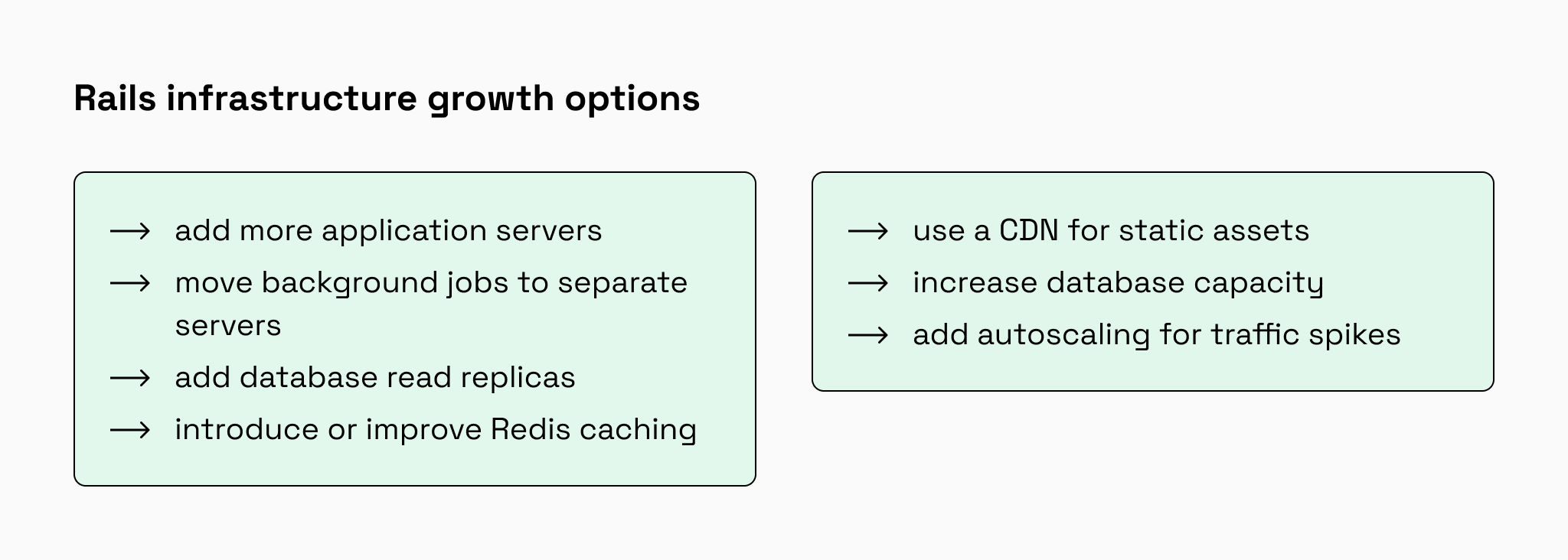
The best scaling option depends on where the app is actually losing time or capacity. If the database is the bottleneck, adding more Rails servers can increase pressure on it and raise costs. If background jobs are delayed, worker capacity is a better investment than web servers. If static assets or images are slowing the product down, a CDN may deliver more value than larger backend instances.
Don’t add more infrastructure just because the app is slow. Find what’s actually holding it back first.
If you want to go deeper into infrastructure growth, vertical vs. horizontal scaling, load balancing, background jobs, caching, CDNs, and common scaling mistakes, we covered this in detail in our guide on how to scale a Ruby on Rails application for high traffic.
Make Rails performance a release habit
Rails performance should not be treated as a one-time cleanup project. Apps naturally become heavier as new features are added, data grows, and traffic increases. Without regular checks, the same problems can return a few months later.
To keep performance stable, teams should make a few checks part of their normal release process:
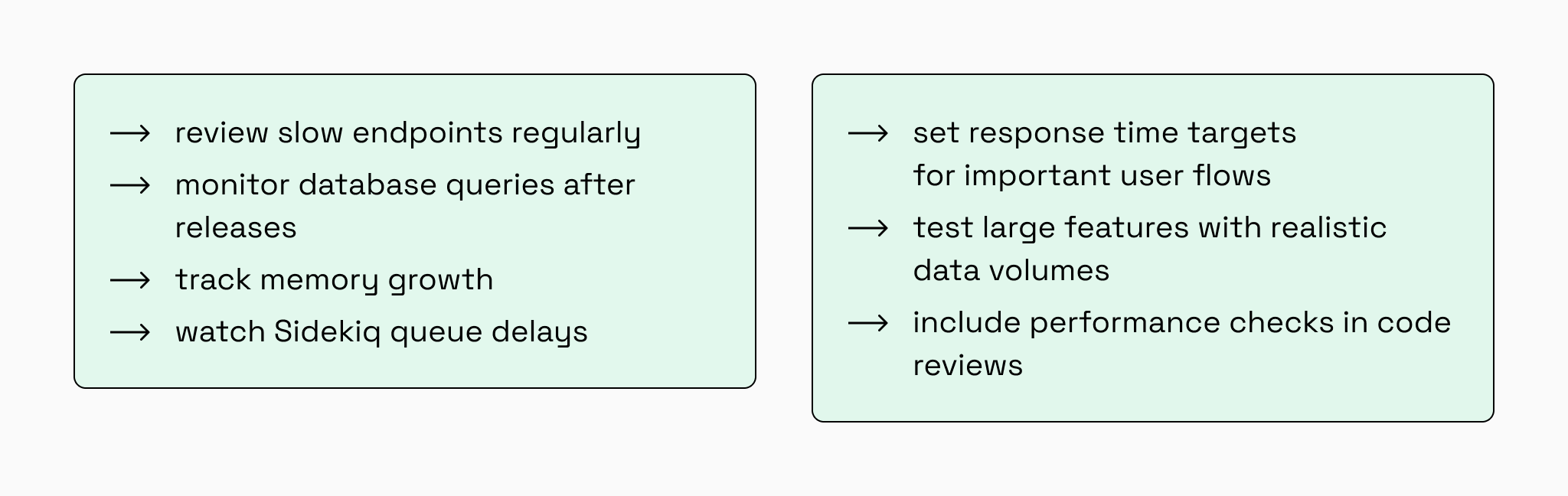
This turns performance from an emergency task into a normal part of product development.
You need to keep the app fast over time, not just fix performance once.
10-step Rails performance optimization checklist
Most performance problems come from the same handful of issues. Use this checklist to cover the main places where SaaS apps usually lose speed: requests, database, jobs, memory, API, frontend, and infrastructure.
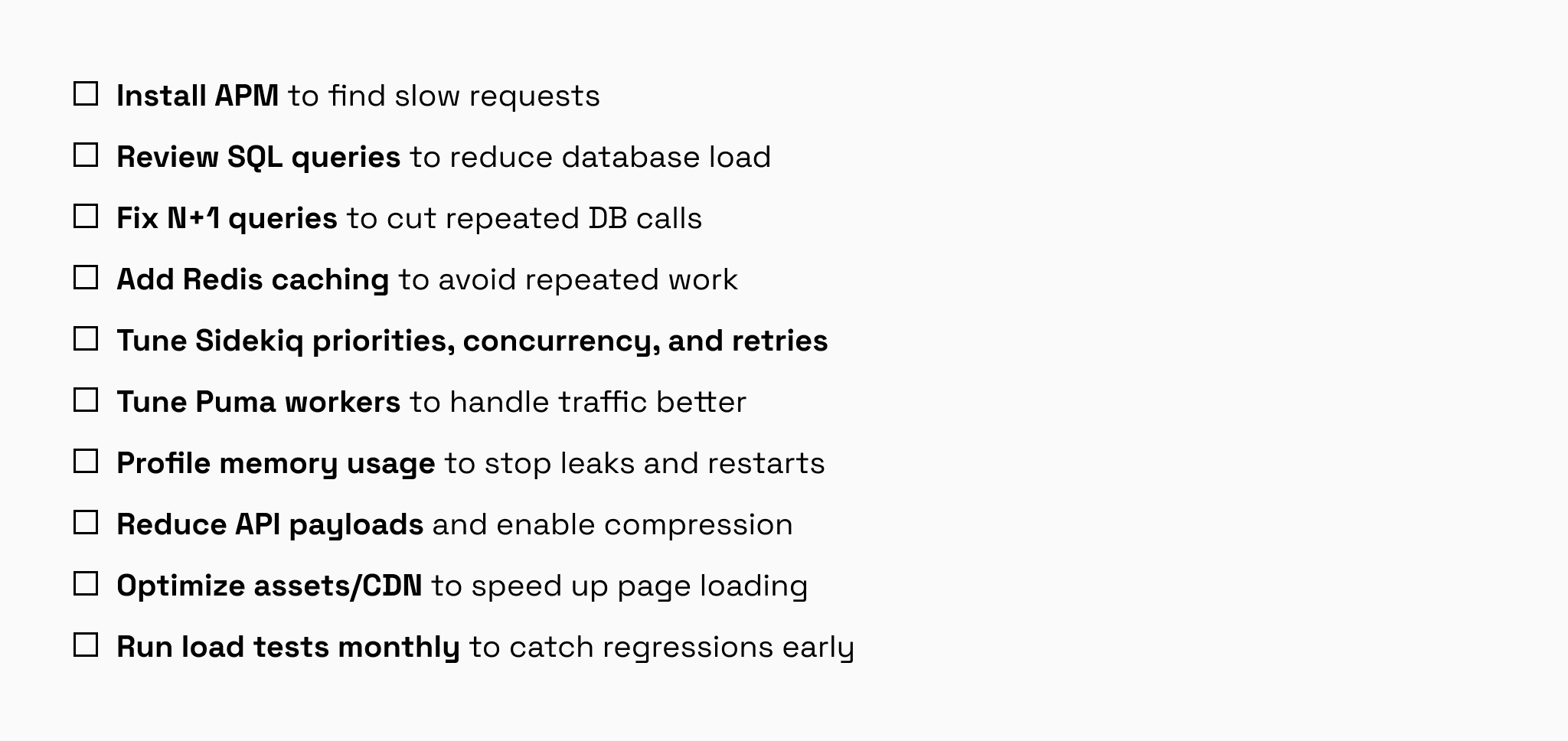
Start with the biggest bottlenecks first. Database queries and caching are often where Rails teams can reduce response times before adding infrastructure.
Typical Rails performance optimization mistakes
The most expensive Rails performance mistakes usually start with a reasonable idea: add capacity, add caching, add indexes, and move work to background jobs. The problem is not the tool itself. The problem is using it before proving where the bottleneck is.
Mistakes usually happen when the team skips diagnosis and starts applying standard fixes too early. Here are the ones that most often waste time, increase costs, or make the system harder to maintain:
01. Scaling servers before fixing SQL
If slow queries are the bottleneck, more app servers only create more database pressure. The app may handle more requests for a short time, but the database becomes slower and more expensive to operate.
02. Ignoring queue latency
Moving work to Sidekiq is not optimization if jobs wait too long in the queue. For users, delayed emails, exports, notifications, payments, or syncs are still a slow product experience.
03. Caching too much data
Bad caching often replaces one problem with another: stale data, complex invalidation, and bugs that are hard to reproduce. Cache repeated expensive reads, not everything that feels slow.
04. Optimizing without monitoring
Without APM, query metrics, memory tracking, and Sidekiq monitoring, the team cannot prove whether performance improved. They only see opinions, not bottlenecks.
05. Adding indexes without EXPLAIN ANALYZE
Indexes are not magic. A wrong index may not be used by the database at all, while still slowing down writes and increasing storage. Before adding an index, always verify the real query plan with EXPLAIN ANALYZE.
06. Using JSON fields instead of database columns
JSON fields are useful for flexible attributes, but they become painful when the app needs filtering, sorting, reporting, or joins. Business-critical searchable data should usually live in normal columns with proper indexes, unless JSONB indexing is intentionally used.
07. Fixing symptoms instead of the flow
A slow marketplace search, checkout, or dashboard is rarely one line of bad code. It is usually a chain: query, serialization, permissions, API size, frontend rendering. Optimizing only one visible symptom may not change what users feel.
08. Treating optimization as cleanup, not product work
Performance affects conversion, retention, support load, and infrastructure cost. If it is handled only “when things get slow,” the team will always be reacting under pressure.
Final tips on Rails performance optimization
A slow Rails SaaS app is rarely caused by one isolated issue. More often, performance drops because several parts of the system become heavier at the same time: the database handles more data, requests trigger more queries, background jobs wait longer, memory usage grows, and the frontend loads more assets than before.
That is why the right order matters: measure first, optimize the bottleneck, and scale only when optimization is no longer enough.
A few insights are worth keeping in mind:
- The database is often the first bottleneck to investigate.
Slow SQL queries, missing indexes, and N+1 queries can make even simple screens feel slow once the product grows. - Caching helps only when it reduces repeated expensive work.
Redis caching can improve response times, but caching too much or caching the wrong data can create stale results and hard-to-debug issues. - Background jobs are part of the user experience.
If emails, reports, notifications, payments, or syncs are delayed, users still experience the product as slow or unreliable. - Frontend performance matters as much as backend speed.
Large JavaScript bundles, heavy images, and unnecessary browser requests can hide backend improvements from users. - Scaling works best after bottlenecks are removed.
More servers, read replicas, CDNs, and autoscaling are useful only when they solve the right problem. Otherwise, they increase costs without improving the experience. - Ruby YJIT can help CPU-bound code, but it is not a fix-all.
On modern Ruby versions, YJIT can improve execution speed, but it may increase memory usage and won’t fix database, caching, or queue bottlenecks. Treat it as a bonus after the real issues are handled.
Keeping a Rails SaaS app fast requires both technical visibility and product context. The team needs to understand how Rails, the database, background jobs, infrastructure, APIs, and frontend behavior affect each other. This is where experienced Rails engineers make a difference: they can separate symptoms from root causes and choose fixes that improve the product without adding unnecessary complexity.
The best Rails performance strategy is not a one-time fix. It is a regular process of measuring, improving, monitoring, and testing important user flows as the SaaS product grows.