6 Rails code quality tools for better maintainability and safer releases

When a seemingly simple feature misses its release date, legacy code is usually the first suspect. Repeated delays can indicate deeper delivery problems, one of which is a codebase that has become difficult to understand, test, and change safely.
Automated Rails code quality tools can reveal many of these issues earlier, but only if teams understand what each tool can and cannot detect.
So, what are the best gems for Rails development when the goal is to maintain a healthy Rails codebase? At Rubyroid Labs, we use a practical set of Rails gems and tools that cover different aspects of code quality and maintainability:
- RuboCop + rubocop-rails for Ruby and Rails style consistency
- Brakeman for common Rails security warnings
- Reek for code smell detection
- Bullet for N+1 queries and Active Record association loading issues
- SimpleCov for line and branch coverage visibility
- Rails Zeitwerk checks for autoloading, naming, namespace, and constant loading issues
Below, we explain how each tool works, where it fits into the Rails development workflow, and when its findings call for manual review and deeper engineering judgment.
Why Rails projects need code quality tools
When we join a Rails project, the request is usually specific: ship a feature, fix performance, prepare for growth, or make releases safer.
But focused work often exposes a broader problem: the product still works, but every change takes longer, estimates become less reliable, and releases feel riskier than they should. That usually happens when small shortcuts compound into inconsistent patterns, hidden security risks, N+1 queries, fragile tests, and code that is difficult to change safely.
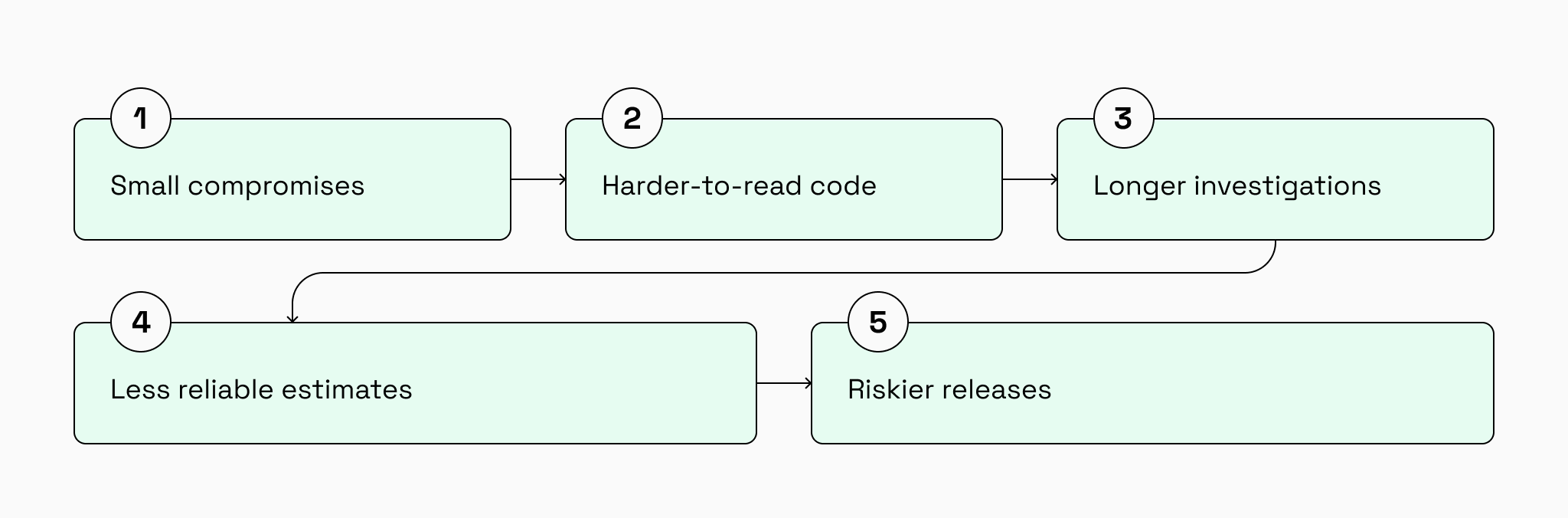
Growing technical debt in mature Rails applications
In a mature Rails application, technical debt often starts with small compromises: quick fixes, temporary workarounds, or features shipped without enough refactoring. If left unmanaged, these compromises make even small changes slower, estimates less reliable, and releases more risky.
Inconsistent coding patterns across teams
Long-running Rails projects often reflect different teams, styles, and architectural decisions. Without shared rules, the same problem gets solved in several ways, making the codebase harder to read, review, onboard into, and maintain.
Security issues that are easy to miss during code review
A feature can work correctly and still contain security risks in user input, redirects, file uploads, admin actions, or authorization logic. If these issues are missed during review, they can reach production as data leaks, privilege escalation, injection risks, or other vulnerabilities.
N+1 queries and inefficient database access
Rails pages can work well with small datasets but slow down sharply as records grow. Unchecked N+1 queries and inefficient association loading can increase response times, database load, and production firefighting as the product scales.
Overly complex classes and methods
Code can work today but still be hard to change safely. Large classes, overloaded methods, and unclear responsibilities increase the risk of regressions when teams update pricing, permissions, reporting, integrations, or other business-critical workflows.
Insufficient test coverage
A Rails application can have tests and still leave critical flows underprotected. Without enough coverage around billing, checkout, permissions, integrations, or admin operations, teams are more likely to discover regressions late in QA or after release.
What automated Rails tooling can and cannot catch
Automated Rails tooling is valuable because it gives teams earlier visibility into problems that are easy to miss during everyday development. Rails code quality tools can reveal style inconsistencies, common security warnings, N+1 query patterns, weak test coverage, and hard-to-maintain code.
They help us detect:
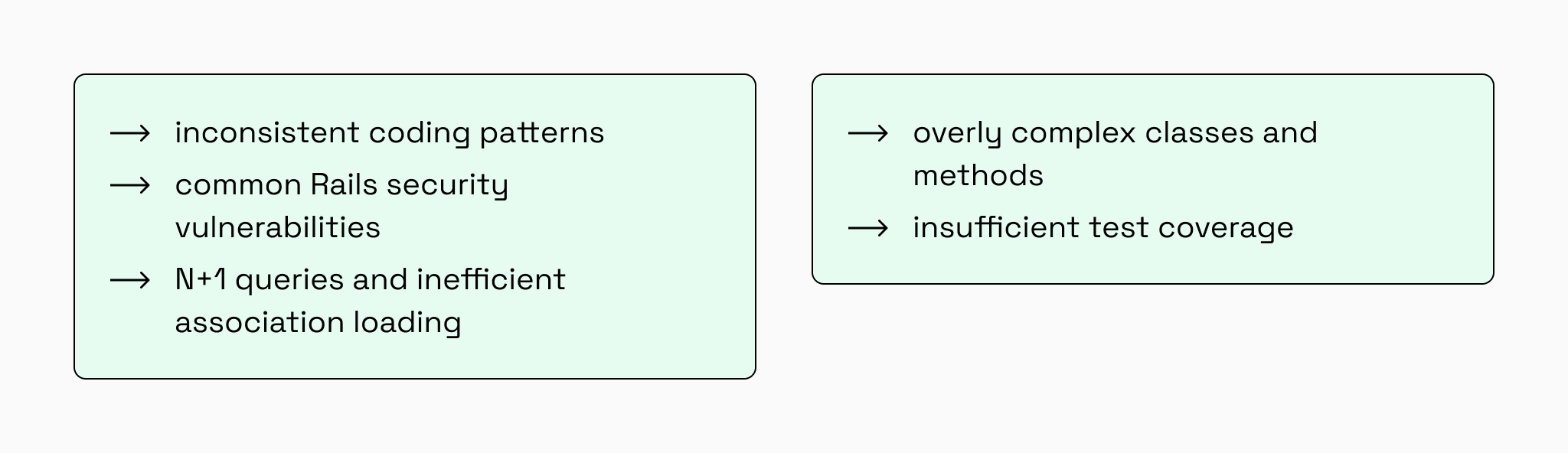
But these tools cannot understand product context on their own. They cannot know why a strange-looking method was written, whether an old callback supports an important integration, or whether duplicated logic protects a critical workflow.
That is why we never treat Rails code quality tools as substitutes for:
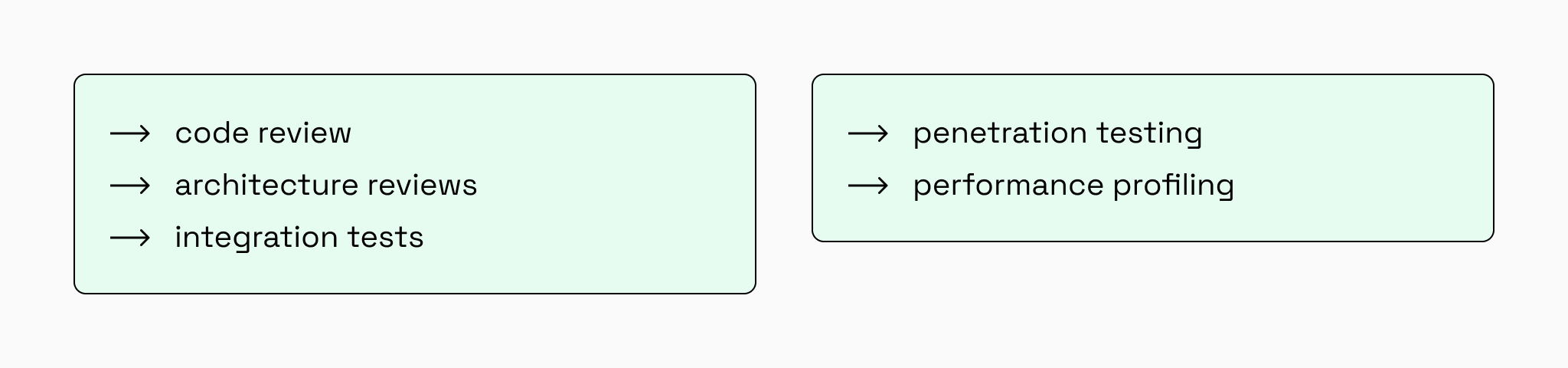
They can show where something may be wrong. Engineers decide what it means, how serious it is, and when it should be fixed.
We use a range of gems to maintain code quality while delivering our Ruby on Rails development services. Our commitment goes beyond using these tools in client projects. As a Ruby Central partner, we support essential Ruby infrastructure, including RubyGems.org and Bundler. In doing so, we help strengthen the technology foundation our clients’ products rely on.
6 Rails code quality tools we use in production projects
There is no universal “best” Rails quality stack. The right setup depends on the application’s age, architecture, team size, test maturity, and production risks.
In our Rails projects, we usually combine tools that cover different types of feedback: static code analysis, Rails-specific conventions, security checks, maintainability signals, runtime query-pattern detection, test coverage, and autoloading validation.
The six tools below do not replace code review or engineering judgment but help teams notice problems earlier and decide which risks are worth fixing first.
#01 RuboCop: keeping Ruby and Rails code consistent
In long-running Rails projects, code often reflects every team that has touched it. Different styles, habits, and patterns start living side by side, making the codebase harder to read, review, and change.
As a Ruby linter widely used in Rails applications, RuboCop helps enforce consistent Ruby code style across the project, while rubocop-rails adds Rails-specific checks for common framework patterns and conventions.
How we use RuboCop
For mature applications, we do not simply enable every rule and overwhelm the team with warnings. We build a practical RuboCop configuration and rubocop-rails configuration around the project’s current state, team workflow, and business priorities.
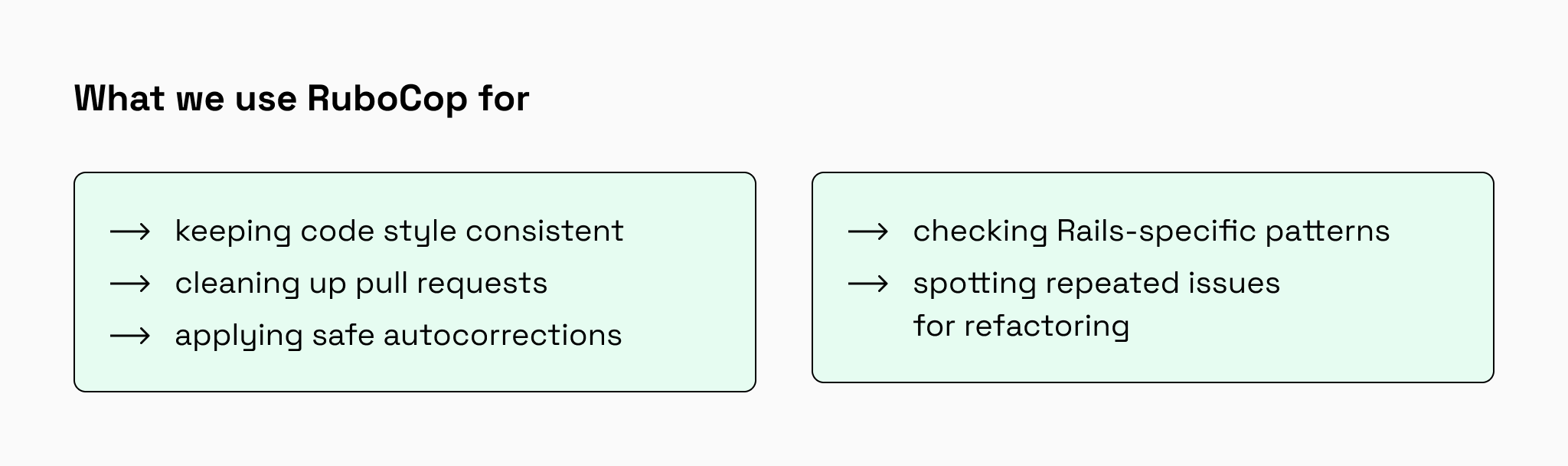
RuboCop shows where code breaks agreed rules, but it cannot decide whether a change is safe for the product. That is why we combine Ruby linting tools with senior Rails review. Our engineers separate simple style fixes from changes that should become planned refactoring tasks.
For your product ↓
cleaner pull requests, faster developer onboarding, and less time lost to avoidable code inconsistencies.
#02 Brakeman: detecting potential Rails security risks
Brakeman is a static analysis tool and Rails security scanner that helps detect common Ruby on Rails vulnerabilities early, including unsafe queries, cross-site scripting risks, insecure redirects, and weak handling of user input. Brakeman analyzes application code, but it does not replace dependency vulnerability scanning or penetration testing.
How we use Brakeman
We use Brakeman to get an early security warning of a Rails codebase, especially during a Ruby on Rails code audit, vendor transition, or legacy system modernization.
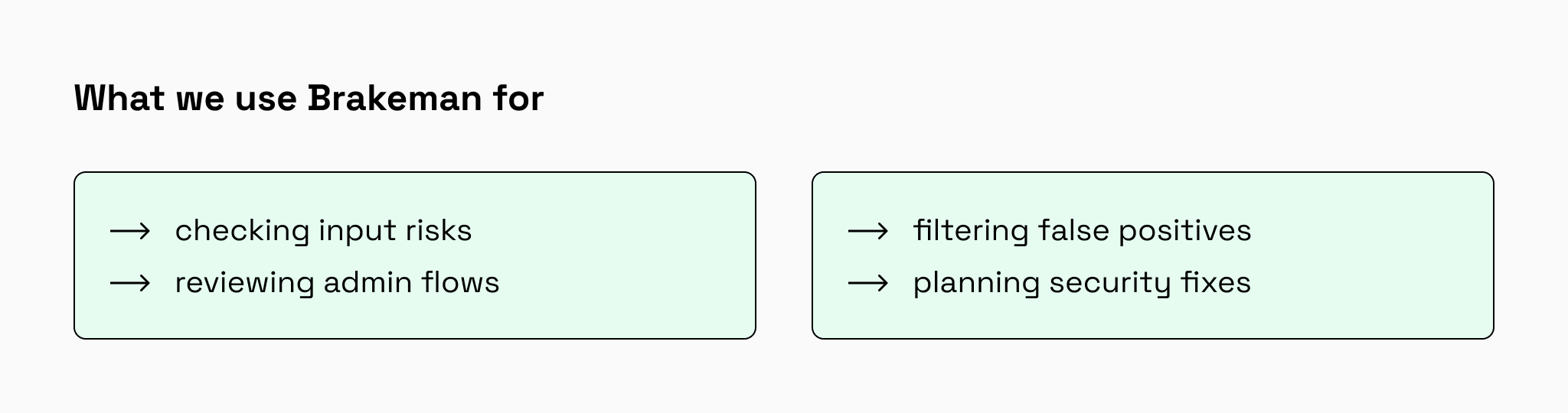
However, we do not use a raw Brakeman report and call it a result. Automated scanners can miss business context or flag issues that are not truly exploitable. Our task is to understand which warnings matter, how serious they are, and what should be fixed first.
Brakeman is useful because it makes potential security vulnerabilities visible earlier in the development process.
For your product ↓
fewer hidden security risks, clearer fix priorities, and a safer foundation for scaling, fundraising, or team transition.
#03 Reek: finding Ruby code hard to maintain
Reek is a Ruby code smells detector that helps find code that may be hard to read, test, reuse, or maintain.
How we use Reek
We use Reek to support refactoring decisions, not to chase a perfectly clean report. A warning from Reek is a signal to inspect the code, not automatic proof that something is wrong.
In legacy Rails applications, this distinction is important. Some old code may be stable and low-risk. Some code, however, may sit inside critical workflows and slow down every new feature. Our engineers look at Reek findings through the lens of product impact.
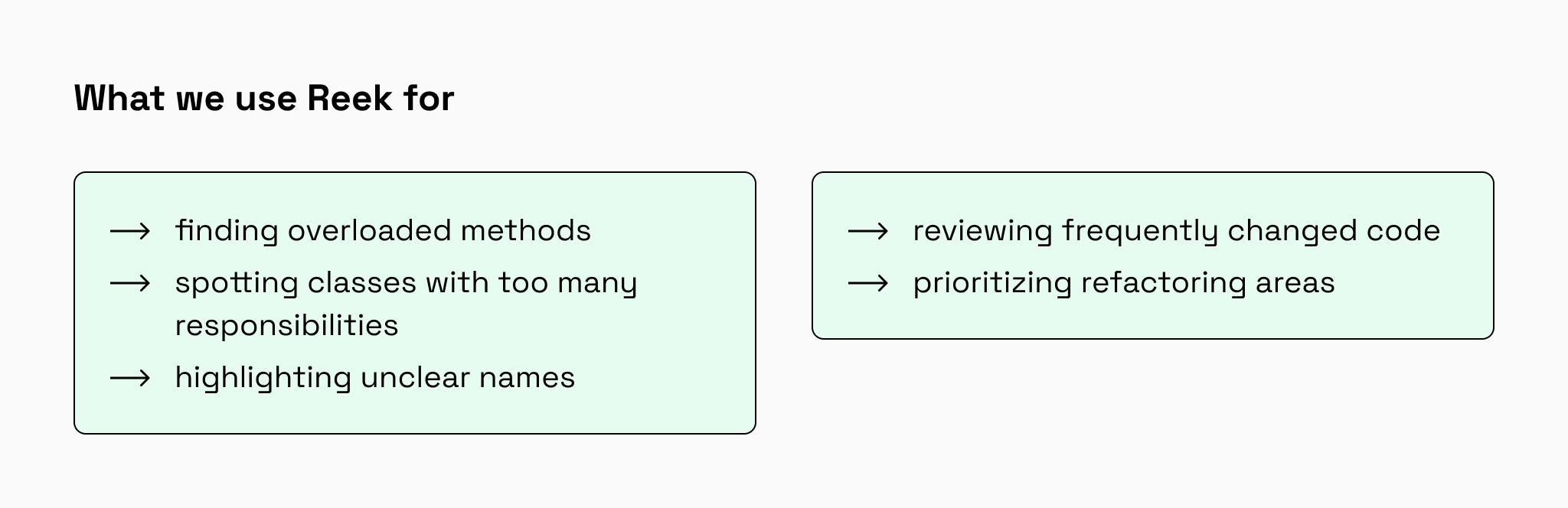
Reek helps us identify where technical debt is becoming a delivery problem. This is especially useful in Rails refactoring work, where the goal is not to rewrite everything but to make the most painful parts of the codebase easier to change safely.
For your product ↓
clearer technical debt priorities, safer future changes, and refactoring focused on the areas with the biggest business impact.
#04 Bullet: catching inefficient association loading
Applications can feel fast with small datasets and slow down as records grow. One common cause is inefficient Active Record association loading, especially Rails N+1 queries.
Bullet is a Rails performance gem that helps detect N+1 queries, unused eager loading, and counter-cache opportunities during development.
How we use Bullet
We apply Bullet when reviewing pages, APIs, dashboards, admin panels, and background jobs where Active Record associations are heavily used.
But we do not treat every warning as an automatic fix. Our Rails engineers check the data flow first and decide whether the right solution is eager loading, removing unnecessary eager loading, adding a counter cache, changing the query, or doing deeper database profiling.
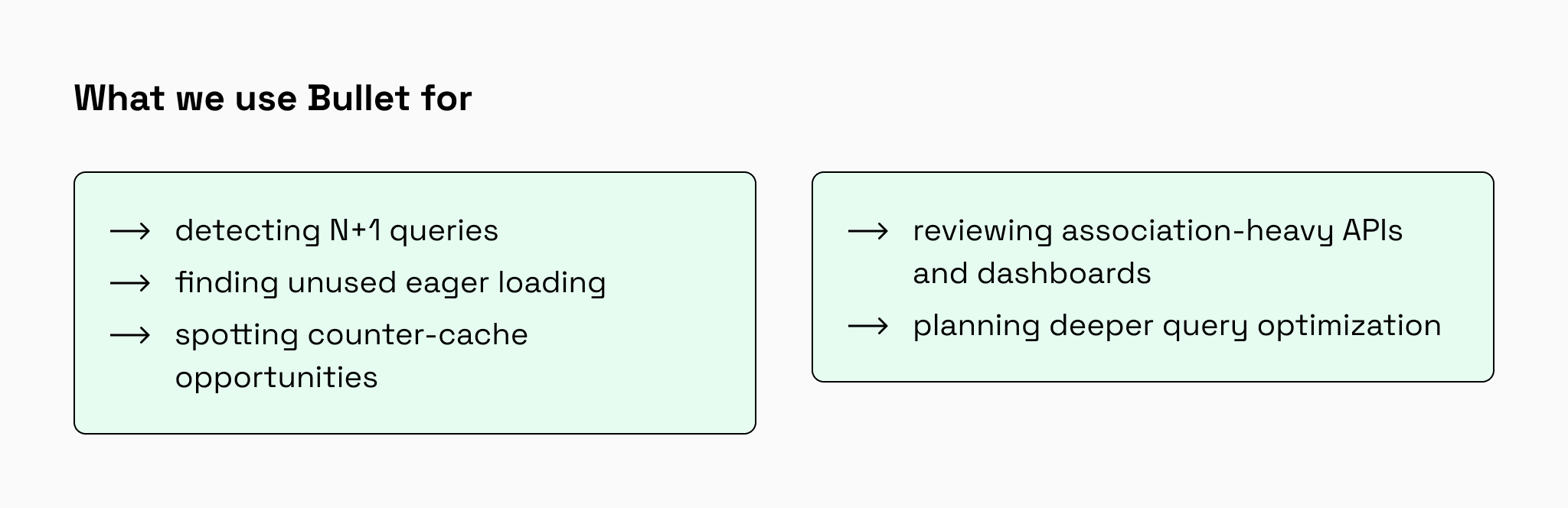
Bullet is most useful as an early signal during development and review. It can point to inefficient association loading, but it does not replace database profiling, query analysis, indexing work, caching strategy, or production performance monitoring.
For your product ↓
faster association-heavy screens, more stable performance as data grows, and fewer urgent fixes caused by avoidable N+1 queries.
#05 SimpleCov: making test coverage visible
In RoR projects, having tests does not always mean critical workflows are protected. Billing, permissions, checkout, reporting, or third-party integrations can still be exposed even when the test suite passes.
As a Ruby test coverage tool, SimpleCov shows which parts of the code are executed by automated tests and which areas remain untested. It reports coverage data, and engineers decide which uncovered areas are business-critical and need additional tests.
How we use SimpleCov
We use SimpleCov to understand where the test suite supports safe development and where additional tests are needed before refactoring, feature work, or Rails upgrades.
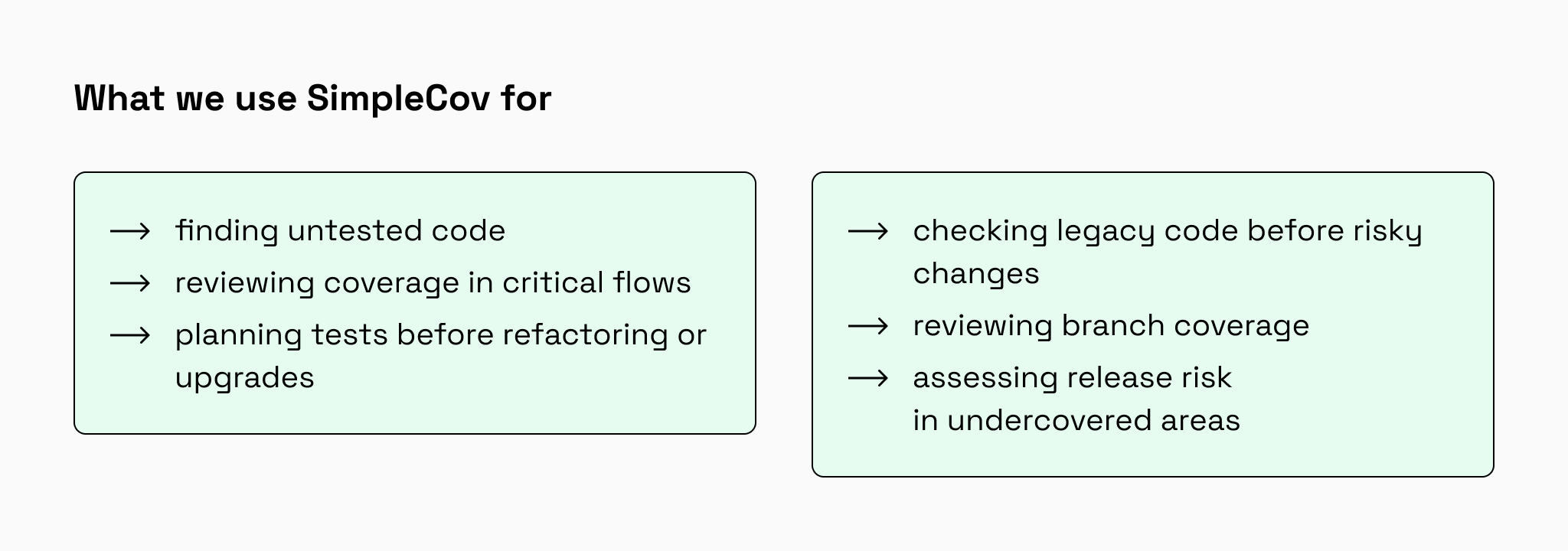
SimpleCov shows what code runs during tests, but not whether the right business scenarios are covered. Line coverage can look healthy even when one branch of important conditional logic is never tested. For critical decision-heavy code, branch coverage is often more informative than line coverage alone.
For your product ↓
safer releases, more confident refactoring, and better protection for critical features.
#06 Rails Zeitwerk checks: preventing autoloading problems
Zeitwerk is not a traditional code quality gem. It is the default Rails autoloader in modern Rails applications. Rails Zeitwerk checks help keep file names, constants, namespaces, and loading behavior predictable.
When these conventions drift, the application may work in one environment but fail in CI, deployment, background jobs, or Rails upgrades. Autoloading issues are especially common in legacy applications with custom folders, older naming patterns, engines, or manual loading workarounds.
How we use Zeitwerk
We use Rails Zeitwerk checks during Rails upgrades, modernization projects, CI setup, and codebase audits to find loading problems before they block releases or migrations.
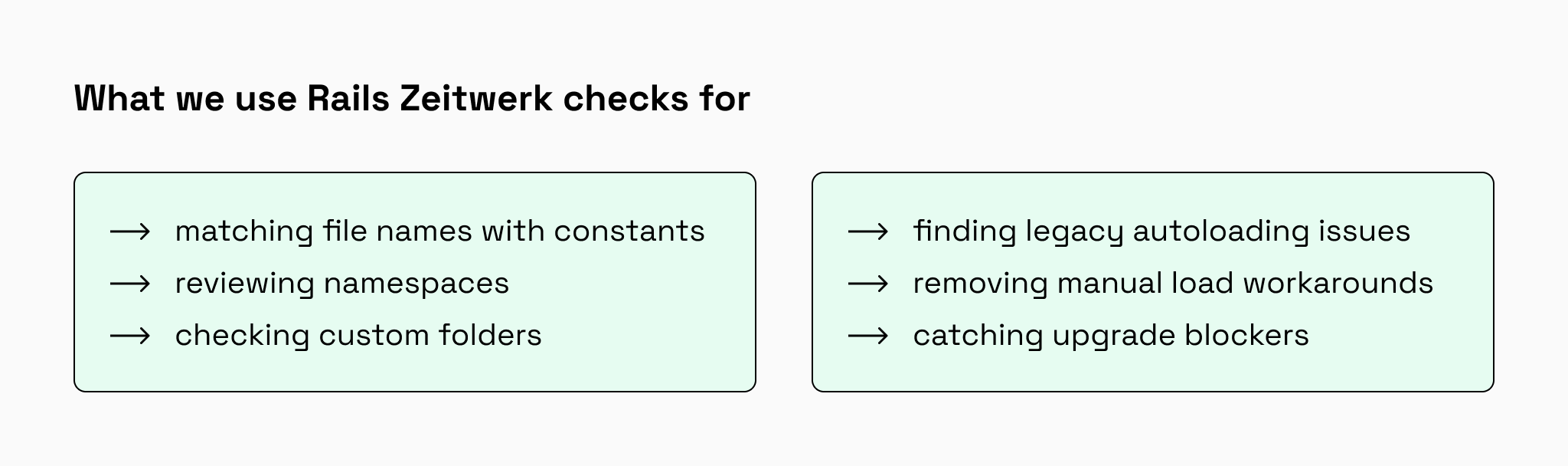
Rails Zeitwerk checks help expose loading problems early and make the application structure more predictable. They do not replace architecture review, but they make naming and loading issues easier to catch before they become release blockers.
For your product ↓
fewer CI and deployment surprises, smoother Rails upgrades, and a codebase that is easier for new developers to navigate.
Case study: how Rails code quality tools work in practice
On our current project, we used RuboCop, Brakeman, Bullet, and SimpleCov as part of our regular Rails development workflow. These tools helped us check code before it moved further through review, testing, and release.

Zeitview is an enterprise drone inspection platform for collecting, processing, and analyzing aerial inspection data. The product includes workflows for drone pilots, enterprise customers, administrators, and infrastructure teams.
The challenge
The client’s in-house team and our senior Rails developers worked on several products powered by a shared backend. As the platform grew, every change carried risks: inconsistent code, inefficient database queries, security issues, weak test coverage, and possible side effects in shared logic.
Our approach
We added Rails code quality checks to the development process:
- RuboCop helped keep Ruby and Rails code consistent.
- Brakeman detected common Rails security risks before release.
- Bullet revealed N+1 queries and inefficient Active Record loading.
- SimpleCov showed coverage gaps in areas the team identified as business-critical.
These tools were used together with code review, profiling, automated testing, and senior engineering analysis, not as standalone indicators of code quality.
The result
The team made quality improvements measurable instead of subjective. Test coverage increased to around 85% in actively maintained and business-critical areas. Several N+1-heavy workflows were reduced from 100–200+ SQL queries per request to roughly 10–20, depending on the endpoint. Query optimization and better association loading also improved response times by approximately 20–50% in some affected workflows.
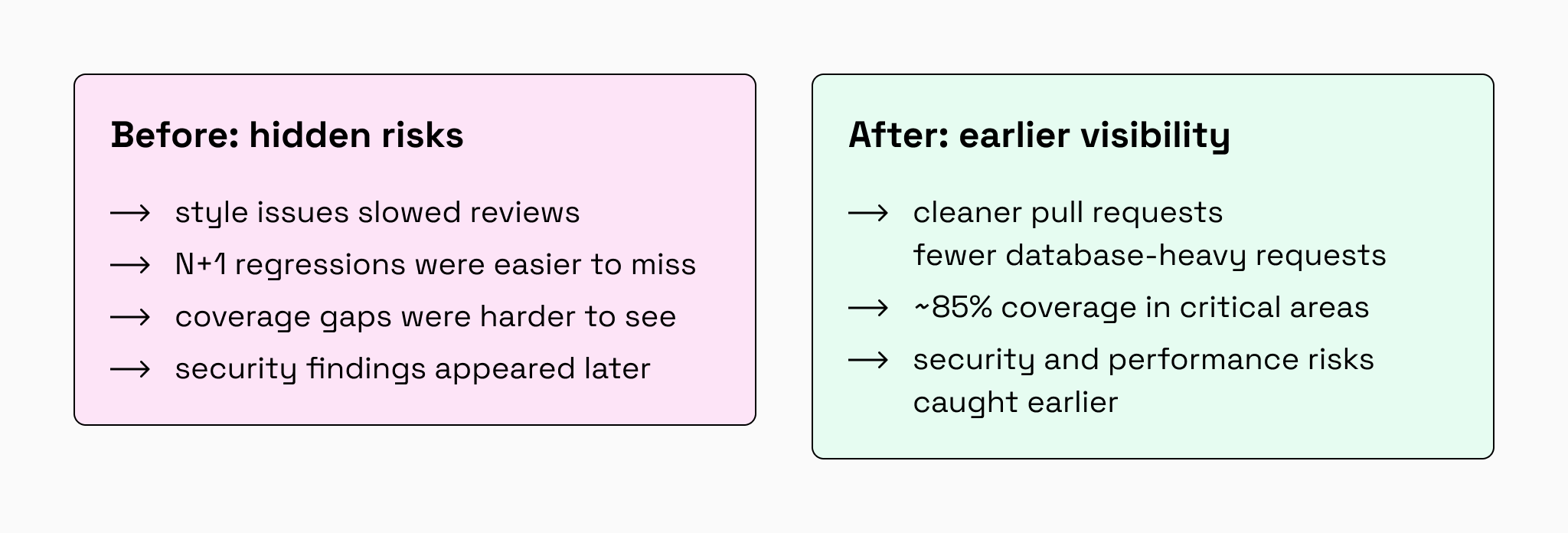
As a result, performance, coverage, and security regressions became easier to catch during pull requests instead of later in QA or production.
How to choose Rails gems based on project risks?
The right starting point depends on what hurts most in the project: slow reviews, release risk, inefficient association loading, weak test visibility, or Rails upgrade problems. But for most Rails products, we recommend starting with the tools that give the fastest visibility into everyday development risks.
| Tool | Main purpose | Helps detect |
| RuboCop + rubocop-rails | Ruby and Rails consistency | Style issues, formatting problems, and Rails-specific code issues |
| Brakeman | Rails security scanning | Common Rails security vulnerabilities |
| SimpleCov | Test coverage visibility | Untested code, weak coverage areas, and branch coverage gaps |
| Bullet | Association loading | N+1 queries, unused eager loading, and counter-cache opportunities |
| Reek | Maintainability review | Code smells and hard-to-maintain Ruby code |
| Rails Zeitwerk check | Autoloading validation | Loading, naming, namespace, and constant resolution problems |
Which Rails tool should you use first?
For almost every Rails project, start with:
- RuboCop + rubocop-rails to make code review cleaner and reduce style-related friction.
- Brakeman to catch common Rails security warnings early.
- SimpleCov to see whether important parts of the product are protected by tests.
These three tools give a strong baseline for code consistency, security visibility, and release confidence.
Then add tools based on the project’s main risks:
- Use Bullet if users or internal teams experience slow pages, heavy admin screens, or database-heavy workflows with many Active Record associations.
- Use Reek if development is slow because the code is difficult to understand, change, or split into smaller parts.
- Use Rails Zeitwerk checks if the project has autoloading errors, naming problems, custom directories, legacy loading patterns, or Rails upgrade issues.
Recommended Rails code quality stacks by project stage
| Project stage | Recommended tools | Why this stack helps |
| Early-stage Rails product | RuboCop + rubocop-rails, Brakeman, SimpleCov | Sets a baseline for code consistency, common Rails security warnings, and test coverage visibility |
| Growing Rails product | RuboCop + rubocop-rails, Brakeman, SimpleCov, Bullet | Adds visibility into N+1 queries, unused eager loading, and association-heavy screens as data and features grow |
| Mature Rails application | RuboCop + rubocop-rails, Brakeman, SimpleCov, Bullet, Reek | Adds maintainability signals for complex classes, overloaded methods, duplicated patterns, and refactoring priorities |
| Legacy Rails application or Rails upgrade | RuboCop + rubocop-rails, Brakeman, SimpleCov, Bullet, Reek, Rails Zeitwerk checks | Helps assess consistency, security warnings, test gaps, association loading issues, maintainability risks, and autoloading blockers before larger changes |
How to add Rails gems to a CI/CD pipeline
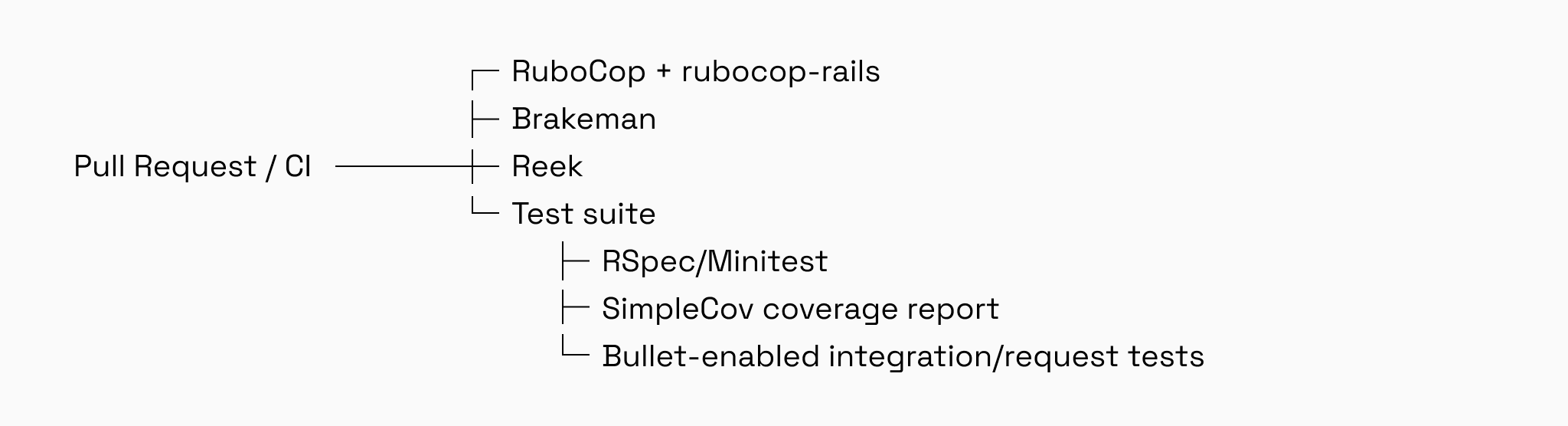
Rails code quality tools bring the most value when they run before code reaches production. In most projects, we add them to the pull request workflow so the team can catch risks early, while changes are still easy to fix.
A practical CI/CD setup may include:
Don’t make every warning a deployment blocker
Not every tool should stop a release in the same way. Failing tests or serious security findings may need to block deployment, while code smells, non-critical style issues, or low-risk coverage changes may be better handled as review comments or planned refactoring tasks.
A practical setup may look like this:
| Finding type | CI/CD action |
| Failing tests | Block deployment |
| Serious security warning | Potentially block deployment |
| Severe linting violation | Potentially block deployment |
| Code smell | Warning or review task |
| Coverage decrease | Use a team-specific threshold |
| Branch coverage gap in critical logic | Review before merging |
| Bullet warning in a key workflow | Review before merging if it points to N+1 queries or inefficient association loading |
The goal is not to make CI noisy. The goal is to stop high-risk changes, make smaller issues visible, and help the team improve the codebase without blocking every release.
Common mistakes when using Rails code quality gems
Rails code quality tools are useful only when the team applies them with context. Used incorrectly, they can create noise, slow delivery, or give a false sense of safety.
Treating every warning as a bug
A warning is a signal, not always a defect. Some findings need immediate fixes, while others should become part of planned refactoring or documented technical debt.
Enabling many rules too early
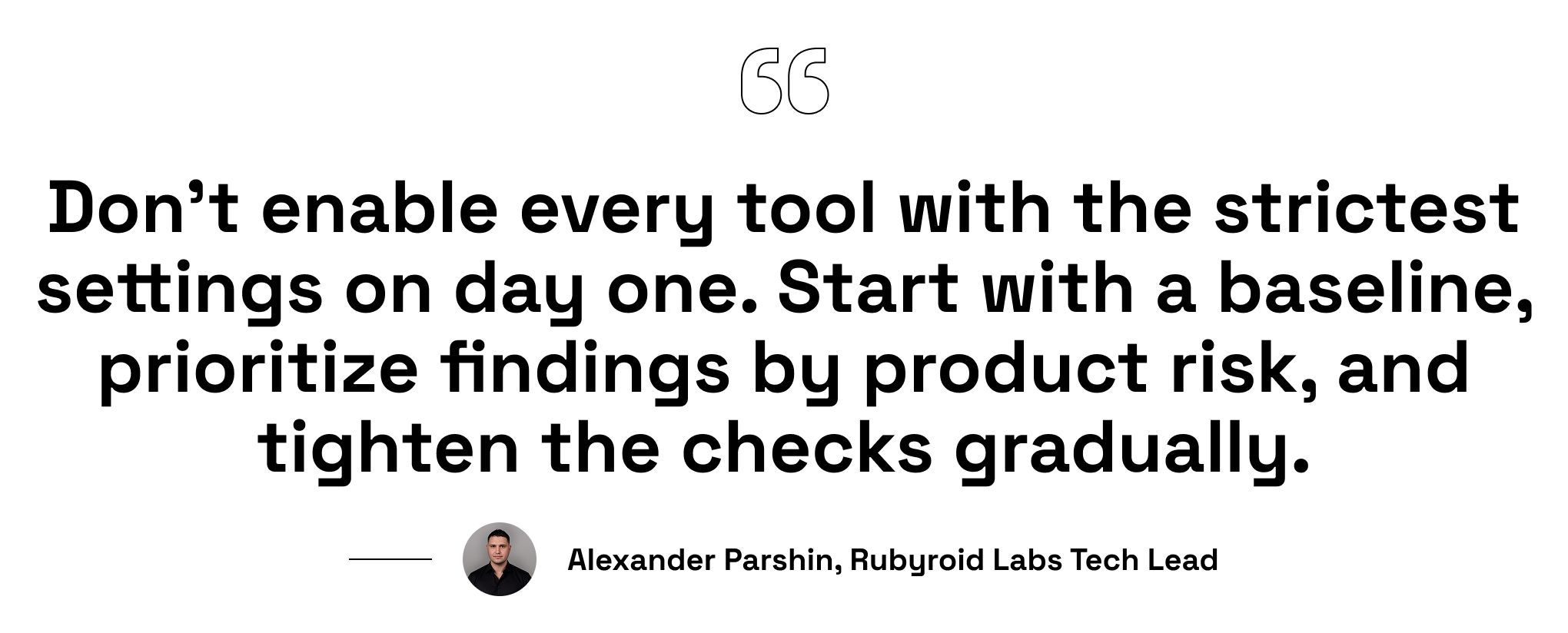
Strict settings can overwhelm a team, especially in a legacy Rails application. It is usually better to start with a baseline and tighten rules gradually.
Ignoring warnings because “the application works”
Working software can still hide security risks, inefficient association loading, fragile logic, or untested flows. Tools help reveal problems before they become expensive incidents.
Measuring coverage instead of test quality
High-line coverage does not guarantee that critical business scenarios are protected. For decision-heavy code, branch coverage can reveal gaps that line coverage misses. Coverage reports should guide testing decisions, not replace test strategy.
Using Bullet without understanding the query
Not every Bullet warning should lead to eager loading. Sometimes the better fix is removing unnecessary eager loading, adding a counter cache, changing the query, paginating data, caching repeated work, or redesigning the data flow.
Running tools locally but not in CI
If checks run only on one developer’s machine, issues can still enter the main branch. CI makes quality checks consistent for the whole team.
Suppressing warnings without documenting why
Some warnings are safe to ignore, but the reason should be clear. Otherwise, ignored warnings become hidden technical debt.
In short, Rails code quality gems work best when they support engineering decisions instead of replacing them. Before you hire Ruby on Rails developers, look for a team that can turn tool findings into clear priorities, reduce risk, and keep product delivery moving.
Conclusion: start with the risk that matters most
RuboCop, Brakeman, Reek, Bullet, SimpleCov, and Rails Zeitwerk checks make hidden problems harder to ignore. Together, they provide visibility into code consistency, security, maintainability, database behavior, test coverage, and application structure.
The best place to start depends on your most immediate risk:
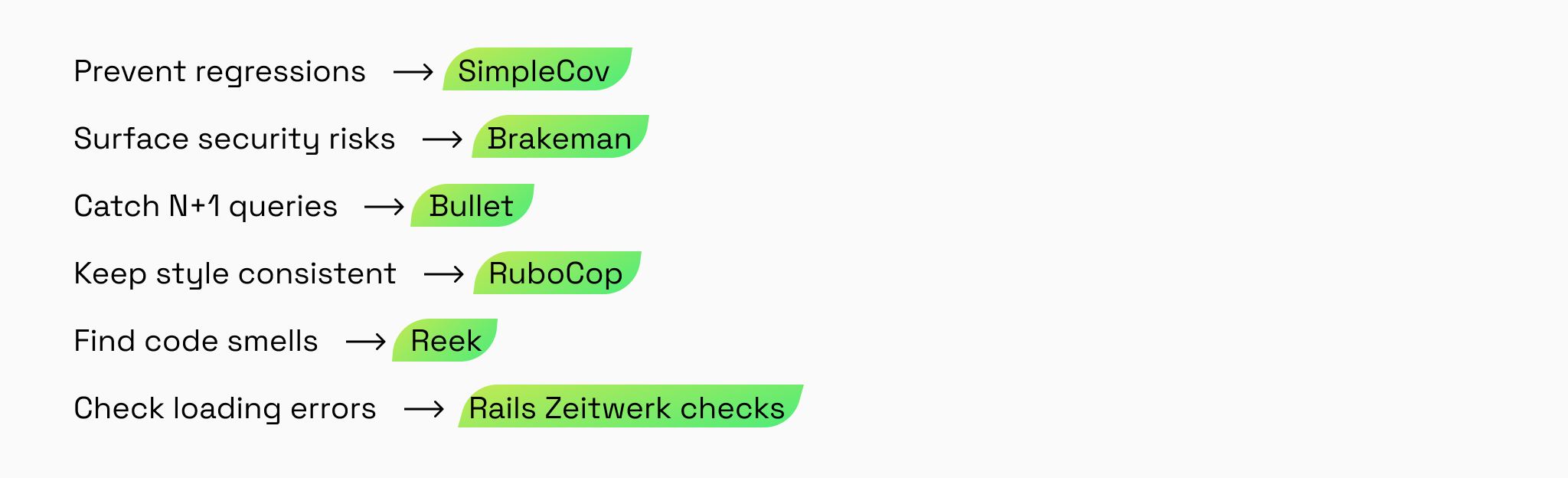
These tools provide signals, but their reports still require engineering judgment. If releases remain slow, upgrades are repeatedly postponed, or the team cannot determine which warnings matter, another tool is unlikely to solve the underlying problem. At that point, a code audit and prioritized modernization plan can turn a growing list of findings into a practical path forward.