Ruby on Rails authorization for B2B SaaS: roles, permissions, and audit logs
TL;DR
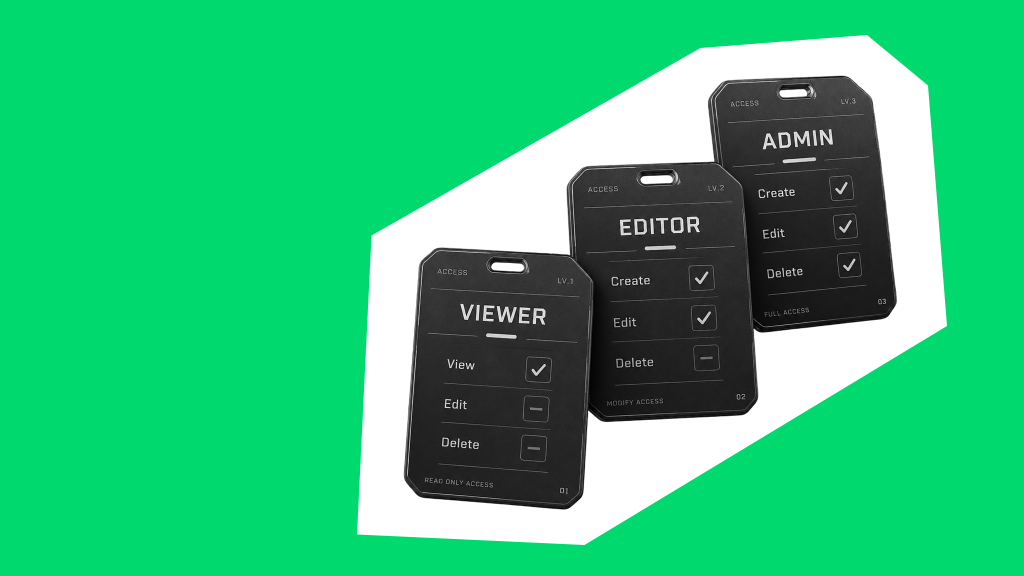
A single “admin” role can work when one person runs a customer account. Once that account has an owner, managers, and other users who need different access to shared records, the decisions get harder. In B2B SaaS authorization, you need to define not just what each person can do, but which records they can access.
Drawing on four of our Rubyroid Labs projects, we’ll show how we approach Ruby on Rails authorization: roles, customer data boundaries, granular permissions, and the way those permissions appear in the UI.
We’ll also cover approvals, audit logs, common Rails authorization mistakes, and a checklist you can use to review your own setup.
If you’re scaling a Rails application or revisiting its access rules, this article will help you spot where a simple role stops being enough and what to address next.
Rails roles and permissions for multi-user accounts
When only one person uses a company account, there is little ambiguity about who manages it. On a marketplace, that changes as soon as several representatives need to work for the same buyer or seller. They may all need roles and permissions to access trading activity, but they should not necessarily have the same control over listings, bids, contracts, or the people in the account.
| Authentication verifies who a person is when they sign in. Ruby on Rails authorization determines what they can access or do afterward. In a Rails RBAC (role-based access control) setup, roles group responsibilities within the company account, while permissions define the actions available to each person. |
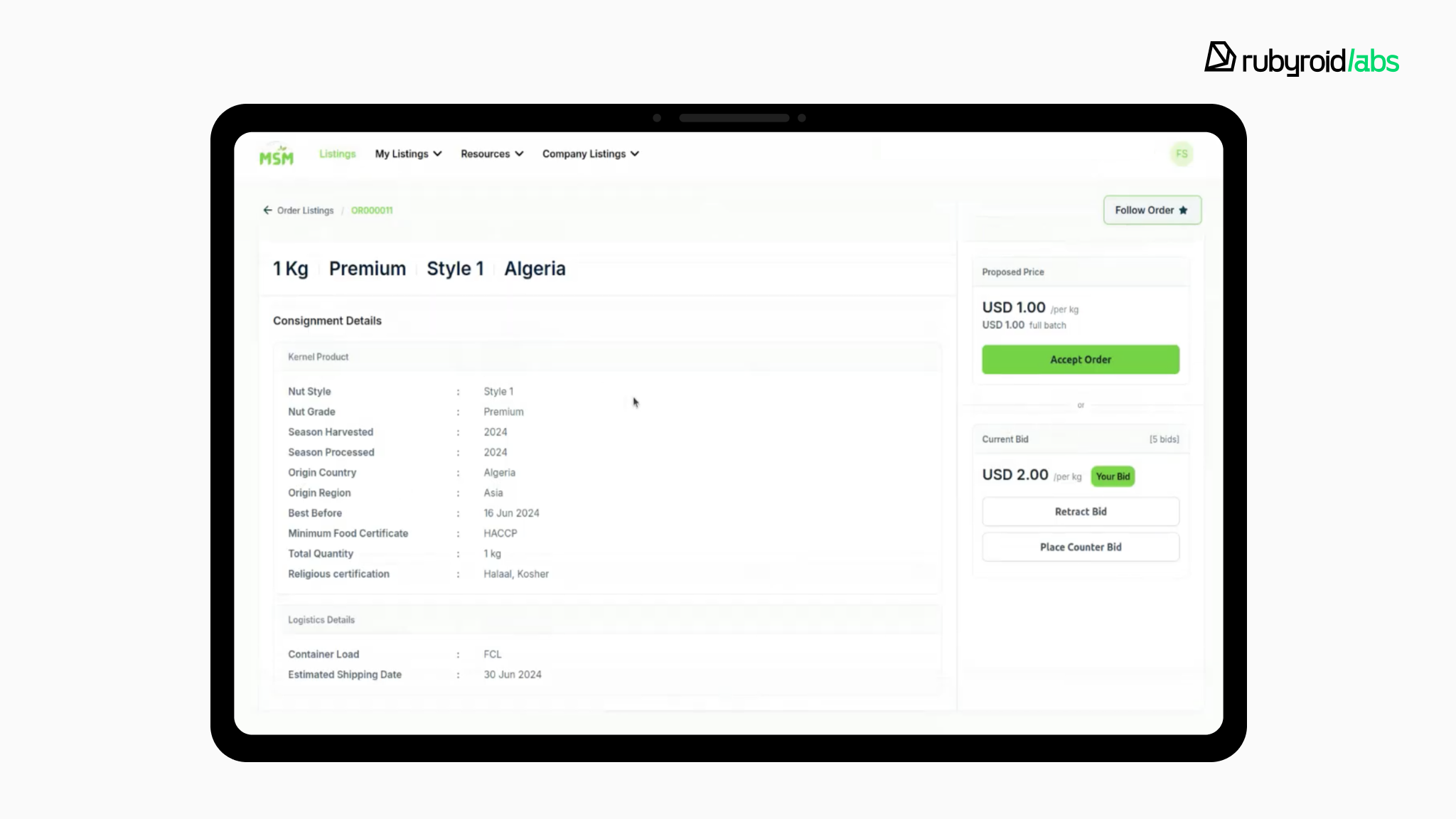
That shift came up in our work on a B2B marketplace for the macadamia industry. The platform needed to let several representatives work on behalf of one company without giving everyone identical access. We introduced multi-user company accounts, defined Rails user roles for company members, and added flows for inviting people and managing their access. Here, Ruby on Rails authorization had to answer a practical business question: how could companies delegate trading work without giving every representative the same level of control?
To define those roles and permissions, we had to look beyond role names and ask what each person should be able to do:
- Who manages the company account? An owner may need to invite representatives and assign roles without making every representative an owner.
- Who can act in a trade? Viewing a listing, working with a bid, and taking an action involving a contract are different permissions. Someone helping with one part of the process may not need control over all of it.
- Which company are they acting for? Permission to work with listings or contracts should not give a representative access to another company’s records.
Those questions help us define granular permissions tied to specific actions and company records. In the Rails application, invitation and role-management flows handle how people join and work within a company account. Pundit policies check whether a user can take actions involving companies, listings, and contracts. This is where our Ruby on Rails development services go beyond adding user roles: we turn the way a company delegates work into access rules the application can enforce.
| In the Rails application, invitation and role-management flows handle how people join and work within a company account. Pundit policies check what users can do with companies, listings, and contracts; policy scopes limit which records they can retrieve in the first place. Note: A policy protects an action; a scope filters the records returned by a query. Checking whether someone can open a contract is not enough if an unfiltered list can still show it. |
Here’s a note from Pavel Pershko, VP of Engineering:
For an online store or marketplace, define roles by responsibility, but keep permission management tied to specific actions, records, and company accounts. For example, managing listings, handling refunds, and changing payout details may require different permissions.
As a result, companies using the Macadamia platform could involve multiple representatives in trading without giving everyone identical access.
But deciding what someone can do is only part of the job. The next question is which company’s data they can access. That’s where multi-tenant authorization becomes essential, especially when many customers use the same application.
Multi-tenant authorization in Rails: keeping customer data separate
In a multi-tenant Rails app, each customer organization is a tenant. Tenant isolation keeps their data separate: permission to view bookings or customer records in one company should not give a user access to the same types of records in another.
But keeping data separate and deciding who may access it are different tasks. A multi-tenant application needs to answer two questions:
- Where does this company’s data live? The tenant boundary keeps one customer’s records apart from another’s.
- Who can work with that data? Authorization determines which company a user may act for and what they may do there.
The challenge is to make those boundaries work together as more customers use the same product.
RocketWash needed to solve this while building a multi-tenant CRM and mobile app for car wash businesses. Companies use the platform to manage bookings, employees, and finances, and the connected mobile app lets car owners find locations and book services. A business could operate multiple car wash locations, but its records needed to remain separate from those of other businesses.
| Multitenancy has several levels. Customer data can be separated by rows, database schemas, databases, or dedicated infrastructure. RocketWash uses a separate PostgreSQL schema for each company, but users’ access within that company still needs authorization checks. |
We built RocketWash with schema-based multitenancy in PostgreSQL: each company had its own database schema while using the same Ruby on Rails application. That kept the car washes and customers of different companies in separate data spaces. Locations belonging to one company remained within that company’s tenant boundary.
| What the schema does and doesn’t do: A separate schema helps keep company data apart. It does not, on its own, decide whether a particular user is allowed to access that company or perform an action. Those are authorization decisions the application must also make. |
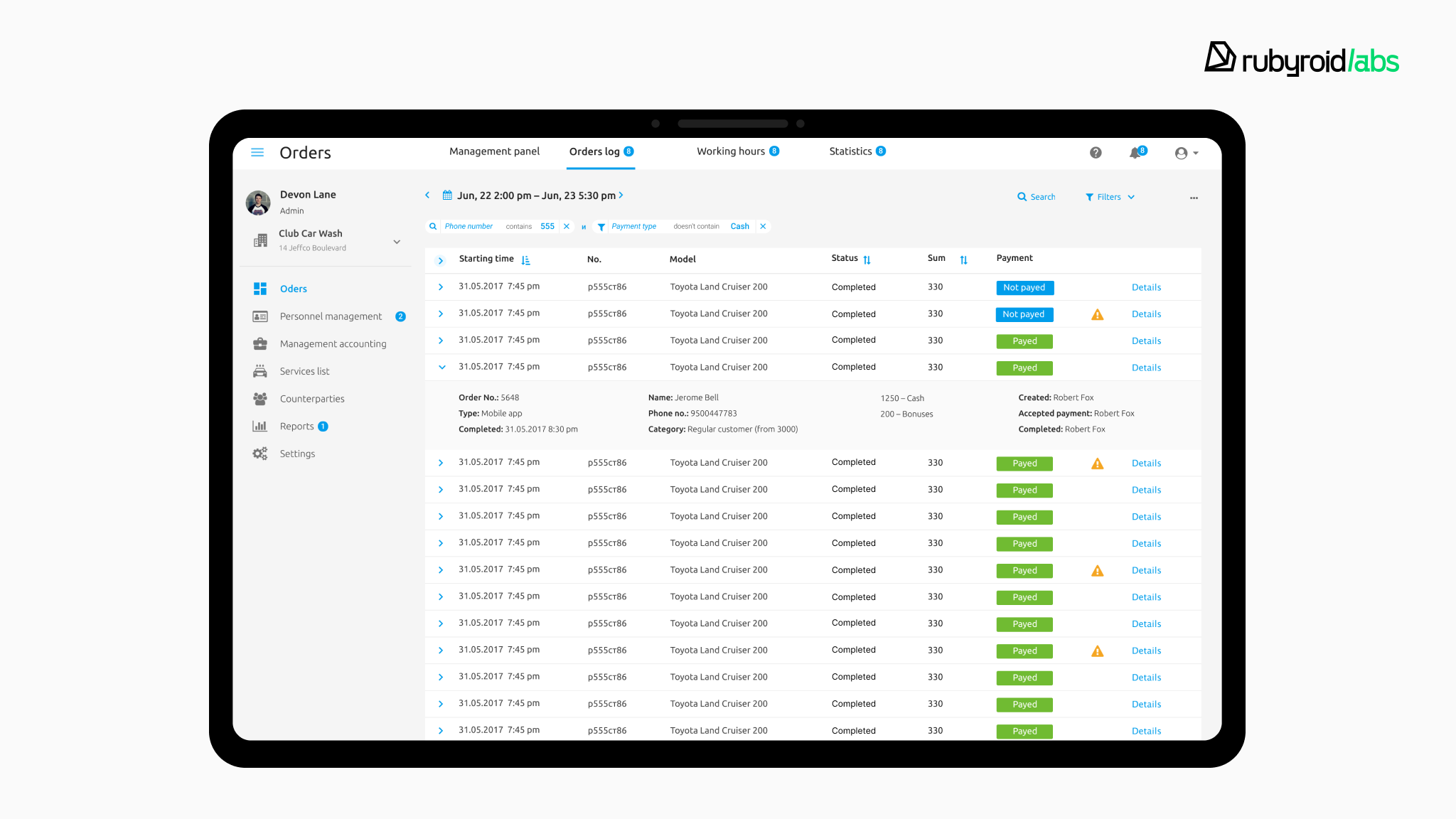
RocketWash is used by more than 130 businesses. Each company has its own database schema, so its car washes and customers remain separate from those of other businesses using the same Rails application.
That boundary is a starting point, not the whole access model. Even when users belong to the same company, they may not need access to the same records.
When do you need granular permissions in Rails?
A role is a useful starting point for authorization. It can tell the application that an admin manages users, an engineer works with equipment, and an observer views monitoring data.
But what if two people have the same role and should still see different data?
That was the question in ELKO’s weather station management system. The platform brought data from distributed stations into one place, but not everyone using it needed access to the entire monitoring network. Guest users, in particular, needed a view tailored to what they had been allowed to see.
The distinction: Role-based access control (RBAC) defines a user’s broad responsibilities. Granular permissions narrow access within those responsibilities. A Guest may be allowed to view station data, for example, but only from selected stations, for selected sensor parameters, and within a specified time range.
For ELKO’s weather station management system, we built role-based access controls for different user groups. When creating a Guest account, admins needed to define exactly what data that Guest could access:
- Stations: Which stations can this person access?
- Parameters: Which measurements can they see?
- Time range: What period of data is available to them?
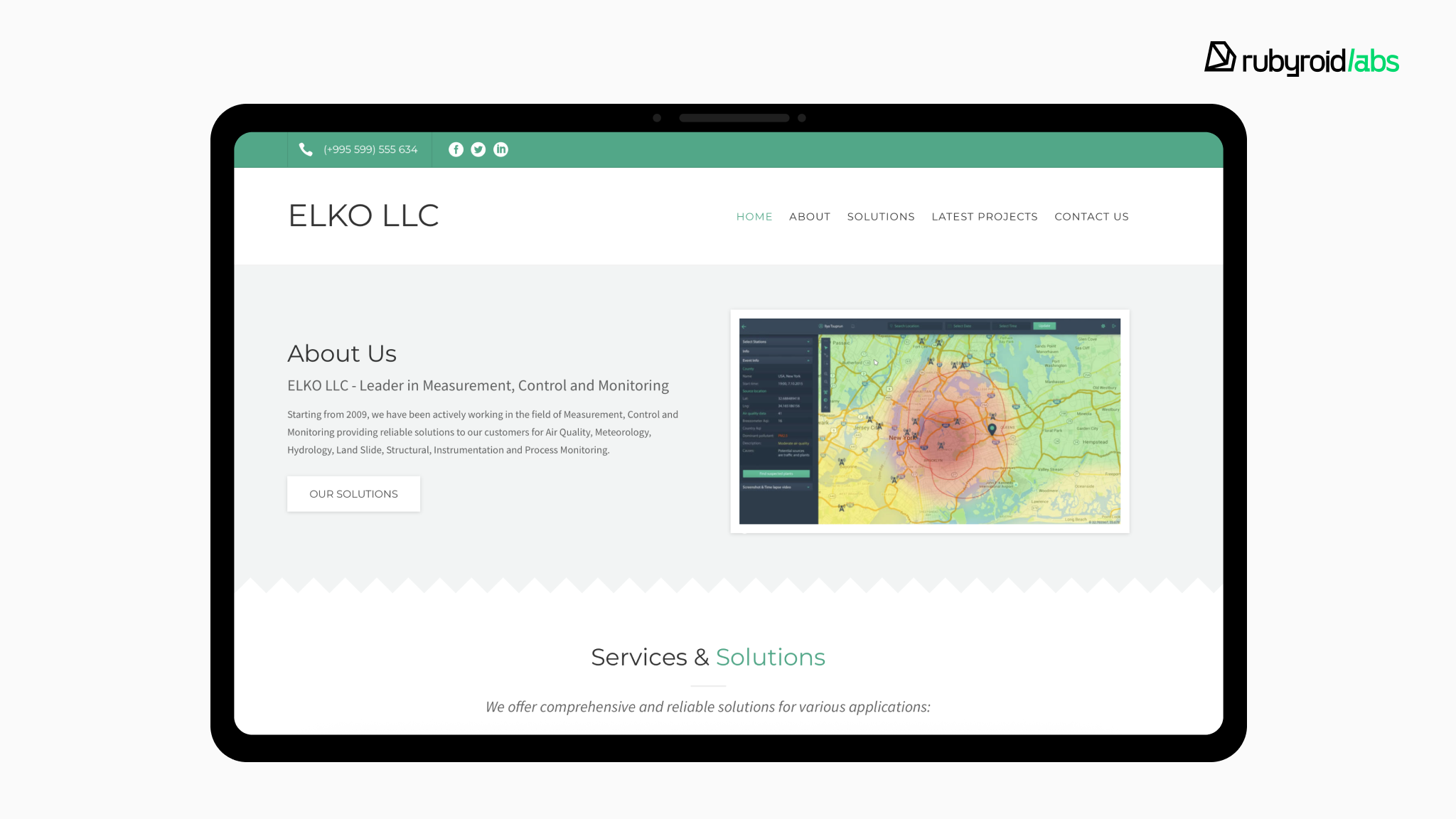
Those choices affected more than one screen. A Guest could encounter station data on the map, in a station’s data table, and in its charts. If the map showed only selected stations but a chart query returned data from others, the restriction would be incomplete.
Access also had to be considered beyond the interface. Station tables supported CSV and XLSX exports, while approved third parties could be given API access scoped by station, parameter, and time interval.
Our VP of Engineering, Pavel Pershko, adds:
Access rules belong on the backend. If a user shouldn’t see certain data, the query shouldn’t return it, whether they’re viewing a page or downloading an export.
And we test that, rather than relying on what the UI hides.
ELKO could give each Guest access to the station data they needed without opening up the entire monitoring network. Fine-grained access control made it possible for users to share a role without sharing the same access to data.
Rails permissions in the UI: what each user can do
Permissions shape what users see as well as what they can do. Before showing a button or tab, we check whether the user is allowed to use it. If an unavailable action does appear, the backend still blocks the request.
But removing unavailable controls is only the first step. When employees, managers, and admins work in the same product, each group also needs a clear path to the tools they use every day.
We saw this challenge in our UX/UI redesign of Done Desk’s dental operations platform. Employees, account managers, account owners, and admins all had different tasks, but the interface had become difficult to navigate. Users were turning to support for help finding their way.
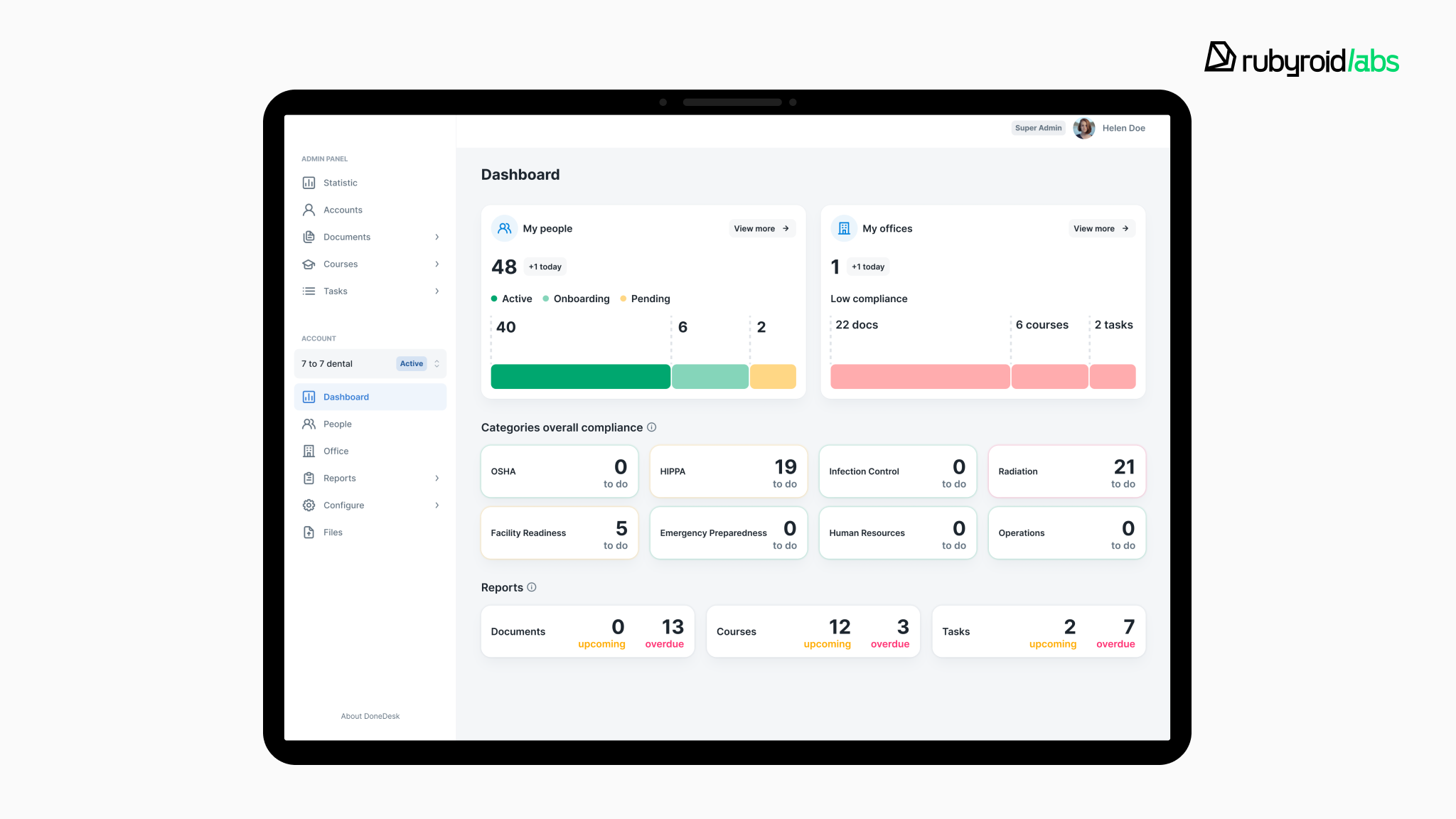
We redesigned the experience around the work each group needed to do:
- Employees got My To-Dos instead of the previous dashboard, a single place for their assigned tasks, courses, and documents.
- Admins, account owners, and managers got redesigned dashboards and tools for managing documents, courses, and tasks.
- Across roles, we improved onboarding and navigation so users had a clearer path to the tools relevant to them.
Each group needed an obvious starting point for its day-to-day work. Following the redesign, UI-related support requests fell by 60%, while the task completion rate increased by 30%.
Permissions determine what users can do. The Done Desk redesign addressed how easily they could do it. We explore that broader design challenge in our guide to UX/UI design for enterprise applications.
Approvals and Rails audit logs: why they matter for sensitive actions
As you give different roles access to your application, a question can come up that the roles themselves cannot answer. Suppose a manager grants a colleague access to financial reports. A week later, the account owner asks who made that change. The application shows that the colleague has access now, but there is no record of when it was granted or by whom.
If access to those reports requires a second person’s review, we would add an approval step before the change takes effect. If your team needs to trace changes afterward, we would record them in an audit log.
These solve different problems:
- approval controls whether a sensitive change can go ahead
- an audit log helps you establish what happened
Depending on the action, your application may need either one or both.
Approval workflows and separation of duties
Role-based approval
If you want managers to propose access changes but leave the final decision to account owners, we separate those actions. A manager submits a request; the employee’s access stays unchanged until an owner approves it.
In the Rails application, we store the request as pending. When someone approves it, we check their authority over that company account and the request’s current state. The check happens when the action is submitted, not only when we decide whether to show the Approve button.
Preventing self-approval
An approval step offers little independent review if the requester can approve their own request. So we check the people involved as well as their roles: even an account owner cannot approve a request they submitted themselves. We apply this rule to actions where a second decision matters, rather than slowing down every routine edit.
Audit logs: tracking authorization and admin actions
What should be logged?
We start with actions your team may need to explain later: invitations, changes to roles or permissions, approval decisions, and sensitive account-setting changes. For some actions, failed attempts matter too. We select meaningful events, not every click. Recording these events without slowing down the user experience often requires asynchronous processing or moving toward an event-driven architecture in Rails.
What information should an audit event contain?
Each event needs enough detail to answer:
- Who acted, and when?
- Which company account and record were affected?
- What did they do, and did it succeed?
- If something changed, what were the relevant values before and after?
We keep passwords, tokens, and unnecessary personal data out of these records.
Audit logs vs. application logs
Application logs help us diagnose software behavior. An audit log helps your team answer a business question, such as “Who gave this employee access?” We record the event around that action instead of expecting someone to reconstruct it from technical logs.
Audit logs for security and compliance
This history helps you investigate unexpected changes and respond to customer questions. If you have compliance requirements, we define who can view the records, how they are protected, and how long they must be kept according to those requirements. Adding an audit log supports that work; it does not make the application compliant by itself.
Together, these controls give you a way to review sensitive changes before they happen and a clear record to rely on afterward.
Common Rails authorization mistakes that create security risks
Roles may be set up correctly, and a customer’s data can still appear where it shouldn’t. For example, a manager cannot open another company’s report on its own page, but that report turns up in an export.
The permission rule exists but it just isn’t applied in every way the data can be accessed.
When we review Rails authorization system, these are the gaps we look for first:
01. Checking permissions only in the UI
Hiding an Edit button makes the interface clearer, but it does not protect the action behind it. We check permission in the Rails application when the request arrives, even if the user should never have seen the button.
02. Using global record queries
If a manager opens /reports/42, the application must not fetch the report from another customer account just because the ID exists. We look up records within the account the manager can access and apply the same scope to lists and exports.
03. Using Pundit policies without scopes
A policy may allow a manager to delete records, but it does not decide which records a bulk action selects. If the query is not scoped, that action could include records outside the manager’s area of responsibility. We use Pundit scopes to limit the records a query can return before the action runs.
04. Scattering rules across the application
When each controller handles permissions differently, a new action can miss a check. We keep authorization rules consistent and test them against the roles and accounts they should protect.
05. Forgetting APIs and background jobs
A rule should not apply only to a browser page. If an API endpoint or queued job can make the same sensitive change, we make sure that path respects the same business restrictions.
06. Giving “admin” more power than the job requires
A support employee may need to help with an account without being able to grant access or change every setting. We define permissions around the work people actually do, rather than using one broad admin role as a shortcut.
Fixing these gaps across a growing application takes time, especially when Rails authorization rules are spread across controllers, queries, and jobs. If your team is focused on product work, hiring Ruby on Rails developers can help you tackle that refactoring without putting the roadmap on hold.
Rails authorization checklist for a growing B2B SaaS
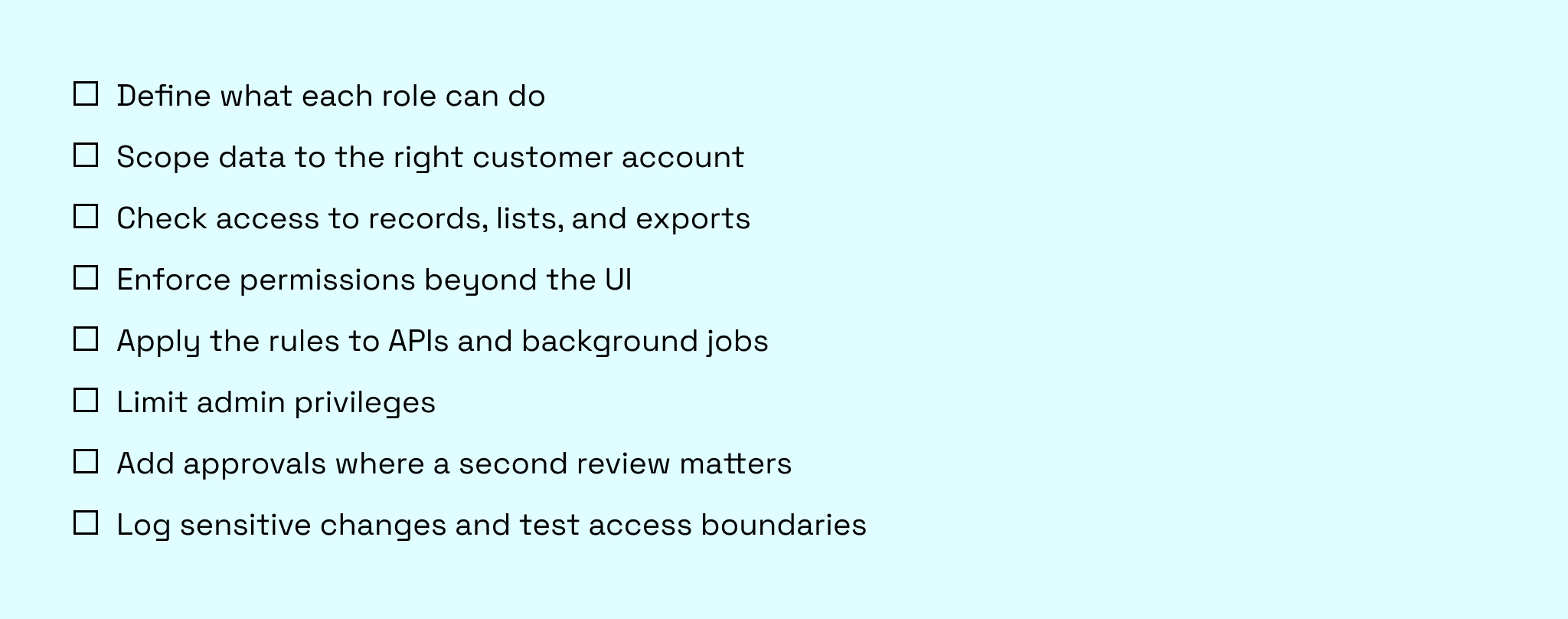
Where to start testing Rails access control
- Set up realistic test users. Create two customer accounts with users who have different roles and permissions. Note what each user should and should not be able to access.
- Test tenant isolation across every path to the data. Check direct record URLs, lists, searches, exports, and API requests. A user should not be able to retrieve another customer’s data through any of them.
- Check restrictions within an account. Test actions a user’s role does not allow, such as changing permissions, even when the record belongs to their own customer account.
- Turn failures into regression tests. If a request succeeds when it should be denied, fix the missing check and add a test for that path. For sensitive changes, also verify any required approval and audit logs.
Conclusion
As a B2B SaaS product grows, access rules need to reflect more than what a user’s role is called. The gaps often appear in places that are easy to overlook:
- an export that bypasses a view restriction
- an API endpoint that skips a tenant boundary
- an approval flow that never checks who submitted the request.
Authorization in a B2B SaaS is not something you finish once and forget. As your customer base grows and workflows become more complex, access rules need to reflect how people actually work with shared records, not just what their role is called.
If you’re building a multi-tenant Rails application or revisiting access controls in an existing one, an experienced development team can help you define boundaries that hold as the product grows and avoid the authorization mistakes that create risk later.
FAQ
What are Pundit and CanCanCan, and which should you use?
Pundit and CanCanCan are Ruby gems for handling authorization in Rails:
Pundit organizes rules in policy classes and scopes, while CanCanCan defines abilities for actions and resources.
Choose Pundit if your team prefers explicit policies for each resource.
Choose CanCanCan if its ability rules and controller helpers better fit your application. Either way, make sure the rules also restrict which tenant records a user can retrieve, not just which actions they can perform.
What should Rails SaaS audit logs contain?
For access changes, Rails audit logs should record who made the change, when it happened, which customer account and user it affected, and whether it succeeded. A permission change audit log should also show the previous and new role or permission so an admin can see exactly what changed. Avoid logging passwords, access tokens, or unnecessary personal data.
How do you implement team-level permissions in Rails?
To let users work with their teams’ records without creating a role for every team, represent team membership explicitly. For example, with a join model.
For each request, verify the user’s membership in the customer account, limit the records they can reach to the appropriate teams, and check whether their role or team-level permissions allow the action. Test those rules across record pages, exports, and APIs so tenant isolation does not depend on a single controller path.